


Best Budgeting Software
The best budgeting software for small businesses are PocketGuard, Quicken, Honeydue, Intuit Mint, and Goodbudget. Small business budgeting software helps businesses to create, manage, monitor, and track their budget.



No Cost Personal Advisor
List of 20 Best Budgeting Software
Category Champions | 2024

Online Accounting Software for Growing Businesses
Zoho Books is a great budgeting software for managing the finance of your business. The software provides end-to-end accounting functionalities, including GST invoicing, audit trails, core accounting, stock monitoring, expense tracking, bank reconciliation, and financial reporting. Zoho Books creates GST invoices and files tax returns directly, ensuring your business is always GST-compliant. Read Zoho Books Reviews
Explore various Zoho Books features, compare the pricing plans, and unlock the potential of seamless operations by selecting the right software for your business.
Features
View all Zoho Books Features- SMS Integration
- Online Accounting
- Multi Company
- Accounts Receivable
- Cashflow
- Sales Management
- Purchase Orders
- Multi Currency
Pricing
Zoho Books Caters to
- StartUps
- SMBs
- Agencies
- Enterprises
Category Champions | 2024

Making Modern Businesses GST friendly
QuickBooks is an online budgeting software for business owners to keep them on top of their finances. Its easy-to-use interface, 100% data security, and streamlined workflows help owners focus more on their growing businesses. QuickBooks is well-known for its features like budgeting, forecasting, expense management, vendor management, GST compliance, document management, etc. Read QuickBooks Online Reviews
Explore various QuickBooks Online features, compare the pricing plans, and unlock the potential of seamless operations by selecting the right software for your business.
Features
View all QuickBooks Online Features- Budgeting
- Reporting
- Mobile App
- Inventory Management
- Data Backup and Restore
- Online invoicing
- Discount & Schemes
- Online Banking Integration
Pricing
Simple Start
$ 30
Per Month
Essentials
$ 60
Per Month
Plus
$ 90
Per Month
QuickBooks Online Caters to
- StartUps
- SMBs
- Agencies
- Enterprises
Emergents | 2024

Software by You Need A Budget
You Need a Budget (YNAB) is the best budgeting software for designing and maintaining a budget. This user-friendly software helps you manage your relationship with money with its flexible budgeting solutions. With the YNAB money management system, you will save effortlessly and spend confidently by simplifying your spending decisions. Learn more about You Need A Budget (YNAB)
Explore various You Need A Budget (YNAB) features, compare the pricing plans, and unlock the potential of seamless operations by selecting the right software for your business.
- General Ledger
- Run Rate Tracking
- Balance Sheet
- Capital Asset Planning
- Profit / Loss Statement
- Project Budgeting
- Cash Management
- Forecasting
You Need A Budget (YNAB) Caters to
- StartUps
- SMBs
- Agencies
- Enterprises
Contenders | 2024

Software by The Infinite Kind
Keep an eye on your cash flow with Moneydance. It is an advanced budget management software that lets you create a budget and helps you stick to it. Moneydance offers a wide range of features, such as online banking, reporting, account registers, portfolio management, and more. Read Moneydance Reviews
Explore various Moneydance features, compare the pricing plans, and unlock the potential of seamless operations by selecting the right software for your business.
Features
View all Moneydance Features- Profit / Loss Statement
- Run Rate Tracking
- Cash Management
- Capital Asset Planning
- Balance Sheet
- Multi Company
- Forecasting
- Income Statements
Pricing
Starter
$ 50
Per Month
Moneydance Caters to
- StartUps
- SMBs
- Agencies
- Enterprises
Category Champions | 2024

Software by ClearTax
ClearTax is a complete corporate budgeting software that helps businesses with finance management and helps them save time and money. It provides almost all the features that you wish for in budgeting software, including GST compliance, e-invoicing, e-way bill, ITR filing, tax consulting, payment tracking, stock management, and much more. Read ClearTax Reviews
Explore various ClearTax features, compare the pricing plans, and unlock the potential of seamless operations by selecting the right software for your business.
Features
View all ClearTax Features- Records of E-Way Bills
- Data Import/Export
- Audit Trail
- Email and SMS Alerts
- Inventory Management
- E-Way Bill Generation
- Reporting
- Dashboard
ClearTax Caters to
- StartUps
- SMBs
- Agencies
- Enterprises
Emergents | 2024

Software by CountAbout
Keep a tab on your savings and expenses with CountAbout. It is an all-in-one enterprise budgeting software that helps you pay off debt faster or reach your savings goals sooner by making small differences in your budgeting. CountAbout enables you to identify leaks in your spending and ensures you control your finances. Learn more about CountAbout
Explore various CountAbout features, compare the pricing plans, and unlock the potential of seamless operations by selecting the right software for your business.
Features
View all CountAbout Features- Income Statements
- General Ledger
- Multi-Department
- Project Budgeting
- Forecasting
- Profit / Loss Statement
- Cash Management
- Version control
Pricing
Basic
$ 10
Per Year
Premium
$ 40
Per Year
CountAbout Caters to
- StartUps
- SMBs
- Agencies
- Enterprises
High Performer | 2024

The next generation Online Accounting Software
ProfitBooks is a top budgeting software for gaining full control over your business finance. The software lets you easily manage all your transactions in one place with unique features like sales order, task, and document management. ProfitBooks is highly secure as it enforces five levels of security measures for data protection and secure access. Read ProfitBooks Reviews
Explore various ProfitBooks features, compare the pricing plans, and unlock the potential of seamless operations by selecting the right software for your business.
Features
View all ProfitBooks Features- Multi Currency Support
- Online Banking Integration
- Payments
- Banking Integration
- Database backup/restore (Management)
- HR & Payroll
- Security
- Manage Customers and Suppliers
Pricing
Professional Plan
$ 83
Per Year
SMB Plan
$ 125
Per Year
ProfitBooks Caters to
- StartUps
- SMBs
- Agencies
- Enterprises
Contenders | 2024

Books that make sense
Giddh is the best business budgeting software that offers services like GST compliance, bank reconciliation, cash management, bulk vendor payments, Tally plug-in multicurrency, audit trail, invoicing, reporting, analysis, etc. Unlike other software, it is simple, flexible, and has no restrictions on users. Change the shape of your business with Giddh’s smart budgeting. Read Giddh Reviews
Explore various Giddh features, compare the pricing plans, and unlock the potential of seamless operations by selecting the right software for your business.
Features
View all Giddh Features- Invoice
- Benchmarking
- Purchase Orders
- Background Screening
- Monthly GST Report
- Fast Search
- Project Accounting
- Collections
Pricing
Birch
$ 21
Per Company/Yearly
Oak
$ 56
Per Company/Yearly
Vine
$ 139
10 Companies/Yearly
Giddh Caters to
- StartUps
- SMBs
- Agencies
- Enterprises
Contenders | 2024

All-in-One Platform to Run Your Business.
Deskera is a next-generation budget planning software that helps you drive scalable costs and improved margins. With its modern, centralized, and integrated business processes, you can organize your finance as per your needs and keep a tab on accounting and transactional activities with a complete audit trail. Deskera offers effortless budgeting for businesses of all sizes. Read Deskera Reviews
Explore various Deskera features, compare the pricing plans, and unlock the potential of seamless operations by selecting the right software for your business.
Features
View all Deskera Features- ACH Payment Processing
- Bank Reconciliation
- Accounting Integration
- Barcode Integration
- ACH Check Transactions
- Bills of Material
- Order Management
- Accounts payable
Pricing
Professional
$ 83
User/Month
Startup
$ 17
User/Month
Essential
$ 42
User/Month
Deskera Caters to
- StartUps
- SMBs
- Agencies
- Enterprises
Emergents | 2024

Software by Prophix Software
Prophix is the best online budgeting software that helps you create and maintain a budget for your finances. The software streamlines budgeting and planning processes with greater speed, accuracy, and agility. Prophix saves time with improved collaboration and keeps everyone engaged and aligned with unified planning. Learn more about Prophix Software
Explore various Prophix Software features, compare the pricing plans, and unlock the potential of seamless operations by selecting the right software for your business.
Features
View all Prophix Software Features- Multi Company
- Income Statements
- General Ledger
- What If Scenarios
- Profit / Loss Statement
- Capital Asset Planning
- Consolidation / Roll-Up
- Project Budgeting
Prophix Software Caters to
- StartUps
- SMBs
- Agencies
- Enterprises
Emergents | 2024

Software by Personal Capital Corporation
Personal Capital is a budgeting software for businesses that helps keep spending in check. The software ensures that your transactional decisions are aligned with your financial goals by tracking and organizing spending and savings. On top of that, Personal Capital lets businesses create various customizable groups for managing transactions. Learn more about Personal Capital
Explore various Personal Capital features, compare the pricing plans, and unlock the potential of seamless operations by selecting the right software for your business.
Features
View all Personal Capital Features- Education Planner
- Retirement Planning
- Application Security
- Budget Management
- Dashboard
Personal Capital Caters to
- StartUps
- SMBs
- Agencies
- Enterprises
Category Champions | 2024

Portfolio Management Solution
MProfit is India’s leading budget management software that helps you effectively manage your financial assets. It offers total portfolio management solutions for managing and tracking multiple asset classes like stocks, F&O, Mutual Funds, Traded Bonds, Fixed Deposits, NPS, PMS, AIF, etc. MProfits also offers in-depth analysis and performance insights. Read MProfit Reviews
Explore various MProfit features, compare the pricing plans, and unlock the potential of seamless operations by selecting the right software for your business.
Features
View all MProfit Features- For Investment Advisors
- For Investors
- Tax Management
- For Investors & Traders
- Portfolio Management
- Asset Management
- Asset Allocation
Pricing
MProfit Free
$ 0
Free to get started
MProfit Lite
$ 33
Everything in Free, and...
MProfit Plus
$ 83
Everything in Lite, and...
MProfit Caters to
- StartUps
- SMBs
- Agencies
- Enterprises
Contenders | 2024

All-in-one work management software
Shape your financial future with Scoro, the best budgeting software. It is a great tool for planning and forecasting your resources with efficient work management. Scoro allows you to manage finances in multiple currencies and controls the visibility of sensitive information using roles and permission. The software keeps track of all your transactions, including sales, purchases, costs, profits, etc. Read Scoro Reviews
Explore various Scoro features, compare the pricing plans, and unlock the potential of seamless operations by selecting the right software for your business.
Features
View all Scoro Features- Project Management
- Agent Scheduling
- Task Management
- Financial Management
- Equipment Management
- Billing & Invoicing
- Lead Management
- Employee Management
Pricing
Plus
$ 22
User/Month
Premium
$ 33
User/Month
Ultimate
$ 55
User/Month
Scoro Caters to
- StartUps
- SMBs
- Agencies
- Enterprises
Category Champions | 2024

Free GST invoicing software for small businesses
Zoho Invoice is a free cloud-based budget management software for small businesses. The software enables you to create professional invoices, schedule payment reminders, and keep track of all your spending. Moreover, helps you manage your finances hassle-free by providing a complete breakdown of your expenses in a pie-chart form. Read Zoho Invoice Reviews
Explore various Zoho Invoice features, compare the pricing plans, and unlock the potential of seamless operations by selecting the right software for your business.
Features
View all Zoho Invoice Features- Mobile Payments
- Invoice history
- Credit Notes
- Real Time Currency Quotes
- Invoice
- Receipt Printing
- GST Compliance
- Billing Portal
Pricing
Free
$ 0
Per Month
Zoho Invoice Caters to
- StartUps
- SMBs
- Agencies
- Enterprises
Emergents | 2024

Easy Software Solutions
Sleek Bill is the corporate budgeting software every business needs to plan a budget. The software makes it easier to manage GST, invoices, and clients, and it can be used anytime, anywhere, so you can access your bills from any desktop, tablet, or laptop. Sleek Bill is built with the highest safety standards to keep your data safe. Read Sleek Bill Reviews
Explore various Sleek Bill features, compare the pricing plans, and unlock the potential of seamless operations by selecting the right software for your business.
Features
View all Sleek Bill Features- Document Printing
- Vendor Management
- Email Integration
- Invoice
- Accounting
- Quotation & Estimates
- Inventory Management
- Billing & Invoicing
Pricing
Premium + Inventory Yearly License
$ 44
Per Year
Sleek Bill Caters to
- StartUps
- SMBs
- Agencies
- Enterprises
Emergents | 2024

Software by WingsInfo
Wings Accounting is a world-class enterprise budgeting software to run your business better. The software helps with financial accounting, inventory, and taxes, providing deep insights into your business. Wings Accounting also ensures full GST compliance of e-invoices, e-bills, and online/offline returns with GST laws and regulations. Read Wings Accounting Reviews
Explore various Wings Accounting features, compare the pricing plans, and unlock the potential of seamless operations by selecting the right software for your business.
Features
View all Wings Accounting Features- Product Database
- Production Management
- Invoice
- Time Tracking
- HR & Payroll
- Payment Handling
- Inventory Management
- Outstanding
Wings Accounting Caters to
- StartUps
- SMBs
- Agencies
- Enterprises
Category Champions | 2024

Cloud Accounting Software Making Billing Painless
FreshBooks is a simple and easy-to-use software for invoicing, payments, accounting, time-tracking, and bookkeeping. This top budgeting software helps keep an eye on the bigger picture by providing reports and analytics that explain your profitability, cash flow health, spending, etc. FreshBooks is ideal for freelancers, self-employed professionals, and businesses of all sizes. Read FreshBooks Reviews
Explore various FreshBooks features, compare the pricing plans, and unlock the potential of seamless operations by selecting the right software for your business.
Features
View all FreshBooks Features- Recurring Billing
- Customizable invoices
- Accounting Management
- Bookkeeping
- Online Banking Integration
- Activity Tracking
- Recurring invoice
- Electronic Signature
Pricing
Lite
$ 19
Per Month
Plus
$ 33
Per Month
Premium
$ 60
Per Month
FreshBooks Caters to
- StartUps
- SMBs
- Agencies
- Enterprises
Emergents | 2024

Cloud Based Accounting & Inventory Software
ZipBooks is the best business budgeting software for finance, accounting, and inventory management. This comprehensive cloud-based software helps smoothly manage and run business with its dynamic features, multi-user capabilities, integrated accounting, and more. ZipBooks is an ascendible solution that can easily adapt to your business needs. Read Zipbooks Reviews
Explore various Zipbooks features, compare the pricing plans, and unlock the potential of seamless operations by selecting the right software for your business.
Features
View all Zipbooks Features- Track Account
- Income Statements
- Sales Orders
- Import & Export Data
- Financial Management
- EMI Calculator
- Invoices
- Billing & Invoicing
Pricing
ZipBooks
$ 69
User/Year
Zipbooks Caters to
- StartUps
- SMBs
- Agencies
- Enterprises
Emergents | 2024

It is best budgeting software
EveryDollar is one of the best budgeting software, loaded with online tools like paycheck planning, expense tracking, custom budgeting, reporting, and more. It is the best financial planning software for gaining total control of your money flow. EveryDollar is simple to use and is perfect for businesses of all sizes. Learn more about EveryDollar
Explore various EveryDollar features, compare the pricing plans, and unlock the potential of seamless operations by selecting the right software for your business.
Features
View all EveryDollar Features- Forecasting
- General Ledger
- Cash Management
- Capital Asset Planning
- Profit / Loss Statement
- Balance Sheet
- Multi Company
- Multi-Department
EveryDollar Caters to
- StartUps
- SMBs
- Agencies
- Enterprises
Contenders | 2024

Software by Intuit Inc
Mint is the best budgeting planning software for wiser money management. This online budget planner notifies you before you exceed your spending limits and detects potential budget improvements. It also lets you create unlimited categories and provides recommendations to make wiggle room, helping you reach your goals faster. Read Mint Reviews
Explore various Mint features, compare the pricing plans, and unlock the potential of seamless operations by selecting the right software for your business.
Features
View all Mint Features- Consolidation / Roll-Up
- Capital Asset Planning
- Balance Sheet
- Cash Management
- General Ledger
- Project Budgeting
- Income Statements
- Run Rate Tracking
Mint Caters to
- StartUps
- SMBs
- Agencies
- Enterprises
Get Free Expert Advice

Recent Review


What is Budgeting Software?
Budgeting software helps in creating, managing, evaluating, and updating the budget of organizations or businesses. It estimates expenses, sets a guideline, and regulates payments.
Any manual process in business is highly vulnerable to human error. Budgeting is a highly data-driven process. The slightest inaccuracy, oversight, or error can render even the most elaborate budget strategy ineffective. Business budgeting software automates most repetitive tasks related to budgeting and forecasting to minimize human intervention and drastically reduce the scope of error.
Budget management software automatically issues reminders to users whenever they are required to make any data entries. They can also automatically import data from other accounting, ERP, and HRM applications. Not only does this save time, but it also ensures that the data remains uniform and consistent across all systems. Therefore, data is collected promptly with as little human intervention as possible.
Budgeting and forecasting activities generally require much collaboration and coordination among different individuals within the organization. This becomes especially cumbersome in a manual process. Budget management software can facilitate easy collaboration. The budgeting or the approval process can be standardized to organize the entire process and improve communication. They also come with budgeting tools that allow users to create hypothetical forecasts. They come equipped with features that allow users to factor in things often overlooked, such as inflation. Therefore, budgeting and forecasting solutions can help businesses prepare better for the future and make informed decisions as they formulate their budgets.
What are the Benefits of Business Budgeting Software?
There is a clear winner when it comes to manual and automated budgeting. Here are some of their benefits-
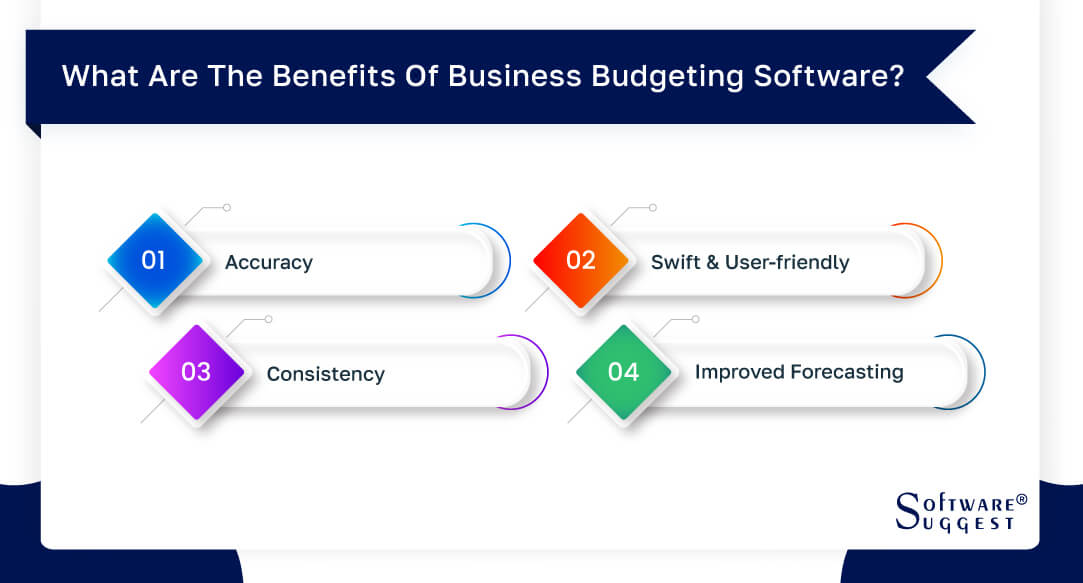
- Accuracy
Budgeting involves sensitive data and numbers and is an error-prone process. Errors can make the most strategic budget plans invalid. A reliable online budgeting tool or a money management app can automate most of the tasks so that minimal human effort is involved in the budgeting process, yielding accurate results.
-
Swift and User-friendly
When repetitive manual tasks are automated, resources are no longer required to spend hours and hours pouring over Excel sheets, consolidating them, and sharing them. Budget management apps enable users to retrieve historical data within minutes. They also enable users to manage and amend the budget easily without requiring a complete reworking. This saves much time and effort and simplifies the process.
-
Consistency
Online budgeting tools and money management apps store data in a consistent format irrespective of the source. They can import data from other systems, ensuring the data is uniform across all the platforms.
-
Improved Forecasting
Most budget management apps come equipped with superior forecasting capabilities. These programs can use complex algorithms, permutations, and combinations to sift through vast historical data for the most accurate results.
What to Consider When Choosing Budgeting Software?
Here are some things that you must consider when you want to choose the best budget software for your requirement
1. How user-friendly is the system? Can anyone use the system, or will you need skilled resources?
2. How smart is the forecasting system? Does it factor in things like inflation and other hypothetical scenarios?
3. How many users does the system allow? How does it facilitate collaboration? Does it allow collaborators to communicate with each other on the system itself?
4. How does the system enforce deadlines?
5. How compatible is the system with other finance, accounting, and HRM applications?
6. Will using the system saves costs in the long run? Is the price reasonable?
7. How does the system use past data?
8. What kind of reporting and analytics can be expected?
9. How secure is the system?
10. What kind of customer support is offered by the vendor?
The most important goal when running a business is to bring in revenue. It is easy to get caught up in the spending, however. There are office costs, marketing fees, and merchandise purchases. If you are not careful, you can spend more to run the business than you bring in from consumers. Human error accounts for a lot of mismanaged monetary assets. You may forget to add something to the list or allow an emergency. Budgeting software can help to keep you on track.
Of course, you must choose the right budgeting software for your business needs. This is something that can vary from one business and individual to another. There are various factors you need to consider when it comes to purchasing the right software, and taking the time to do this means you will be able to get the maximum benefit from the software you purchase or download.
When looking at different types of budgeting software for your business, one of the things you need to consider is the features and ease of use. The last thing you want is complicated and frustrating software, so look for something simple yet effective. Another thing you need to consider is the price of the software, as you need to ensure that the price fits in with your budget. You can also get free versions of budgeting software, although these are often more basic than the premium versions you pay for.
It is also well worth looking at reviews of the software you are considering for your business, as this will make it easier to determine whether you are making the right choice. You can look at consumer reviews online and make a more informed decision about the software you choose for your business. You can then be certain that you have the right product for your specific needs and benefit your business the most.
-
Tells you when to Quit
Budgeting software is a calculator tailored to your personal needs. You can set spending limits and set up notifications. You can be notified of the situation when the spending is at a certain amount. This allows business owners time to assess the situation before they exceed the allotted amount. Changes can be made to accommodate the spending trend each month. Those in charge can also halt spending privileges when something looks wrong. When you are aware of problems early on, there is a better chance of coming up with a viable solution.
-
Allows for Collaboration
One main reason a company budget goes awry is that too many people are involved with the assets. One department may purchase without consulting the other. There may not be room in the budget for two purchases. A large company can go into debt quickly if there is unauthorized spending. The people spending the money may never be in the same room or even in the same city. Budgeting software allows different users to log on and view the current budget state. They can also add the number of purchases into the system. This allows everyone to be aware of the budget situation.
-
Go Back in Time
Budget software is a great way to compare budgets over several years. You can look back at years when your spending was more in control and find out what was different. You can also look at years that resulted in debt to learn from your mistakes. It is also helpful to have a record of the budget for your business for each year. If you are ever audited, you can easily prove your spending habits. Patterns and increases in production costs can also be traced. When you spot a negative trend, your business can be saved from a financial disaster.
What Type of Business Needs Budgeting Software?
Budgeting is a sensitive activity, no matter what the scale. The exercise may not differ much across the industry. However, we can all agree that the priorities of one organization may not quite match the other. Therefore, their requirements for budgeting software may differ from each other. Here is how the size of the organization can inform one's decision when they are in the market for budget software:
-
Small Businesses
Small businesses would, first and foremost, require money management software that is easy to use. They may not have individuals skilled in finance and accounting to manage the activity. Small business budgeting tools must, therefore, be very user-friendly. While budgeting is important for small businesses, they may not require elaborate forecasting tools as they do not generally have much historical data.
-
Mid-Size Organizations
An area that most growing organizations struggle with is forecasting. Growing organizations are usually at a critical juncture where how they forecast can drastically impact their future. They cannot afford to overlook anything and must consider all the possible factors that may impact their future. They cannot afford to get carried away and make any overinvestment.
-
Large Organizations
Due to the sheer scale of operation, budget and forecasting become very complex activities in larger organizations. They tend to have multiple types of expenses and various sources of revenue. They have a huge number of employees and many departments. Therefore, they need money management software capable of handling such a huge operational scale.
Best Budgeting Software Tools to Manage Your Finances
-
You Need A Budget aka YNAB
You Need A Budget has developed a cult following in recent years and claims to have helped many users get out of debt. It has an easy-to-use and flexible system. What makes it work is a simple but effective philosophy: every dollar has to be accounted for. You give every dollar a job – from living expenses and investments to vacation and education. It allows you to sync your bank account or enter transactions manually.
Pricing: 34-day free trial; $83.99 annually; students get the first year free
Available on: Web, The App Store, Google Play, Windows
Pro Tip: The savings goals and debt payoff feature help you to attain true financial stability.
-
PocketGuard
Can’t keep yourself from overspending? This app can help. It does what its name suggests – guards you against splurging on things you don’t need with money you don’t have. PocketGuard links your financial accounts and tracks your spending throughout the month. You can set spending limits on each category. The app will notify you when you’re close to the limit, reminding you that you are committed to controlling your spending in that area.
Pricing: Free; Premium version (PocketGuard Plus) costs $3.99 per month or $34.99 annuallyAvailable on: App Store, Google Play
Pro Tip: PocketGuard tracks recurring expenses and helps you find better deals.
-
Personal Capital
Personal Capital has a greater focus on tracking and analyzing your investments. It analyzes your investment classes for free and lets you know which funds cost you the most. You link all your accounts on the app to get a complete overview of how each of your investments is doing. Its free money-tracking dashboard can be used to track other expenses as well. The optional paid features include expertized financial guidance, portfolio management, and financial planning. Even without the paid features, you can still do a lot with the app's free version.
Pricing: Free; the Price of paid services depends on your net worth
Available on: Web, The App Store, Google Play
Pro Tip: The Retirement Planner feature lets you plan and manage your retirement fund effectively. For free!
-
Splitwise
This one’s not a complete budgeting app, but it’s still handy. Splitwise is a nifty app that helps people track how much they owe to friends and colleagues and vice versa. It makes sharing expenses on outings, meals, events, etc, easy to track by logging in each transaction. It keeps a total over time so that you can pay back the money in a large payment rather than keeping track of every small amount or forgetting to pay it back. It also has email reminders for when a shared expense is due or when you must pay someone back. Neat, right?
Pricing: Free
Available on: The App Store and Google Play
Pro Tip: Splitwise has a ‘spinoff’ app, Plates, dedicated solely to splitting your restaurant bills!
-
TurboTax
An Intuit offering, TurboTax is a consumer-friendly tool for filing your taxes. It makes filling in the tax information easy, you can do it by importing your W-2 form information or just taking a picture of the form. For a short-term fix, a free version is a good option, especially if you only need to file your 1040A or 1040EZ.
The paid version, like Personal Capital, connects you with a CPA or other expert to help you maximize your returns.
Pricing: Free up to 5 returns; Paid plans start from $39.99 per return
Available on: The App Store, Google Play, Windows Store
Pro Tip: Get maximum deductions by staying updated on changing tax laws through the Tax Reform section on the TurboTax website.
-
Mint
Mint is a highly popular budgeting app. It takes your bank and credit card information to analyze your income and spending trends. It then points out the areas where you can spend less to improve your finances. You can set alerts for bills and upcoming payments to avoid unnecessary late fees. It also analyzes your credit score for free and gives you tips on how to improve it. You also get notified in case of unusually large spending or suspicious transactions.
Pricing: Free
Available on: The App Store and Google Play
Pro Tip: Track your spending trends over time and by the merchant to see where you spend the most.
-
Hopper
This last one is for the Globetrotters. Or for anyone who likes good deals on flights and hotels. It claims to have saved 30 million travelers $1.8 billion to date.
If you like to travel, but get stressed out at the thought of planning, from when to go to which flight to take, then Hopper is for you. It helps you to plan less and travel more. It predicts prices for hotels and flights with 95% accuracy, up to one year in advance. You can see the price predictions for each period of time and decide when the best time to make your trip. It will notify you automatically when booking your hotel or flight is the best time.
Pricing: Free
Available on: The App Store and Google PlayPro Tip: The Hopper website has a section dedicated entirely to travel tips, which can be useful when putting together that spur-of-the-moment trip.
By Countries
By Industries