


Are you struggling to find the perfect 3D Modeling Software that aligns with your complex demands? Our curated list of top-tier solutions offers personalization to meet your unique needs. Additionally, we've created a comprehensive comparison of Blender vs. Tinkercad all in one place to simplify your decision-making process. Blender is rated 4.8 while Tinkercad is rated 3.0.
SoftwareSuggest offers verified & unbiased user reviews based on user ratings and feedback. Our ratings and reports do not contain any paid placements. Learn more about our ranking methodology.


Quick View
Compare the most important details of Blender and Tinkercad at a glance
Good Rendering Quality
Versatile Feature Set
Large User Community
Lightweight Installation Size
Free And Open-Source
Extensive Shapes Library
Builds Lego‑Style Models
Steep Learning Curve
Frequent Disruptive Updates
Rendering Engine Limitations
Cluttered User Interface
Limited Architectural Integration
Unreliable File Download


Pricing
Compare pricing of Blender vs Tinkercad with the following detailed pricing plan info.
Some vendors offer only custom pricing based on specific customer needs. This is because every client's requirements vary greatly- influencing the final cost. For accurate pricing, reach out to the vendor directly for personalized quotes.
- Free Plan
- Free Trial
Some vendors offer only custom pricing based on specific customer needs. This is because every client's requirements vary greatly- influencing the final cost. For accurate pricing, reach out to the vendor directly for personalized quotes.
- Free Plan
- Free Trial
Features
Compare between Blender and Tinkercad based on their key features and functionalities to pick the right one for your business.
- Motion Tracking
- Rigging
- Modifiers
- Grease Pencil
- Video Editing
- Asset Management
- Animation
- Pbr Materials
- Texturing
- Python Scripting
- Rendering
- Add Ons
- Real Time Viewport
- Node Based Workflow
- Cross Platform
- Motion Tracking
- Rigging
- Modifiers
- Grease Pencil
- Video Editing
- Asset Management
- Animation
- Pbr Materials
- Texturing
- Python Scripting
- Rendering
- Add Ons
- Real Time Viewport
- Node Based Workflow
- Cross Platform
Get Software Recommendations That Fit!
Tell Us Your Needs. We'll Find The Right Options.
Media
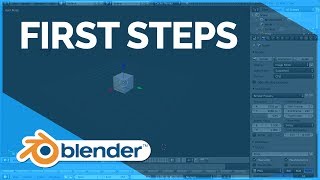
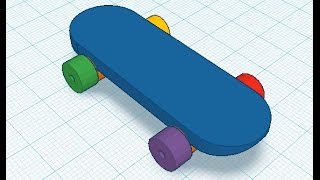
Explore screenshots and videos of Blender and Tinkercad to compare their interface and product experience.


.png)


Specifications
Check out the specifications of Blender and Tinkercad. Learn about their accessibility features, customer support channels, payment methods, and device compatibility.
- Freelancers
- Startups
- SMBs
- Mid-Market
- Enterprises
- API
- Free Trial
- Mobile Support
- Lifetime Free Plan
- Customization
- Phone
- Live Support
- Training
- Tickets
- Yearly
- Monthly
- Onetime (Perpetual License)
- Transaction
- Web App
- Windows
- macOS
- iOS
- Android
- Freelancers
- Startups
- SMBs
- Mid-Market
- Enterprises
- API
- Free Trial
- Mobile Support
- Lifetime Free Plan
- Customization
- Phone
- Live Support
- Training
- Tickets
- Yearly
- Monthly
- Onetime (Perpetual License)
- Transaction
- Web App
- Windows
- macOS
- iOS
- Android
Awards
Blender and Tinkercad have been awarded by SoftwareSuggest for the selected categories. These awards have been given on the basis of the overall performance of this software in the 3D Modeling Software category.


Alternatives


Company Details
Get insight into the company details Blender and Tinkercad and learn how they operate. Explore the company name, its location, and more!
Blender
Amsterdam
Autodesk Inc.
San Rafael
FAQs
Do Blender and Tinkercad offer a free trial?
Blender provides a free trial, while Tinkercad doesn’t offer free trial.
Blender and Tinkercad cater to which types of businesses?
Blender is suitable for Freelancer & Startups, whereas Tinkercad is suitable for Startups, SMBs & Mid-Market.
What level of customer support can I expect from Blender and Tinkercad?
Blender provides customer support over various channels including email, live support, tickets and training, and Tinkercad provides customer support over email and more.
What are the key features of Blender and Tinkercad?
Key features of Blender include sculpting, uv unwrapping, shading, texturing, animation, rigging, while Tinkercad offers features, such as 3d design, circuits, codeblocks, shape generators.
Which is the better option between Blender and Tinkercad?
This depends on various factors, such as your requirements, costs, integrations, customer support, and more. However, based on customer ratings, Blender has an advantage over Tinkercad.
Blender




Blender is very good 3D animation Software
This is one of the easiest software for 3D modeling, texturing, rigging, and animation. I have created a few animation video clips using Blender. Now I’m planning to make a short film with this software, and rendering won’t take much time.
Read More— ARUN KALYAN KUMAR