


Are you struggling to find the perfect Graphic Design Software that aligns with your complex demands? Our curated list of top-tier solutions offers personalization to meet your unique needs. Additionally, we've created a comprehensive comparison of Canva vs. Snappa all in one place to simplify your decision-making process. Canva is rated 4.7 while Snappa is rated 4.5.
SoftwareSuggest offers verified & unbiased user reviews based on user ratings and feedback. Our ratings and reports do not contain any paid placements. Learn more about our ranking methodology.


Quick View
Compare the most important details of Canva and Snappa at a glance
Large Template Library
Cross Device Cloud
Quick Video Editing
Easy To Use
Drag And Drop
Quick Design Creation
Easy To Use
No Offline Editing
Poor File Organization
Performance On Slow Internet
Limited Advanced Editing
Pro Features Locked
Limited Advanced Features
No Vector Support
.jpg)

Pricing
Compare pricing of Canva vs Snappa with the following detailed pricing plan info. Canva comes in 3 packages: Free, Pro, Enterprise. On the other hand, Snappa comes in 3 packages: Standard, Pro, Team.
- Free Plan
- Free Trial
- Free Plan
- Free Trial
Features
Compare between Canva and Snappa based on their key features and functionalities to pick the right one for your business.
- Brand Kit
- Task Management
- File Export
- Collaboration
- Custom Fonts
- Social Media
- Template Library
- Data Export
- Print Management
- Graphical Workflow Editor
- Editing Tools
- Content Planner
- Video Content
- Data Visualization
- Background Remover
- Brand Kit
- Task Management
- File Export
- Collaboration
- Custom Fonts
- Social Media
- Template Library
- Data Export
- Print Management
- Graphical Workflow Editor
- Editing Tools
- Content Planner
- Video Content
- Data Visualization
- Background Remover
Get Software Recommendations That Fit!
Tell Us Your Needs. We'll Find The Right Options.
Media
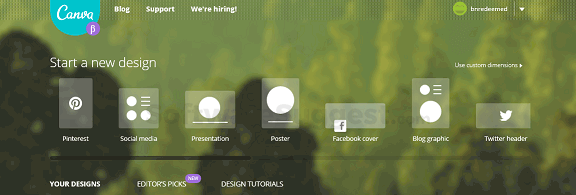
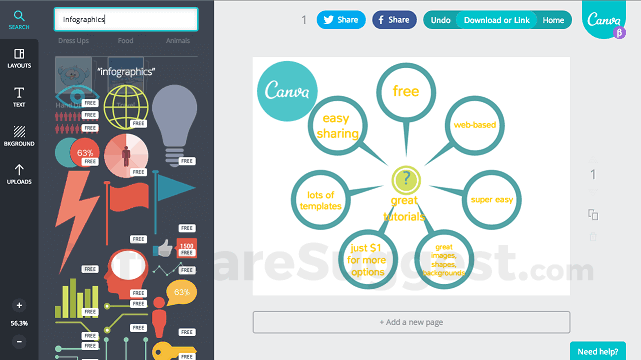
Explore screenshots and videos of Canva and Snappa to compare their interface and product experience.





Specifications
Check out the specifications of Canva and Snappa. Learn about their accessibility features, customer support channels, payment methods, and device compatibility.
- Freelancers
- Startups
- SMBs
- Mid-Market
- Enterprises
- API
- Free Trial
- Mobile Support
- Lifetime Free Plan
- Customization
- Phone
- Live Support
- Training
- Tickets
- Yearly
- Monthly
- Onetime (Perpetual License)
- Transaction
- Web App
- Windows
- macOS
- iOS
- Android
- Freelancers
- Startups
- SMBs
- Mid-Market
- Enterprises
- API
- Free Trial
- Mobile Support
- Lifetime Free Plan
- Customization
- Phone
- Live Support
- Training
- Tickets
- Yearly
- Monthly
- Onetime (Perpetual License)
- Transaction
- Web App
- Windows
- macOS
- iOS
- Android
Awards
Canva and Snappa have been awarded by SoftwareSuggest for the selected categories. These awards have been given on the basis of the overall performance of this software in the Graphic Design Software category.


Alternatives










Company Details
Get insight into the company details Canva and Snappa and learn how they operate. Explore the company name, its location, and more!
Canva
Surry Hills
Nosco Media Inc
Ottawa
FAQs
Which is the better option between Canva and Snappa?
This depends on various factors, such as your requirements, costs, integrations, customer support, and more. However, based on customer ratings, Canva has an advantage over Snappa.
What level of customer support can I expect from Canva and Snappa?
Canva provides customer support over various channels including phone, email, live support and tickets, and Snappa provides customer support over email, tickets, training and more.
Do Canva and Snappa offer a free trial?
Yes, Canva and Snappa provide a free trial to its users.
For what other purposes can Canva and Snappa be used?
Apart from being a Graphic Design software, Canva can be used as a label printing software, print management software, photo editing software and photo studio software, while Snappa can be utilized as a vector graphics software and content creation tools.
What are the key features of Canva and Snappa?
Key features of Canva include drag and drop, template library, editing tools, custom fonts, collaboration tools, brand kit, while Snappa offers features, such as drag and drop, pre made templates, custom dimensions, high resolution downloads.
Canva







Review for Canva
For someone like me, without any visual design experience, Canva became an exceptionally valuable tool. The interface is intuitive, and the various templates and preset designs allowed me to quickly create a design without starting from scratch. Another benefit of Canva is that it offers many free resources, including images and fonts. This is especially helpful for people who prefer not to spend money on different assets or don't have access to them.
Read More— ASH RAJA