


Choosing the right Digital Signature Software solution requires thoroughly evaluating and comparing important factors. To provide an in-depth comparative analysis, we've developed a comparison that explores functionalities offered by DocuSign and Kofax SignDoc. The critical question remains: DocuSign versus Kofax SignDoc - which is better? DocuSign offers robust features such as Progress Tracking, Audit Log and Authentication while Kofax SignDoc has features like Progress Tracking, Authentication and Document Overview.
You May Also Like
Featured products that are similar to the ones you selected below.
All Digital Signature Software Products ›››
.png)


Compare pricing of DocuSign vs Kofax SignDoc with the following detailed pricing plan info. DocuSign comes in 3 packages: Personal, Standard, Business Pro. On the other hand, Kofax SignDoc has not provided information about its pricing.
Take a look at the below screenshots and seamlessly compare the user interface of DocuSign and Kofax SignDoc for better insights.


DocuSign and Kofax SignDoc have been awarded by SoftwareSuggest for the selected categories. These awards have been given on the basis of the overall performance of this software in the Digital Signature Software category.


Below is the comparison of the starting price and payment method of DocuSign and Kofax SignDoc. You can purchase DocuSign with Per Month payment plans. Whereas, Information related to the payment plans of Kofax SignDoc is unavailable. DocuSign provides a free trial whereas, Kofax SignDoc does not provide a free trial.
Free Trial
Monthly
Free Trial
Monthly
Free Trial
Monthly
Yearly
Compare between DocuSign and Kofax SignDoc based on their key features and functionalities to pick the right one for your business.
Progress Tracking
Audit Log
Authentication
Document Overview
Mobile Signature
Multi-Party Signing
Templates
Progress Tracking
Authentication
Document Overview
Mobile Signature
Templates
Accounting
Asset Management
Attendance management
Banking Integration
Capture Leads from Twitter/Facebooks
Case Management
Cloud Computing
Contact Manager
CRM
CRM & Sales Dashboards

Compare how DocuSign stacks up against Kofax SignDoc in terms of ratings and user experience. Select the Digital Signature software that perfectly aligns with your business requirements.
Based on all the user reviews and ratings received by DocuSign and Kofax SignDoc in Digital Signature Software category, we've provided an average user rating for each software below. DocuSign has 4 reviews while Kofax SignDoc has not received any reviews. Be the first one to write Kofax SignDoc review
Designing tool that works with all apps and devices
Pros
Easily accessible from anywhere and easy to use.
Cons
I have not seen the downside of this program.
No reviews yet. Be the first to review
Write a reviewHoneyBook is great for Managing Clients
Pros
The documents are easy to set up, and the interface looks fantastic. I get so many compliments from clients saying that my work looks so professional, and I love that.
Cons
Nothing. Honestly, I love Honeybook and plan to keep it forever.
Deployment is a crucial factor to consider while buying Digital Signature Software. DocuSign is available on Windows, MacOs desktop platforms and Android, IOS mobile platforms. Kofax SignDoc is available on Web App desktop platforms.
Windows
MacOs
IOS
Android
Web App
Web App
Windows
MacOs
IOS
Android
The quality and timeliness of support are important parameters when comparing DocuSign with Kofax SignDoc. DocuSign offers Email, Phone, Training and Tickets to its customers, while Kofax SignDoc provides Email.
phone
tickets
training
phone
live support
DocuSign and Kofax SignDoc are supported in the following languages.
English
English
French
German
Italian
Japanese
Spanish
Swedish
English
The target customer base of DocuSign vs Kofax SignDoc is mentioned below. Check which software fits your business requirements perfectly.
Startups
Enterprises
SMBs
Freelancer
Startups
SMBs
Agencies
Freelancer
Startups
Find out which tools DocuSign and Kofax SignDoc integrate with and make the right choice. Get the Digital Signature software that connects with your preferred apps for best results!
(Not Provided by Vendor)
(Not Provided by Vendor)
Quickbooks
Google Calendar
Zapier
Zoom
Calendly
Gmail
iCloud Mail
Yahoo
Outlook mail
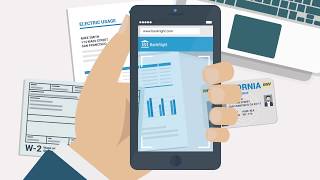
To gain a better understanding of how these DocuSign and Kofax SignDoc work, you can check out the videos below. Browse through the videos and make the right choice.

Get insight into the company details DocuSign and Kofax SignDoc and learn how they operate. Explore the company name, its location, and more!





.jpg)


.png)


.png)


