


In search of the ideal HR Software that caters to your unique needs? As a savvy buyer, you're likely interested in user ratings, pricing, customer support, languages supported, features, and more. We've created a comprehensive comparison of Workday HCM versus Remote. To get better insight, here’s how users have rated these products. Workday HCM is rated 4.0 while Remote is rated 4.8.
You May Also Like
Featured products that are similar to the ones you selected below.
All HR Software Products ›››


Compare pricing of Workday HCM vs Remote with the following detailed pricing plan info. Workday HCM has not provided information about its pricing. On the other hand, Remote comes in 2 packages: Employer of Record Services, Contractor Management Services.
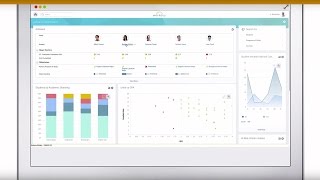
Take a look at the below screenshots and seamlessly compare the user interface of Workday HCM and Remote for better insights.


Workday HCM and Remote have been awarded by SoftwareSuggest for the selected categories. These awards have been given on the basis of the overall performance of this software in the HR Software category.


Below is the comparison of the starting price and payment method of Workday HCM and Remote. Information related to the payment plans of Workday HCM is unavailable. Whereas, Remote provides Employee/Month payment plans. Workday HCM provides a free trial whereas, Remote does not provide a free trial.
Free Trial
Monthly
Yearly
Free Trial
Monthly
Yearly
Free Trial
Monthly
Yearly
Compare between Workday HCM and Remote based on their key features and functionalities to pick the right one for your business.
Document Management
Email Integration
Project Management
Collaboration Tools
Timesheet Management
Collaboration
Portfolio Management
Resource Management
Contract Management
Calendar Management
Employee Self Service Management
HR & Payroll
Contractor Management
Onboarding
Self Service Portal
Compliance Management
Tax Management
Contract Management
Time & Expense Tracking
Salary Information & History
Attendance management
Document Management
Expense Management
Inventory Management
Payroll Management
Performance Management
Time & Attendance Management
Leave Management
Benefits Administration
Onboarding

Compare how Workday HCM stacks up against Remote in terms of ratings and user experience. Select the HR software that perfectly aligns with your business requirements.
Based on all the user reviews and ratings received by Workday HCM and Remote in HR Software category, we've provided an average user rating for each software below. Workday HCM has 5 reviews while Remote has 6 reviews
Best of for small business and departments
Pros
One click searching system.
Cons
I found everything good in my knowledge.
Transparent and effective with an amazing customer service
Pros
Very easy to use platform, all legal coverage. Swift resolution to any problem. User friendly
Cons
Instead of communicating by email, I prefer a chat support team or phone calls also.
Experience of using Oyster payroll
Pros
Oyster payroll is a fantastic platform companies which are looking for employment in countries where they do not have a legal entity. The platform Is straight Forward to use.
Cons
It increase the rate of social media marketing that helps many people.
Deployment is a crucial factor to consider while buying HR Software. Workday HCM is available on Windows, MacOs desktop platforms and IOS, Android mobile platforms. Remote is available on Web App desktop platforms.
Windows
MacOs
IOS
Android
Web App
Web App
The quality and timeliness of support are important parameters when comparing Workday HCM with Remote. Workday HCM offers Email, Phone, Live Support and Training to its customers, while Remote provides Email, Live Support and Tickets.
phone
live support
training
live support
tickets
phone
live support
tickets
Workday HCM and Remote are supported in the following languages.
English
Dutch
English
French
German
English
The target customer base of Workday HCM vs Remote is mentioned below. Check which software fits your business requirements perfectly.
Startups
SMBs
Enterprises
Startups
SMBs
Agencies
Enterprises
Startups
SMBs
Agencies
Enterprises
Find out which tools Workday HCM and Remote integrate with and make the right choice. Get the HR software that connects with your preferred apps for best results!
(Not Provided by Vendor)
BambooHR
Greenhouse
bamboohr
bob
intuit quickbooks
expensify
slack
zapier
To gain a better understanding of how these Workday HCM and Remote work, you can check out the videos below. Browse through the videos and make the right choice.


Get insight into the company details Workday HCM and Remote and learn how they operate. Explore the company name, its location, and more!


.jpg)







.png)


.jpg)


.jpg)


