


Best Operations Management Software
List of best operations management software are Maxpanda CMMS, Classpro, Zoho, and ngDesk. These operations management tools automate and streamline the entire set of routine or exclusive operations in any organization.



No Cost Personal Advisor
List of 20 Best Operations Management Software
Emergents | 2024

Streamline your procurement process with our eProc
Procurement software is a digital solution designed to automate and streamline the procurement process of an organization. It allows businesses to manage their purchasing activities, from supplier management, purchase requisition, to invoice processing and payment. Learn more about TeroTAM eProcurement
Explore various TeroTAM eProcurement features, compare the pricing plans, and unlock the potential of seamless operations by selecting the right software for your business.
- Financial Reporting
- Work order management
- Best Price Estimating
- Time Tracking
- Pricing Management
- Order Management
- Contact Management
- Time & Attendance
TeroTAM eProcurement Caters to
- StartUps
- SMBs
- Agencies
- Enterprises
Emergents | 2024

One Stop Automation Solution For Deskless Workforc
All-in-one automation solution for deskless workforces. Set up workflows, and automate your entire organization in less than 2 minutes with Fieldproxy. Schedule a completely free demo today Learn more about Fieldproxy
Explore various Fieldproxy features, compare the pricing plans, and unlock the potential of seamless operations by selecting the right software for your business.
Features
View all Fieldproxy Features- Time Tracking
- Automatic Time Capture
- Customer Management
- Routing
- Time / Task Reporting
- Incident Management
- Contractor Management
- Check-in / Check-out
Pricing
Starter
$ 10
Per Month
Fieldproxy Caters to
- StartUps
- SMBs
- Agencies
- Enterprises
Category Champions | 2024
.png)
Classpro is an end-to-end solution for online teac
Classpro is a completely web-based coaching classes management solution. It handles admission & fees, student performance, enquiries, SMS reminders, biometric attendance and notes sharing. Read Classpro Reviews
Explore various Classpro features, compare the pricing plans, and unlock the potential of seamless operations by selecting the right software for your business.
Features
View all Classpro Features- Admissions Management
- Text Analysis
- Student Information / Records
- Tests/Assessments
- CRM
- Communication Management
- Class Registration
- Virtual Classroom
Classpro Caters to
- StartUps
- SMBs
- Agencies
- Enterprises
Contenders | 2024

Cognitive Customer Service
ngDesk is a complete and free help desk with no usage limits and more features than most paid software. ngDesk is a comprehensive free help desk software for the entire customer support process, from initial incident alerts to customizable ticket resolution. Read ngDesk Reviews
Explore various ngDesk features, compare the pricing plans, and unlock the potential of seamless operations by selecting the right software for your business.
Pricing
ngDesk Free Help Desk
$ 0
Onetime
ngDesk Caters to
- StartUps
- SMBs
- Agencies
- Enterprises
Contenders | 2024

Simple, Affordable and Connected
TRADOGRAM is a cloud-based procurement management solution that allows you to monitor purchases and access procurement information anytime & anywhere. It is designed with customizable controls, supplier management, contract management. Read TRADOGRAM Reviews
Explore various TRADOGRAM features, compare the pricing plans, and unlock the potential of seamless operations by selecting the right software for your business.
Features
View all TRADOGRAM Features- Spend Analysis
- PunchOut
- Inventory Management
- Auction Management
- Contract Management
- Supplier and Purchase Order Management
- Vendor Management
- Bid Management
Pricing
Free
$ 0
Per Month
Premium
$ 168
Per Month
TRADOGRAM Caters to
- StartUps
- SMBs
- Agencies
- Enterprises
Category Champions | 2024

Serving Hospitality
MyHotelLine: Streamline hotel ops with cloud PMS, reservations, POS, Banquet, Booking Engine, Channel Manager, Dynamic Pricing & more. Simplify management with a single login. Read MyHotelLine PMS Reviews
Explore various MyHotelLine PMS features, compare the pricing plans, and unlock the potential of seamless operations by selecting the right software for your business.
Features
View all MyHotelLine PMS Features- Channel Rate Comparison
- Reservation & Booking
- Property Inspections
- Commission Calculations
- Channel Integration
- Multi-Channel Management
- Visitor Tracking
- Maintenance Management
Pricing
Startup
$ 22
Monthly
MyHotelLine PMS Caters to
- StartUps
- SMBs
- Agencies
- Enterprises
Category Champions | 2024

Update Inventory and Pricing from same place
Manage prices, inventory, and bookings across all online channels in real time. We have integrated with a wide network of travel partners. This means managing all your listings is a breeze. Read AxisRooms Channel Manager Reviews
Explore various AxisRooms Channel Manager features, compare the pricing plans, and unlock the potential of seamless operations by selecting the right software for your business.
- Multi Property Support
- Reservation & Booking
- Multi Currency
- Property Management
- Inventory Management
- Reservations Management
- Online Booking
- CRM
AxisRooms Channel Manager Caters to
- StartUps
- SMBs
- Agencies
- Enterprises
Emergents | 2024

Software by VRS software
Our Textile Industry Software guarantees an advanced technological solution that effectively responds to a specific sector with skills and experience to implement a business management project in an effective manner. Read uniTEX Reviews
Explore various uniTEX features, compare the pricing plans, and unlock the potential of seamless operations by selecting the right software for your business.
uniTEX Caters to
- StartUps
- SMBs
- Agencies
- Enterprises

Software by Pointer Soft Technologies Pvt. Ltd.
Right from collection of milk from various farmers to the storage of milk and later processing of milk and its various products being produced at various stages, our dairy software provides every solution for dairy management. Read PointerSoft Dairy Reviews
Explore various PointerSoft Dairy features, compare the pricing plans, and unlock the potential of seamless operations by selecting the right software for your business.
Features
View all PointerSoft Dairy Features- Accounting
- Order management
- Milk Collection
- Fat
- Stock Management
- Quantity
PointerSoft Dairy Caters to
- StartUps
- SMBs
- Agencies
- Enterprises
Emergents | 2024

The operations excellence platform
Streamline operations and business processes with a highly-customizable platform. Deploy in minutes and without the need of IT support or technical skills. Free for up to 10 users. Read Pipefy Reviews
Explore various Pipefy features, compare the pricing plans, and unlock the potential of seamless operations by selecting the right software for your business.
Features
View all Pipefy Features- Application Integration
- Data Imports/Exports
- Forms Management
- Process Mapping
- Email Integration
- Collaboration
- Knowledge Base
- Task Tracking
Pricing
Professional Plan
$ 12
User/Month
Pipefy Caters to
- StartUps
- SMBs
- Agencies
- Enterprises

Software by Cloud18
CMS18(College Management Software) represents the leading edge in college management software, and is designed to manage all business aspects of college administration, from student registrations, to Performance Analysis. Read Cloud18 College Management Reviews
Explore various Cloud18 College Management features, compare the pricing plans, and unlock the potential of seamless operations by selecting the right software for your business.
- Course Management
- Certification
- Customized Report Cards
- Enrollment Management
- Fee Management
Cloud18 College Management Caters to
- StartUps
- SMBs
- Agencies
- Enterprises

Software by Cloud18
HMS18(Hospital Management System) has got powerful features to take care of all requirements of a large / medium hospitals and serves as a complete Management Information system (MIS). Numerous reports are also available for viewing and printing where you can keep an eye on the vital indicators about hospital management. Read Cloud18 Reviews
Explore various Cloud18 features, compare the pricing plans, and unlock the potential of seamless operations by selecting the right software for your business.
Features
View all Cloud18 Features- Patient Registration
- Patient Portal
- Patient Billing
Cloud18 Caters to
- StartUps
- SMBs
- Agencies
- Enterprises
Contenders | 2024

Target Transact Deliver
TraQSuite provides an industry-agnostic platform that helps to reduce the operational cost of distribution, streamline and strengthen the backend operations driven by field workers for an efficient supply chain. Read TraQSuite Reviews
Explore various TraQSuite features, compare the pricing plans, and unlock the potential of seamless operations by selecting the right software for your business.
Features
View all TraQSuite Features- Surveys & Feedback
- Personnel Management
- Workflow Approval
- Location Tracking
- Mileage Tracking
- Point-of-Service Data
- Mobile Access
- Dashboard
Pricing
Basic
$ 0
Per Month
TraQSuite Caters to
- StartUps
- SMBs
- Agencies
- Enterprises
Contenders | 2024

Creates Image URL file for Product Cataloging
SellerGyan's Image Hosting Software tool quickly converts a numerous number of images into Links and creates an Excel file which will be further used for Multi-Channel Bulk product list upload. This reduces effort and time taken in Catalog Creation. Read Sellergyan Image Link Conversion Tool Reviews
Explore various Sellergyan Image Link Conversion Tool features, compare the pricing plans, and unlock the potential of seamless operations by selecting the right software for your business.
- Bulk Product Upload
- Multi-Store Management
- Product Database
- Catalog Management
- Hosting
Pricing
Monthly/HalfYearly/Yearly
$ 0
Per Image
Sellergyan Image Link Conversion Tool Caters to
- StartUps
- SMBs
- Agencies
- Enterprises
Contenders | 2024

Software by FMIS Ltd.
FMIS provides a full range of fixed asset management solutions to handle every aspect of your business requirements. Fixed Assets will make month-end processing, reporting and forecasting quicker and simpler. Read FMIS Fixed Asset Management Reviews
Explore various FMIS Fixed Asset Management features, compare the pricing plans, and unlock the potential of seamless operations by selecting the right software for your business.
- Customer DataBase
- Asset Lifecycle Management
- Equipment Tracking
- Warranty Tracking
- Disposal Management
- Budgeting & Forecasting
- Inventory control
- Depreciation Management
FMIS Fixed Asset Management Caters to
- StartUps
- SMBs
- Agencies
- Enterprises
Emergents | 2024

Software by Azentio Software Pvt Ltd
3i Infotech offers insurance organizations an array of powerful solution accelerators and software that enable efficient end-to-end management of insurance software and business processes. With cutting-edge automation capabilities and quick-to-deploy solution. Read Premia Reviews
Explore various Premia features, compare the pricing plans, and unlock the potential of seamless operations by selecting the right software for your business.
Features
View all Premia Features- Claims Management
- Claim Resolution Tracking
- Claims Tracking
- Broker / Agent Portal
- Commission management
Premia Caters to
- StartUps
- SMBs
- Agencies
- Enterprises
Emergents | 2024

Software for Salon Management Software
Imagic saloon management software will make easy to manage daily process of spa and salon software, it will help you to manage customer detail, product inventory detail, employee commission detail, daily routing process like inward, out ward, daily income, daily expense etc. Read Imagic Salon Reviews
Explore various Imagic Salon features, compare the pricing plans, and unlock the potential of seamless operations by selecting the right software for your business.
Features
View all Imagic Salon Features- Tanning Management
- Client Management
- Point of Sale (POS)
- Inventory Management
- Employee Management
- Appointment Management
- Salon Management
- Room Management
Pricing
Life Time License
$ 400
Onetime
Imagic Salon Caters to
- StartUps
- SMBs
- Agencies
- Enterprises

Software by SkyTouch Solutions, LLC
Most widely used cloud-based hotel system, this hotel sales software provides services for smartly managing your hotel business thereby skyrocketing your revenues. With mobile-based technology, managing hotel remotely is just a step away. Manage your hotel system with this hotel management software. Read SkyTouch Hotel OS Reviews
Explore various SkyTouch Hotel OS features, compare the pricing plans, and unlock the potential of seamless operations by selecting the right software for your business.
Features
View all SkyTouch Hotel OS Features- Online Booking
- GDS OTA Integration
- Vacation Rental
- Guest Management
- Reservation & Booking
- Data Import & Export
- Point of Sale (POS)
- Maintenance Management
SkyTouch Hotel OS Caters to
- StartUps
- SMBs
- Agencies
- Enterprises
Contenders | 2024

Online Reservation Management System
Tiqy Pro is an online booking system that is easy to use, modern and customizable. It is built for tour and activity operators who want to accept reservations and payments in their office, through their agencies, from their website, or from their social media accounts. Read Tiqy Pro Reviews
Explore various Tiqy Pro features, compare the pricing plans, and unlock the potential of seamless operations by selecting the right software for your business.
Features
View all Tiqy Pro Features- Data Imports/Exports
- Payment Processing
- Central Reservation System
- Payment Gateway Integration
- Activities Booking
- Reservations Management
- Online Booking
- Multiuser Login & Role-based access control
Pricing
Standard
$ 0
User/Month
Tiqy Pro Caters to
- StartUps
- SMBs
- Agencies
- Enterprises
Emergents | 2024

Software by Aspect Software Inc.
Unified contact center software transforms the call center and redefines call center software with a single, unified solution for a full breadth of customer contact. Read Aspect Unified IP Reviews
Explore various Aspect Unified IP features, compare the pricing plans, and unlock the potential of seamless operations by selecting the right software for your business.
Features
View all Aspect Unified IP Features- Call Recording
- Call Logging
- IVR / Voice Recognition
- Knowledge Base
- Outbound Call Center
- Call Routing
- Quality Management
- Automatic Call Distribution
Aspect Unified IP Caters to
- StartUps
- SMBs
- Agencies
- Enterprises
Get Free Expert Advice

Recent Review

What is an Operations Management Software?
Operations management software is used to manage and coordinate an organization's operations. It helps improve operational efficiency, optimize processes, and increase profits through automated workflow management, task coordination, and data analysis.
This type of software can be used for a wide range of purposes, such as tracking inventory levels, managing customer orders, and scheduling tasks and resources. By providing detailed reports on key performance metrics, an operations management system enables business owners to get better insights into their operations and make more informed decisions.
What Role Does an Operations Management System Play?
Operations management software automates the management of complex business processes, such as order fulfillment, inventory control, resource planning, and budgeting. It can also be used to capture data from multiple sources and turn it into meaningful insights that can inform decisions about operations.
The main goal of operations software is to facilitate faster, more efficient processing of tasks related to running a business. By helping organizations automate otherwise manual processes, the software reduces costs associated with labor-intensive activities while increasing productivity and accuracy.
Key Benefits Of Operations Management Software
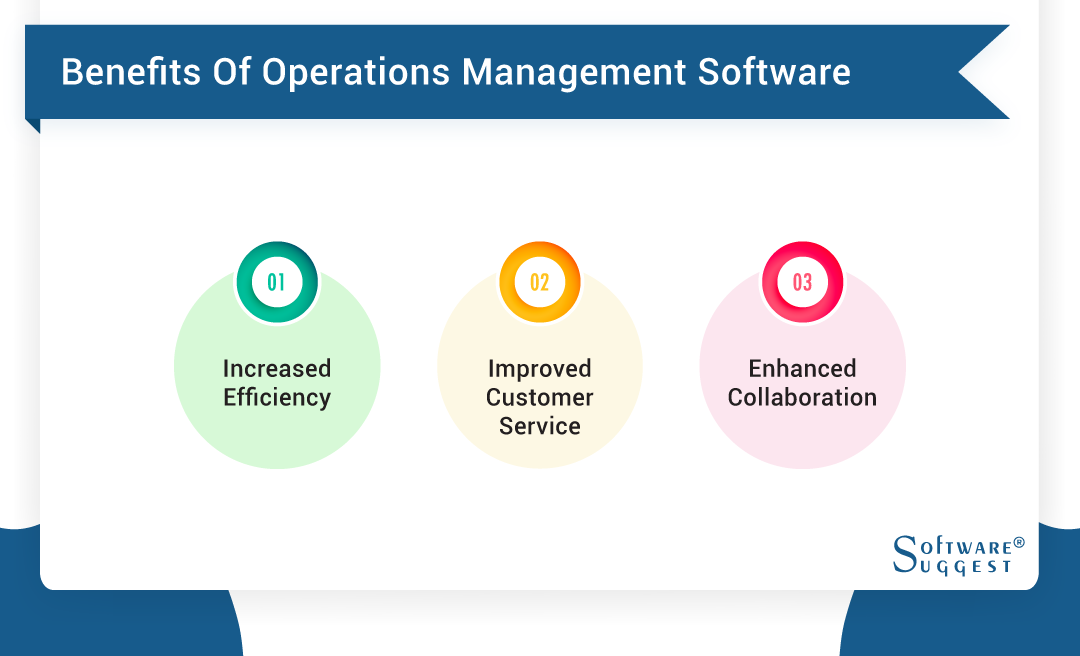
Below are the main benefits of implementing operations management software.
-
Increased Efficiency
Using operations management software can make certain tasks much easier and faster than traditional methods—drastically improving operational productivity. Automating tedious tasks, such as payroll, scheduling, and data entry, save time and money that would otherwise be spent on manual labor or hiring additional employees.
-
Improved Customer Service
The best operations management tools can help organizations enhance their customer service by automating routine tasks, such as order processing, inventory tracking, and scheduling. They also allow businesses to track customer expectations and feedback, so they can identify areas where improvement is needed and respond immediately when customers voice any complaints or concerns.
-
Enhanced Collaboration
The collaborative features available through business operations management software provide access to real-time project progress updates—enabling employees to stay on top of their tasks without constantly communicating with each other. Additionally, team members can use the platform's shared task list feature, which allows everyone involved in the project to see what needs doing and when it needs completing.
Why is an Operations Management System Important?
Well-implemented operations management tools allow organizations to identify critical processes that need improvement or need to be monitored closely. By doing so, they can create strategies that enable them to achieve their goals in the most cost-effective manner possible.
Additionally, the software for operations management can help organizations track their inventory levels and production rates to minimize costs associated with overstocking or understocking materials and supplies.
Common Features of Operations Management Software
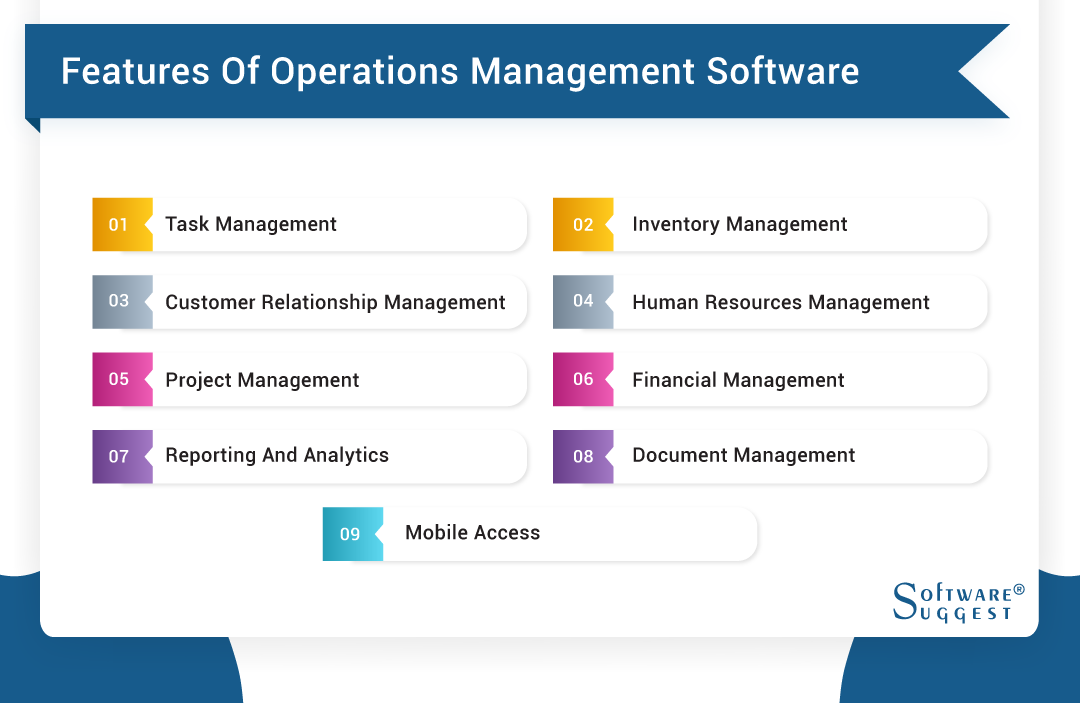
Before choosing any operations management software, you need to look for the right features. Below are the 9 essential features that every operations management software requires.
-
Task Management
Provides functions, such as task prioritization, resource allocation, team collaboration capabilities, and automated reminders and notifications when tasks are due or completed.
-
Inventory Management
Inventory Management monitors supply levels to keep up with customer demand. It also allows customers to view the availability of items online before an order is placed—ensuring that there’s always enough stock on hand.
-
Customer Relationship Management
Enables companies to track interactions with customers across all channels—from email campaigns and website visits to telephone calls and social media activity.
-
Human Resources Management
Manages employee data, including payroll, benefits, attendance tracking, and performance reviews. It also provides access to personnel databases containing potential candidates' contact information.
-
Project Management
Helps better track progress, identify issues early on, and keep stakeholders informed throughout the process. It also enables teams to stay organized and coordinate with one another while staying on top of deadlines.
-
Financial Management
Tracks financial performance through the use of various tools, such as budgeting, forecasting, and analytics. It also gives an in-depth understanding of the balance sheet, income statement, and cash flow statement.
-
Reporting and Analytics
Allows organizations to review key performance indicators (KPIs), analyze customer data, access inventory forecasts, create budget reports, evaluate employee performance, and measure system utilization.
-
Document Management
Provides a platform for organizing, tracking, and storing documents in a secure central repository. It also allows users to quickly search for information and access the most up-to-date version of any document.
-
Mobile Access
Provides real-time updates and insights into performance metrics from any device with an internet capability—allowing managers to stay up-to-date no matter where they’re located.
How to Choose the Right Operations Management Software for Your Organization?
Before you select any operations management system, you need to look at these main factors.
-
Research Your Options
When researching your options, create a checklist of features that are essential to meet your company's needs. Do you need software operations management that can track inventory? Or one that can easily monitor employee performance?
You can also determine whether you need free operations management software or a paid one with advanced features. This will help you narrow down your choices quickly and identify what type of system would be best for you.
-
Get Recommendations
Ask around in your network and research online reviews to get an idea of which operations management in the software industry most people recommend. This will give you a good starting point as you compare different products and narrow down your choices.
-
Talk to CSRs
Consider speaking with customer service representatives (CSR) at each of the companies so you can get more insight into how their system works and what it can offer you. Ask questions, such as what type of support they provide, how user-friendly their interface is, and if they offer operations management software free trials or money-back guarantees.
-
Try Before You Buy
Trying out different operational software examples before committing to purchase can help ensure that it fits with your company’s workflow, budget, and other requirements. This might involve utilizing free trials or demos from multiple vendors to compare features and functions side by side.
Top 5 Operations Management System
-
Best for Small Businesses: FreshBooks
-
Best for SMBs Owners: CMW Platform
-
Best for Self-Employed Professionals: Bonsai
-
Best for Freelancers: ProofHub
-
Best Free Software: Bitrix24
1. FreshBooks
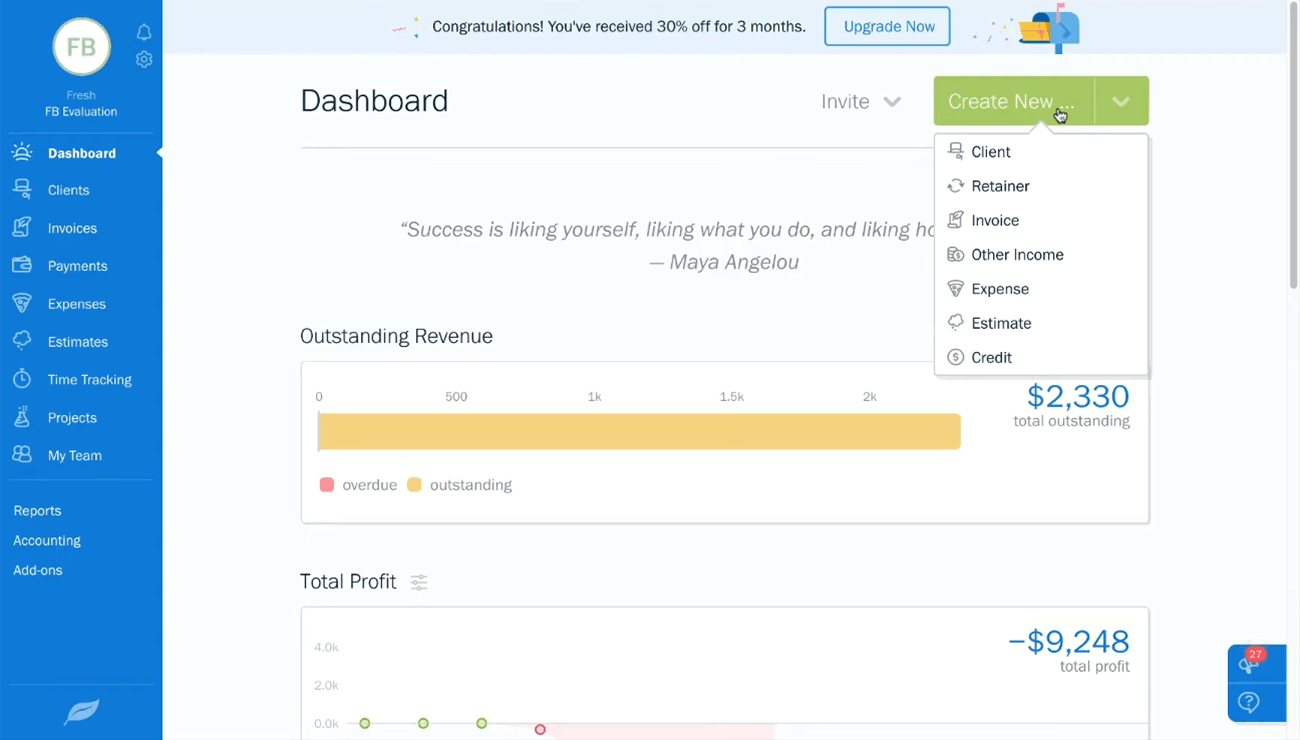
Price: Offers three pricing plans—Lite ($15/month), Plus ($30/month), and Premium ($55/month).
Why We Choose FreshBooks
FreshBooks is the best software for executing operations for small businesses. It streamlines the accounts receivable and invoicing processes, making it easier for users to track their expenses and income. FreshBooks also provides features such as automated billing, client management, and project tracking.
Key Features
-
Automatic detection of late fees and sending of invoices
-
Allows you to customize invoices for each customer
-
Invoice generation in more than one language
FreshBooks Pros
-
Phone support availability
-
Robust invoicing service
-
Time and mileage tracking are included in all plans
FreshBooks Cons
-
Limits on users and clients
-
Lite plan lacks double-entry accounting basics
2. CMW Lab
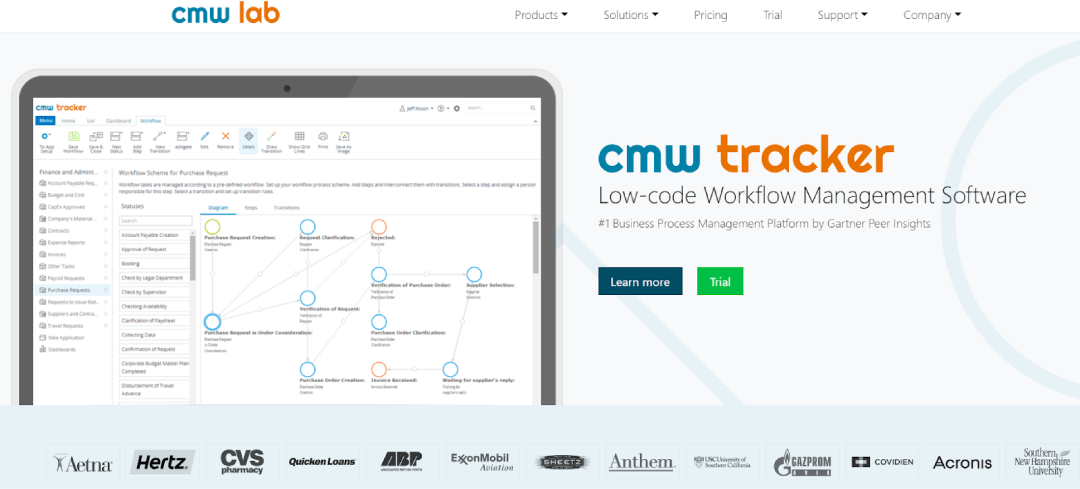
Price: Offers a flexible subscription-based pricing model.
Why We Choose CMW Platform
The most user-friendly and reliable solution for small startups and medium enterprises. Its intuitive interface allows users to quickly access the data they need and make informed decisions based on real-time insights. CMW Platform also provides advanced analytics capabilities that allow for greater visibility into customer trends, financial performance, and other key metrics.
Key Features
-
Time tracking
-
Customer management
-
Workflow management and resource management
CMW Platform Pros
-
Quick workflow setup without IT resources
-
Advanced workflow management analytics and reporting
-
Cloud or on-premises deployment
CMW Platform Cons
-
Limited on-premises versions for operating systems
-
Need to improve email integration
3. Bonsai
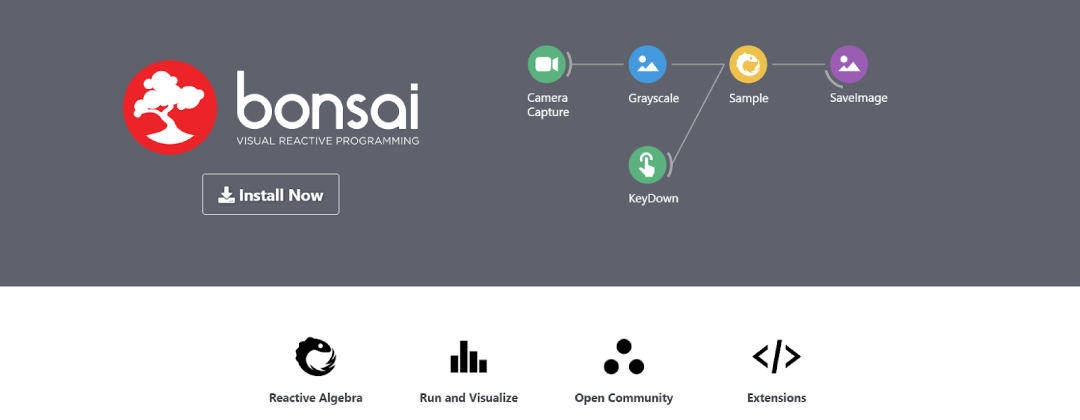
Price: Offers three pricing plans billed annually—Starter ($17/month), Professional ($32/month), and Business ($52/month).
Why We Choose Bonsai
An excellent choice for self-employed professionals. It includes project management tools that allow businesses to assign tasks easily and monitor progress in real-time. This provides better visibility into projects, so deadlines are met on time and goals are achieved efficiently.
Key Features
-
Close deals faster with single-click proposal creation
-
Client and project management
-
Easy and automated invoice generation
Bonsai Pros
-
Does an excellent job of keeping track of different documents from various projects
-
Automated contract creation
-
The dashboard provides a quick rundown of ongoing projects
Bonsai Cons
-
Limits in the contract creation tool
-
The time tracking feature doesn’t capture evidence of your work
4. ProofHub
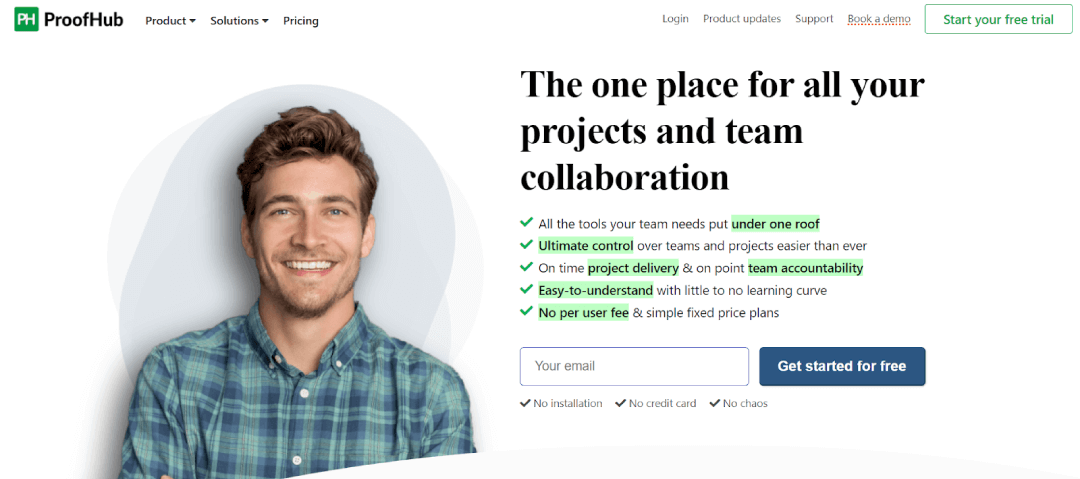
Price: It has two pricing plans billed annually—Essential ($45/month) and Ultimate Control ($89/month). It also provides a free trial.
Why We Choose ProofHub
The most efficient tool for freelancers. It offers a comprehensive suite of features to help you manage your projects, tasks, team members, and today’s fast-paced working environment. With ProofHub, you can streamline all your projects, stay organized, and have total control over everything with just one click.
Key Features
-
Reports on project progress, resource utilization, etc.
-
Provides Gantt charts
-
Allows you to set up a branded sign-in page
ProofHub Pros
-
Quick and easy setup
-
Nice balance of features and simplicity
-
Competitively priced
ProofHub Cons
-
Lacks budgeting tools
-
Sometimes loads slowly
5. Bitrix24
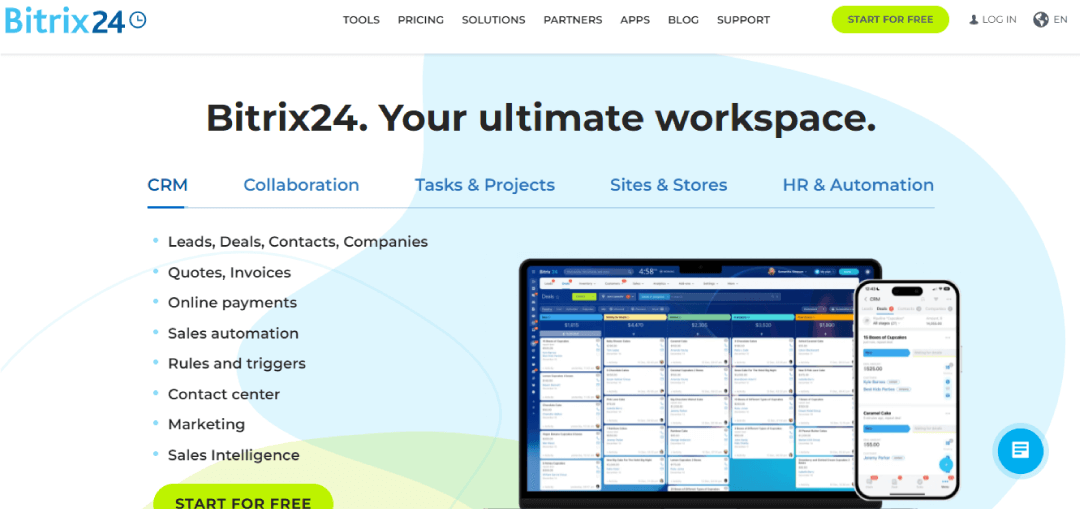
Price: Offers free and paid plans for a cloud solution. For an on-premise solution, the price starts at $1490/month, with a free trial available.
Why We Choose Bitrix24
One of the best operations management software examples that offers a free cloud solution plan. Its wide range of features includes employee management, customer relationship management (CRM), task automation, and project tracking. With Bitrix24’s powerful dashboard, users can easily see what tasks are pending or completed without having to click through multiple screens or search for data.
Key Features
-
For tasks and projects, it has features for planning, notifications, reminders, etc.
-
CRM provides features like a mobile CRM app, sales target, etc.
-
Built-in website, online store builder, and landing page
Bitrix24 Pros
-
Highly versatile
-
Efficient communication solutions
-
Can partially automate your sales and marketing processes
Bitrix24 Cons
-
Hard to set up and use
-
Limited task statuses
Steps for Implementing an Operations Management System
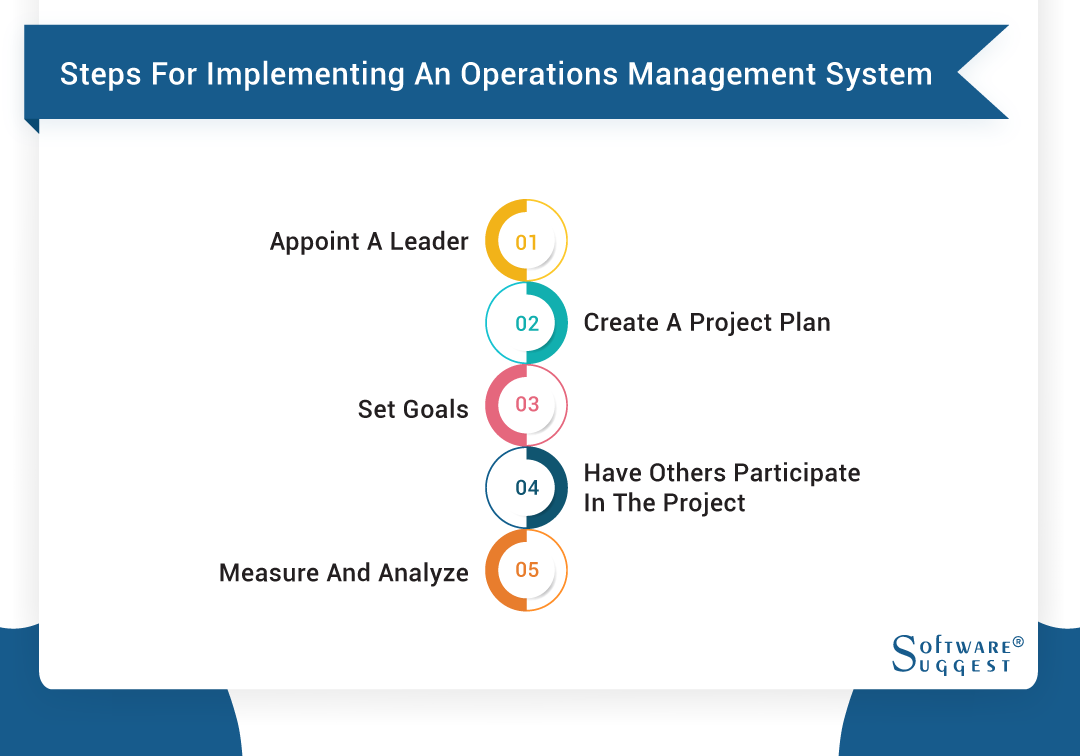
Once you have selected an operations management system, it’s time to implement it. Below are 5 simple steps for implementing the system so you can get the most out of it.
-
Step 1: Appoint a Leader
Designate a leader who understands your organization’s goals and objectives and who will develop strategies for success. They must also be familiar with both information technology and business processes as they’ll be in charge of researching, selecting, and implementing the best operations management software for the company.
-
Step 2: Create a Project Plan
This includes assigning specific tasks and timelines for completion and determining which resources are necessary for everything involved in implementation to go smoothly. Ultimately, creating a project plan helps team members stay informed about their assigned responsibilities and keeps them on track when it comes time for implementation.
-
Step 3: Set Goals
Goals provide direction in how the project should be completed and need to be set with measurable metrics from the beginning of the process. Setting goals also allows teams to track progress throughout the entire life cycle of the project and ensure that objectives are met on time. When setting goals, make sure they’re realistic, achievable, and practical.
-
Step 4: Have Others Participate in the Project
This involves communicating with all stakeholders, supervisors, administrators, and technicians. By doing so, everyone will better understand how their role changes with the new technology. It also allows them to provide feedback on any issues they may face while transitioning to new software used in operations management.
-
Step 5: Measure and Analyze
Measuring and analyzing your business operations performance allows you to accurately assess how successful your production and operations management software has been in achieving its objectives. This analysis also allows you to determine whether additional investments are required to ensure long-term success with the implementation.
Challenges to Operations Management Software
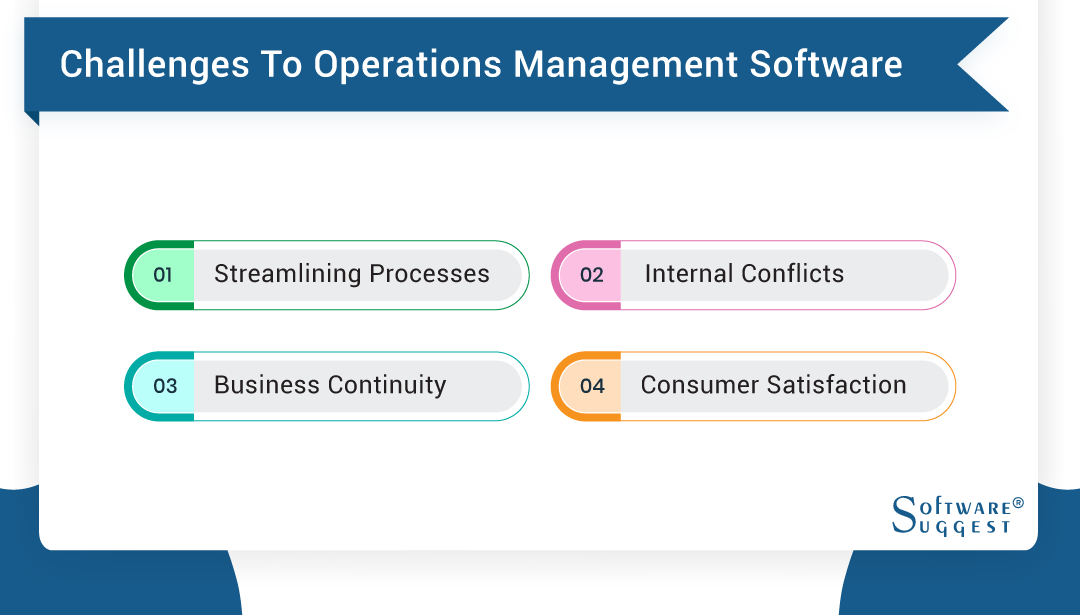
Every tool has its own pros and cons, so below are some common challenges that you might face. In order to ensure that there are no problems, you can keep these points in mind while using it.
-
Streamlining Processes
This requires careful planning and understanding of all areas of the business—from production and customer service to finance and HR—for business operations managers to properly identify any areas where improvements can be made. Streamlining processes also requires clear communication between departments for everyone involved to understand their roles and responsibilities.
-
Internal Conflicts
These internal conflicts often occur because each department has different objectives and expectations when it comes to operations management software. Hence, businesses need to recognize that these tensions exist and must have proper planning in place to address them before they become too disruptive or costly.
-
Business Continuity
With operations management software, companies can effectively manage their business processes, but they must also ensure their systems remain functional in the event of an emergency or disaster. The challenge posed by business continuity requires the software to be robust and reliable enough to handle disruptions and minimize downtime.
-
Consumer Satisfaction
To ensure customers remain loyal and satisfied with a product or service, companies must be able to address any issues that arise quickly. The system should also be able to provide accurate information on delivery times and product availability to prevent delays or disappointments that could cause dissatisfaction among customers.
Measuring the Success of Operations Management System
Here’s how you can measure different metrics while using an operations management system.
-
Financial Impact
This involves looking at how much money a business has saved or earned by using operations management software. This could be seen through reduced costs, increased revenue, improved customer satisfaction, and more efficient processes.
-
Customer Satisfaction
Surveys are an effective way to assess customer feedback, as they enable companies to get a clear picture of what customers think about their operations management software. Companies should also take into account any complaints or issues that have been raised by customers when using the system.
-
Employee Satisfaction
When employees are happy with the system, they’re more likely to use it properly and be productive in their jobs. Hence, employers should ensure their operations management software meets employee needs and is easy to use so that they’re satisfied with its performance.
-
Increased Efficiency
This can be easily tracked by monitoring how quickly tasks are completed within a certain time frame and comparing this number with similar tasks completed before implementing the program. Additionally, comparing results from various departments or divisions can provide further insight into where software implementation has had the greatest impact on productivity levels.
Trends Related to Operations Management Software
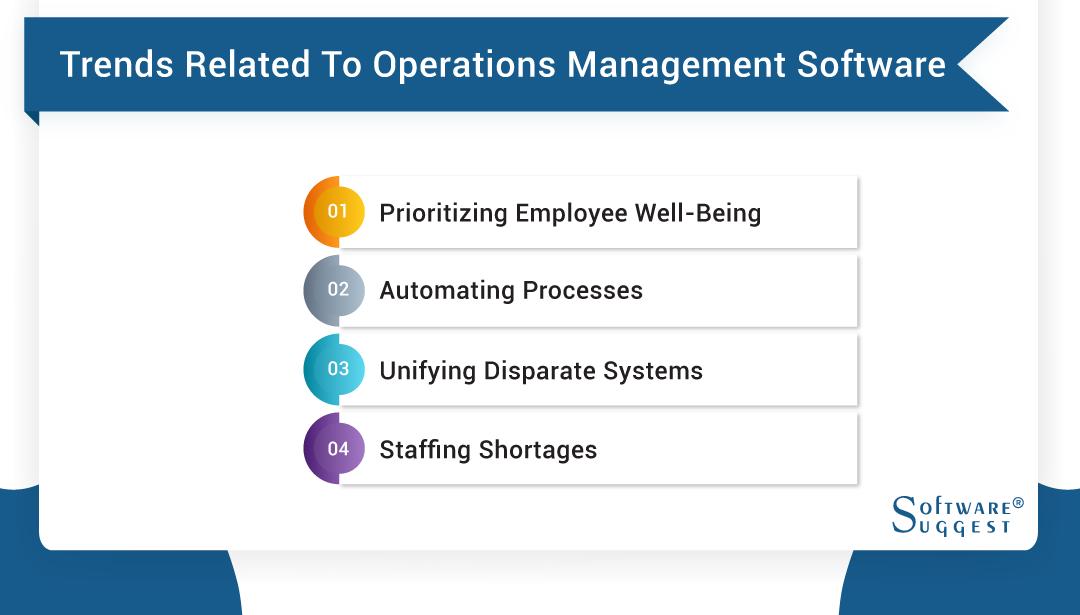
While trends keep changing, below are some important trends that you need to consider.
-
Prioritizing Employee Well-being
Companies are realizing that for their business to be successful, employees need to feel like they’re valued and respected. As such, many companies are turning to operations management software to help them prioritize employee well-being and create a connected workplace that supports both individual and team growth.
-
Automating Processes
The use of automation allows organizations to reduce operational costs by eliminating the need for manual labor. It also frees up workers from tedious and repetitive tasks so they can focus on higher-level activities that bring more value to the organization.
-
Unifying Disparate Systems
By unifying disparate systems, businesses can benefit from improved visibility across their organization—allowing for faster decision-making and better use of resources. Additionally, unified operations management software provides more accurate reporting across departments and greater insights into productivity and performance levels.
-
Staffing Shortages
Staffing shortages can be particularly problematic for organizations relying heavily on operations management software, as there may not be enough personnel available with the necessary skill set to manage the system correctly.
To combat this problem, businesses should invest in recruiting and training qualified personnel who have the right experience and understanding of operational processes and how they interact with enterprise applications
Conclusion
Operations management software can have a huge impact on the success of your business. With the right system and software in place, you can streamline processes, reduce costs, and increase productivity.
Investing in operations management software is an important decision for businesses of all sizes. However, with the range of available options and tools, getting started can be daunting.
Hopefully, this guide has provided some clarity on the best operations management systems for 2024 to help you make the right choice for your business.
By Industries