


Remaker AI
The Remaker AI,Inc has not claimed this profile yet. All the information is added by SoftwareSuggest.
Do you work at Remaker AI,Inc? Claim your profile to update the latest information about your product.
What is Remaker AI?
Remaker AI is the best AI Image & Video Generators platform that helps users create and edit images and videos easily. It can turn text into pictures, improve image quality, swap faces, and remove backgrounds. It is simple to use, making it helpful for students and creators to produce high-quality content quickly. The place to go for smooth, AI-powered photo editing. Our state-of-the-art technology makes it simple to get rid of backgrounds and watermarks alike. Let AI take care of the minutiae and bid adieu to laborious manual labor.
Pricing
Remaker AI Starting Price
$0/Per Month
Awards

Our Awards and Recognition
More Awards
Get Best Quote for Remaker AI
Connect with SoftwareSuggest experts to get the best quote for your business.
Key Features of Remaker AI
Here are the powerful features that make Remaker AI stand out from the competition. Packed with innovative tools and advanced functionalities, this software offers a range of benefits.
- Text Generation
- Image Synthesis
- Voice Cloning
- Video Creation
- Code Generation
- Data Analysis
- Language Translation
- Content Summarization
- Chatbot Integration
- Sentiment Analysis
- Style Transfer
- 3d Model
- Music Composition
- Automated Storytelling
- Predictive Analytics
- Speech Recognition
- Text To Speech
- Image Recognition
- Virtual Assistant
- Automated Editing
Show More
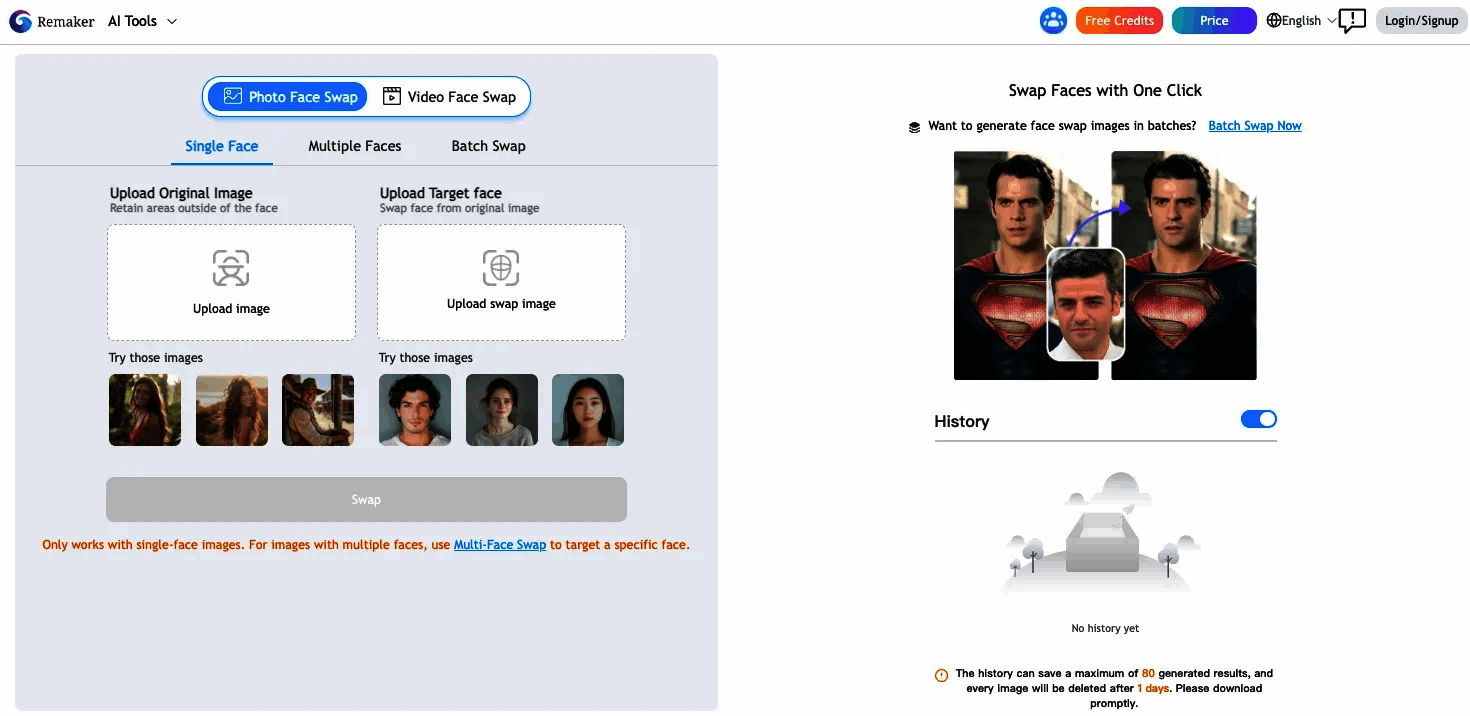
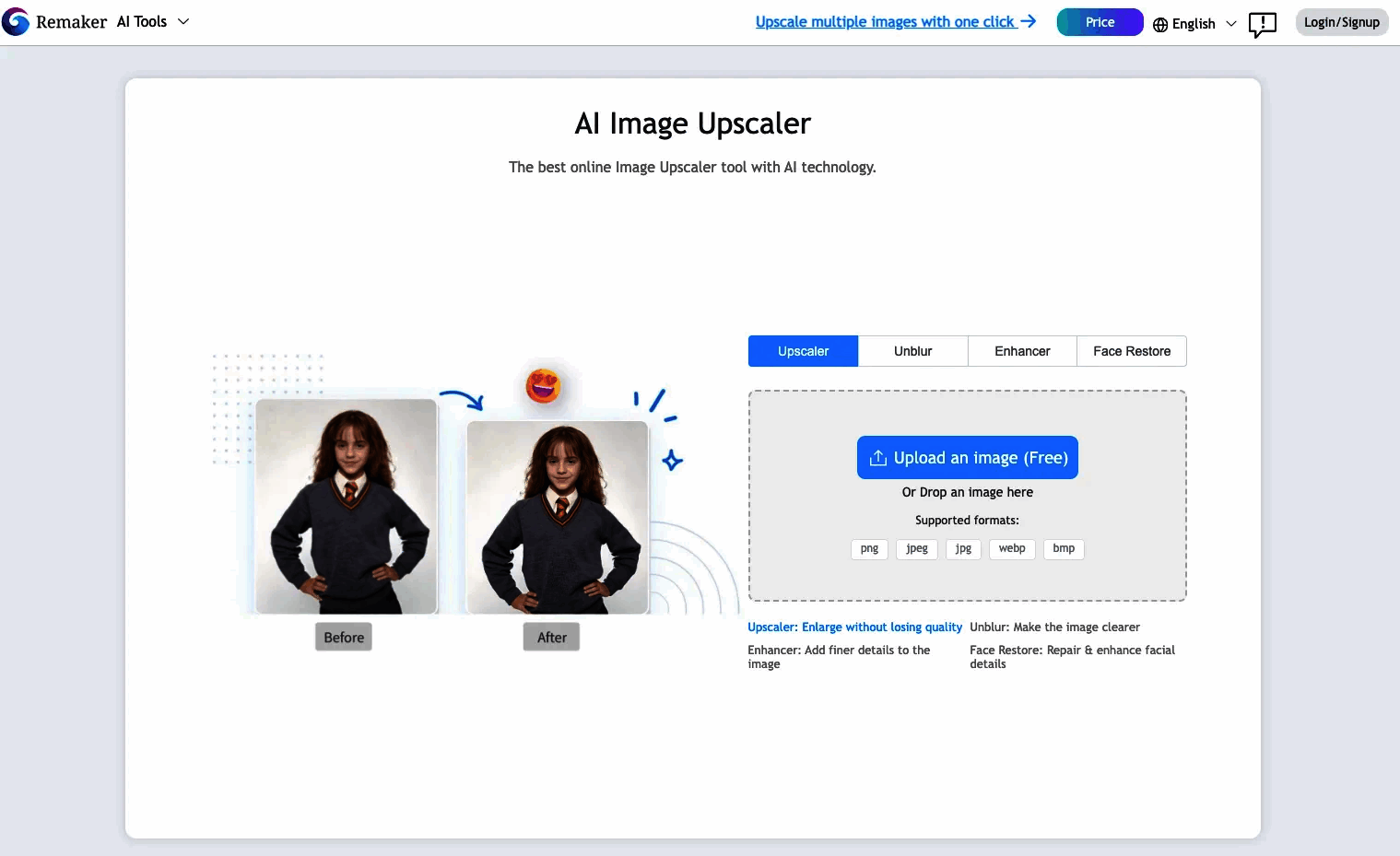
Remaker AI Screenshots
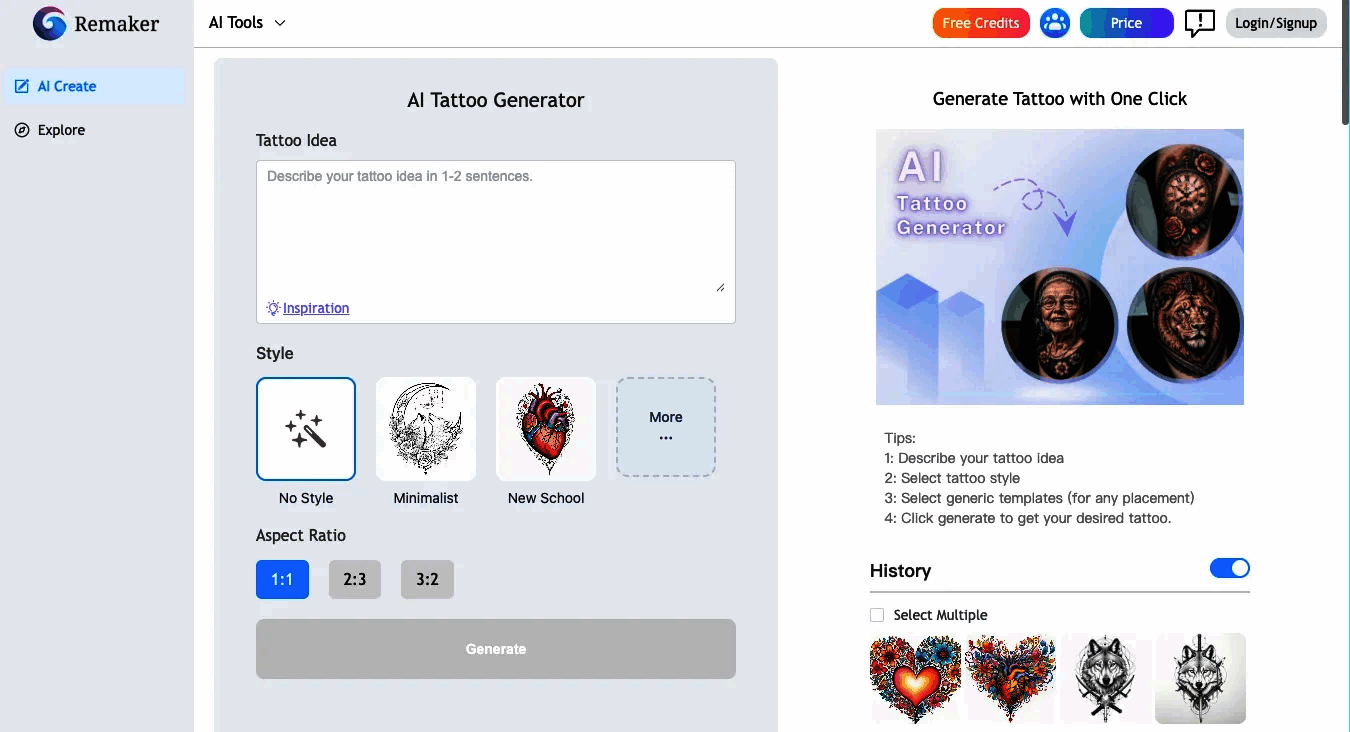
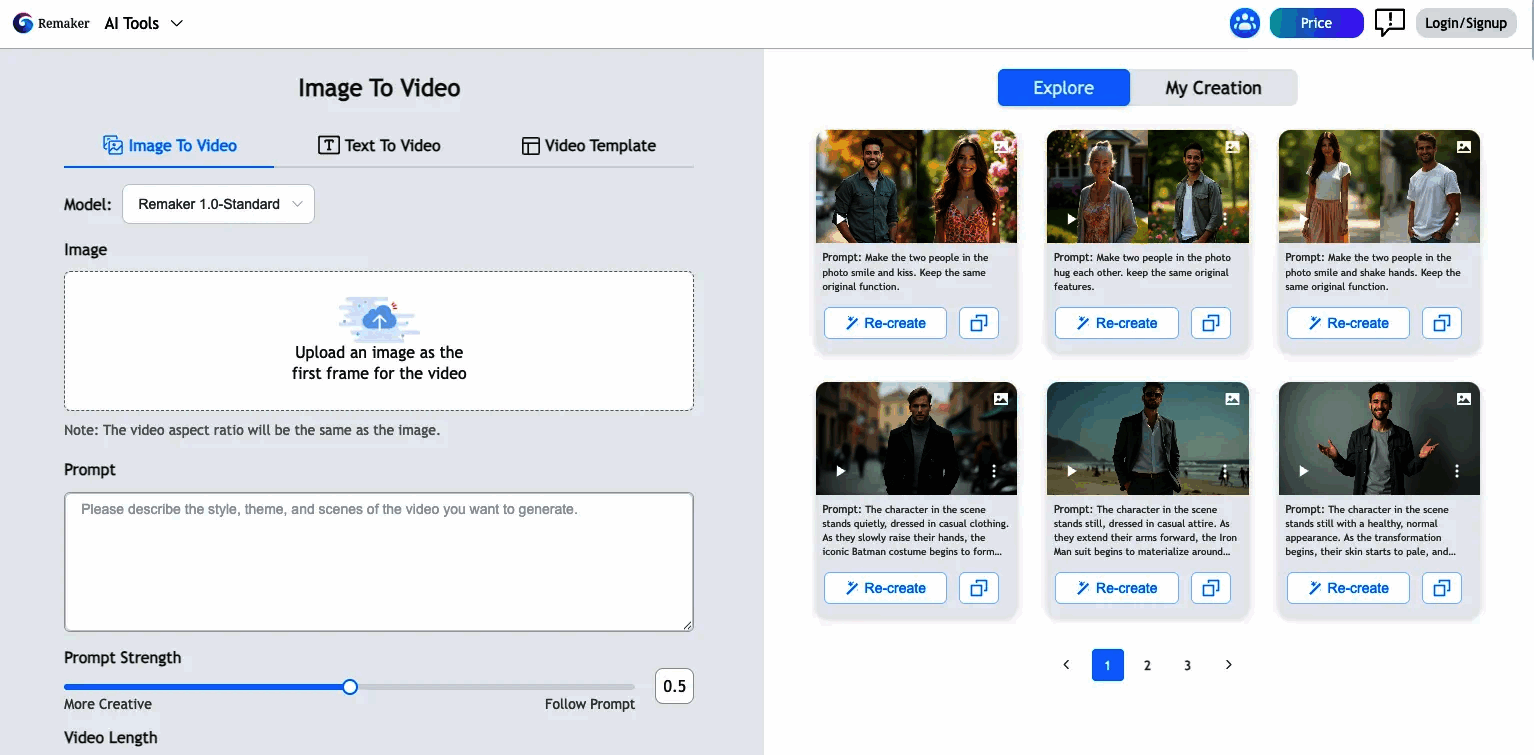
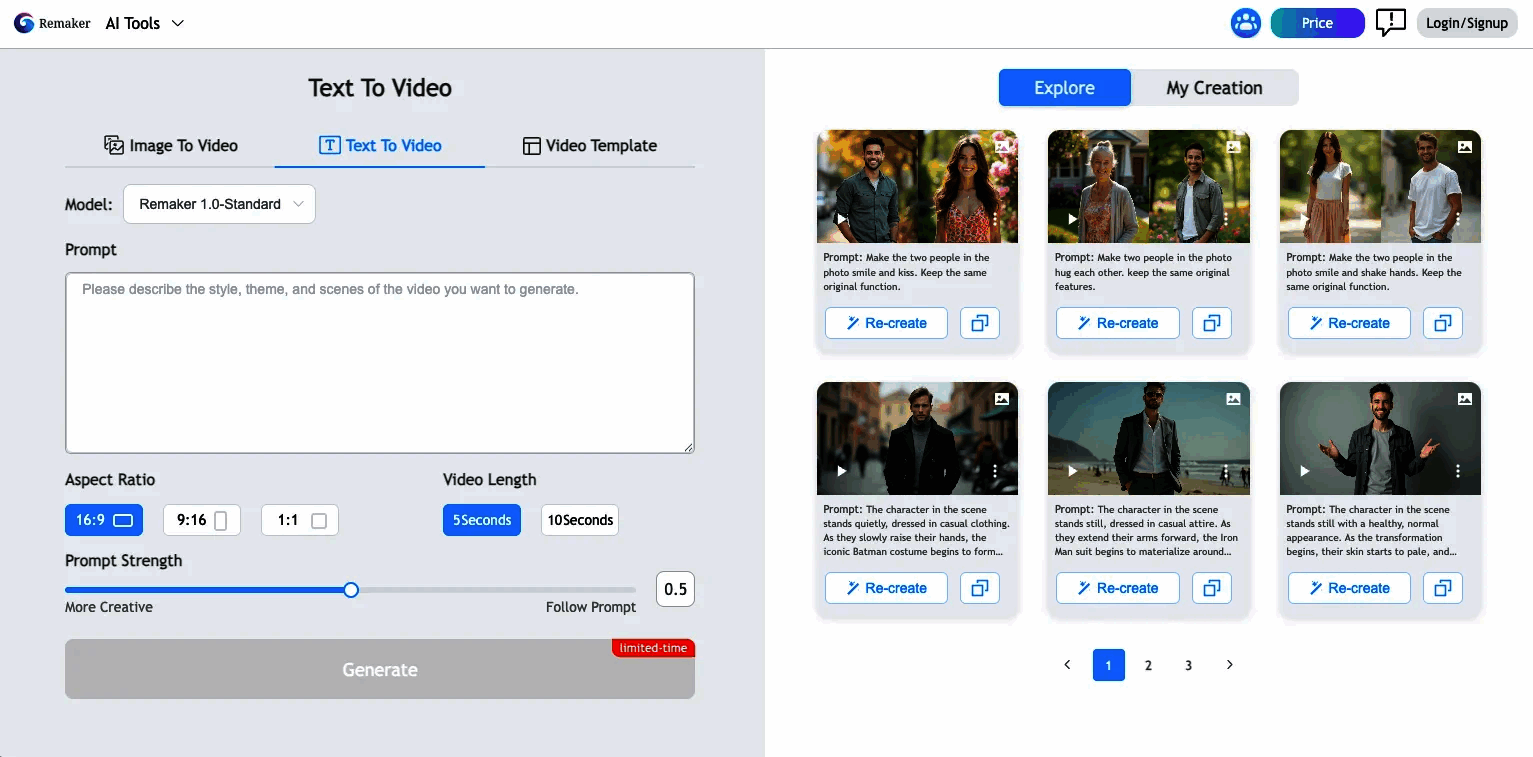
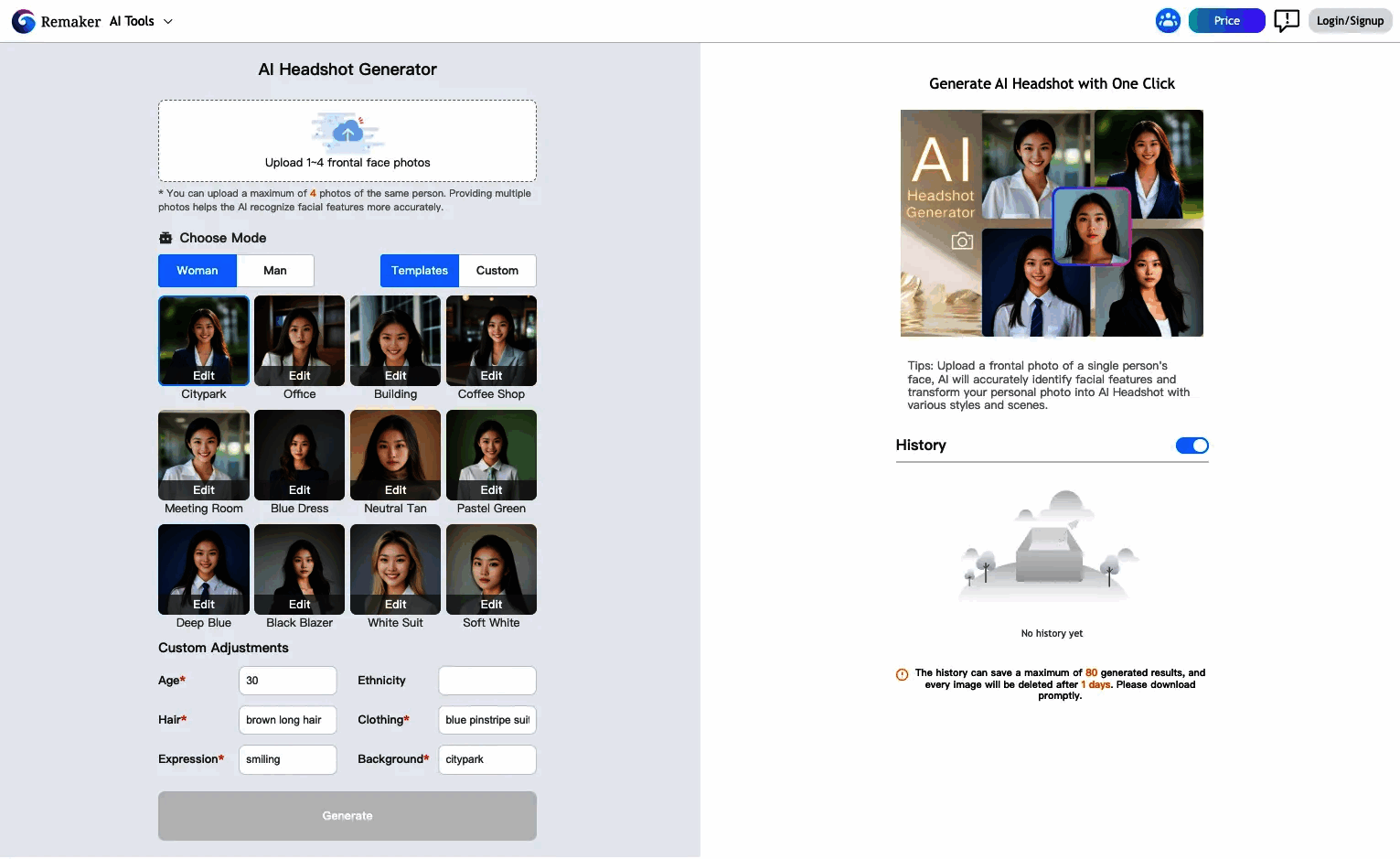
Remaker AI Pricing
Here are the pricing plans for Remaker AI. Choose the plan that best fits your requirements and budget. Get Detailed Remaker AI pricing as per your requirements.
Starter
$0
Per Month
- 150 Credits
Get Pricing
Advanced
$10
Per Month
- 530 Credits
Get Pricing
Pro
$20
Per Month
- 1100 Credits
Get Pricing
Premium
$50
Per Month
- 3000 Credits
Get Pricing
The pricing information for Remaker AI is sourced either directly from the software provider or publicly available materials. To get the most accurate and up-to-date costs, we advise reaching out to the vendor — meanwhile, explore the detailed pricing page for a complete breakdown.
The pricing information was last updated on 8th November 2026.
Free Trial is available
Do you work for Remaker AI,Inc?
Remaker AI Specifications
Get a closer look at the technical specifications and system requirements for Remaker AI. Find out if it's compatible with your operating system and other software.
Company Details :
Remaker AI Categories on SoftwareSuggest :
Show More
Remaker AI Comparisons
Compare Remaker AI with other similar options available in Generative AI Software. Explore the key differences to see why it's the top choice for businesses and individuals.

Remaker AI Description
Here's the comprehensive description of Remaker AI. Gain a brief understanding of its unique features and exceptional benefits.
Remaker AI: AI Image Generator and Face Swap Tool
Remaker AI is an online artificial intelligence platform that helps users create, edit, and enhance digital images without requiring professional design skills. It uses AI technology to transform photos, generate creative visuals, and improve image quality with simple tools.
The platform is known for its AI face swap feature, which allows users to replace faces in images while maintaining realistic details, expressions, and natural-looking results. It can be used for creating fun edits, social media content, creative projects, and personal photo experiments.
Apart from face swapping, Remaker AI provides several AI-powered editing features, including AI image generation, background removal, photo enhancement, image upscaling, and AI-powered creative effects. These tools help users convert ideas into high-quality visuals quickly and easily.
Key Features of Remaker AI
-
AI Face Swap: Replace faces in photos with AI-generated accuracy for creative edits and realistic transformations.
- AI Image Generator: Create unique images from text prompts and transform ideas into digital artwork.
- AI Photo Editor: Edit images, remove unwanted elements, and enhance photos using AI tools.
- AI Image Upscaler: Improve image resolution and make low-quality photos clearer with AI enhancement.
- AI Video Face Swap: Apply face swap effects to videos and create engaging AI-powered content.
Who Should Use Remaker AI?
Remaker AI is useful for content creators, marketers, social media users, photographers, and beginners who want quick AI-based image editing solutions. It is suitable for creating profile pictures, marketing visuals, creative artwork, and entertaining photo edits without using complicated editing software.
Overall, Remaker AI is a simple and powerful AI photo editing and image generation tool that combines multiple creative features in one platform, making AI-powered content creation easier for everyday users.
Remaker AI Resources
Overall Remaker AI Reviews
Thinking about using Remaker AI? Check out verified user reviews & ratings based on Remaker AI's features, user-friendliness, customer support, and other factors that contribute to its overall appeal.
Review Summary
AI-powered insights from real user reviews
Remaker AI is a fast, web-based tool with a clean, beginner-friendly interface and useful AI features like background removal, bulk processing, text-to-image and video generation that save time for marketers and small teams; however, it can struggle with fine details (hair, reflections, semi-transparent objects), produce occasional unrealistic results, and the free credits and high-resolution outputs are limited, making advanced plans feel costly for heavy users.
Pros
What users like most
Fast Processing Speed
Web-Based Accessibility
Bulk Processing Support
Easy To Use
Accurate Background Removal
Cons
Common user concerns
Limited Customization Options
Free Plan Limits
Performance With High-Res
Struggles With Fine Details
Occasional Unrealistic Outputs
SoftwareSuggest reviews are authentic and verified. Here's how.
Showing 3 out of 14 Reviews
Raghav b.
Used the software for : 1-2 years (Daily)
Company Size :11-50 employees
Verified via Business Email.
Verified Reviewer
Helpful Platform for Fast AI-Powered Image Transformations
Remaker is a lifesaver when I need quick visual edits and want to explore different AI-generated possibilities. It saves time compared to creating every change manually and works well for simple creative requirements.
Remaker AI After Sales Service Rating
Latest
What do you like best about Remaker AI?
I like the speed of the platform and how easily different image variations can be created.
What do you dislike about Remaker AI?
Advanced users may find the customization options limited compared to dedicated professional editing software.
What features is Remaker AI currently missing?
More editing controls, team collaboration features, and additional export options would make it a stronger solution for businesses and creative teams.
Useful 0
Yale D.
Used the software for : Less than 6 months (Weekly)
Company Size :1-10 employees
Verified via Business Email.
Verified Reviewer
Remaker Makes AI Image Experiments More Accessible
Remaker can be used to create different versions of images and test AI editing capabilities. What stood out to me was how simple the platform makes AI-based creativity, even for someone without much experience with design tools.
Remaker AI After Sales Service Rating
Latest
What do you like best about Remaker AI?
The biggest advantage is convenience. You can generate or modify images without going through a complicated editing workflow.
What do you dislike about Remaker AI?
While the results are impressive for quick experiments, some outputs may need additional refinement to match specific expectations.
What features is Remaker AI currently missing?
Adding more detailed style controls, batch processing options, and better image comparison features would improve the overall workflow.
Useful 0
Sara J.
Marketing Coordinator
Used the software for : 6-12 months (Daily)
Company Size :11-50 employees
Verified via Business Email.
Verified Reviewer
A Simple AI Tool for Image Editing and Creation
Remaker is useful when you need to quickly transform images or explore creative ideas. I used it for experimenting with AI-generated visuals, and the platform reduced the effort usually required for basic image editing tasks.
Remaker AI After Sales Service Rating
Latest
What do you like best about Remaker AI?
It has a clean interface, quick image processing, and is highly suitable for beginners
What do you dislike about Remaker AI?
The free usage limits can feel restrictive if you frequently create multiple images.
What features is Remaker AI currently missing?
I would like to see better project management options, saved editing history, and more advanced controls for professional users.
Useful 0
Alternatives of Remaker AI
Explore alternative software options that can fulfill similar requirements as Remaker AI. Evaluate their features, pricing, and user feedback to find the perfect fit for your needs.
Remaker AI FAQs
How much does Remaker AI cost?
The starting price of Remaker AI is $ 3/Per Month. It has different pricing plans:
- Starter : $ 3/Per Month
- Advanced : $ 12/Per Month
Remaker AI also provides a free trial to users.
What apps do Remaker AI integrate with?
Remaker AI integrates with various apps:
- Zoho Books
- Craze Payroll
- Craze Core HR
- Craze Leave
What are the top 5 features for Remaker AI?
The top 5 features for Remaker AI are:
- Text Generation
- Image Synthesis
- Voice Cloning
- Video Creation
- Code Generation



Free Demo
FTC Disclosure SoftwareSuggest may receive compensation from some vendors featured on this page. This does not influence our editorial evaluation or ratings.