


Best Screen Sharing Software
Popular Screen Sharing Software includes Zoom, TeamViewer, AnyDesk, Microsoft Teams, and Google Meet. These solutions help users share screens, collaborate remotely, provide support, and improve online communication.


No Cost Personal Advisor
Most Popular Screen Sharing Software
SoftwareSuggest offers verified & unbiased user reviews based on user ratings and feedback. Our ratings and reports do not contain any paid placements. Learn more about our ranking methodology.
List of 20 Best Screen Sharing Software

Contenders | 2026

Product Description
Switcher Studio makes creating professional videos easy and accessible using just iPhones and iPads. It lets you connect up to nine devices for multicamera setups, add custom graphics and logos, and stream live to platforms like social media or your website. Read More About Switcher Studio
Switcher Studio Is Tailored For
StartUps
SMBs
Mid-Market
Enterprises
Features
- Graphics Overlay
- Video Conferencing
- Custom Branding
- Video Chat
- Stream Scheduling
- Video Playback
- Stream To Multiple Platforms
- Screen Sharing
- View all Features
Switcher Studio Features and Usability-Based User Satisfaction Score
User Sentiment
Users find Switcher Studio makes multi-camera live streaming easy, reliable, and professional, praising ease of use, quick device connections, and improved video quality. Some note the subscription feels costly for smaller creators and request more advanced editing and customization options.
Category Champions | 2026

Product Description
ZOOM Cloud Meetings is intelligently engineered video conference software that can help you arrange video meetings, conferences, and video webinars from a remote location. It can build collaboration-enabled conference rooms. Read More About ZOOM
ZOOM Is Tailored For
StartUps
SMBs
Mid-Market
Enterprises
Features
- End To End Encryption
- Hd Video
- Breakout Rooms
- Meeting Transcription
- Virtual Backgrounds
- Co Host
- Live Streaming
- Annotation Tools
- View all Features
Basic
$ 0
Per Month
Pro
$ 15
Per Month
Business
$ 20
Per Month
ZOOM Features and Usability-Based User Satisfaction Score
User Sentiment
Users praise Zoom for its intuitive, cross-platform usability, reliable HD audio/video, screen sharing, breakout rooms and recording, which boost productivity and remote collaboration. Recurring negatives note the 40-minute free-plan limit, occasional bandwidth/sound issues, mobile app limitations and pricing concerns.
Category Champions | 2026

Product Description
Skype screen sharing software keeps the world talking, for free. Share, message, and call - now with group video on mobile and tablet too Read More About Skype
Skype Is Tailored For
StartUps
SMBs
Mid-Market
Enterprises
Features
- Participant Management
- Background Blur
- Custom Reactions
- Mobile Access
- Meeting Notifications
- File Sharing
- Whiteboard Collaboration
- Call Encryption
- View all Features
Skype Features and Usability-Based User Satisfaction Score
User Sentiment
Users praise Skype for reliable audio/video quality, cross-platform accessibility, ease of use, screen sharing, and useful business integrations. Recurring negatives include occasional connection lag, UI aging, bugs (screen refresh, notifications), limited large-meeting features, and issues with chat history and file/remote access.
Category Champions | 2026

Online Screen Sharing Software for Enterprise
Product Description
Google Meet is a versatile video conferencing tool that enables seamless communication and collaboration. With features like high-quality video, noise cancellation, live captions, and integration with Google Workspace, it ensures productive and engaging meetings across any device. Read More About Google Meet
Google Meet Is Tailored For
StartUps
SMBs
Mid-Market
Enterprises
Features
- Screen Sharing
- Dial In Phone Numbers
- Attendance Tracking
- Real Time Captions
- High Definition Video
- Q & A
- Security And Encryption
- Breakout Rooms
- View all Features
Business Starter
$ 7
Per user / Month
Business Standard
$ 14
Per user / Month
Business Plus
$ 22
Per user / Month
Google Meet Features and Usability-Based User Satisfaction Score
User Sentiment
Users praise Google Meet for its ease of use, reliable audio/video, strong Google Workspace integration, security, screen sharing, captions and web-based access. Common complaints note limited advanced features (breakout rooms, whiteboard, admin controls), participant/time limits on free plans, mobile UI quirks and occasional bugs.
Category Champions | 2026

Best Screen Sharing Software for Business
Product Description
Hangouts are synced automatically across devices, so you can start a Hangout on your computer and continue on another device, such as your phone. Read More About Google Hangouts
Google Hangouts Is Tailored For
StartUps
SMBs
Mid-Market
Enterprises
Features
- Participant Management
- Live Captions
- Custom Status Messages
- Group Calls
- Security And Encryption
- Noise Cancellation
- Virtual Backgrounds
- Calendar Integration
- View all Features
Google Hangouts Features and Usability-Based User Satisfaction Score
User Sentiment
Users praise Google Hangouts for ease of use, reliable audio/video quality, group chat and cross-platform access, plus responsive support and free availability. Recurring negatives include occasional confusing meeting entry, limited advanced messaging controls, data usage and dependency on good internet.
Contenders | 2026

Product Description
Google Workspace is a suite of cloud-based productivity and collaboration tools developed by Google. Formerly known as G Suite, it includes popular applications such as Gmail, Google Drive, Google Docs, Sheets, Slides, and Calendar. Google Workspace is designed to streamline communication and collaboration within organizations,... Read More About Google Workspace
Google Workspace Is Tailored For
StartUps
SMBs
Mid-Market
Enterprises
Features
- Gmail
- Google Slides
- Google Appsheet
- Google Vault
- Google Keep
- Google Tasks
- Google Sites
- Google Workspace Marketplace
- View all Features
Starter
$ 6
Per Month
Standard
$ 12
Per Month
Plus
$ 18
Per Month
Google Workspace Features and Usability-Based User Satisfaction Score
User Sentiment
Users praise Google Workspace for its seamless integration, real-time collaboration, ease of use, strong admin controls, and cloud storage access across devices. Recurring drawbacks include subscription pricing, limited offline functionality, storage limits, occasional billing/support issues, and some feature limitations in Slides.
Contenders | 2026

Product Description
GoToMeeting web conferencing software makes it simple and cost-effective to meet online with colleagues and customers. Best of all, meeting participants can share their webcams in high definition. Read More About GoToMeeting
GoToMeeting Is Tailored For
StartUps
SMBs
Mid-Market
Enterprises
Features
- Meeting Analytics
- Hand Raising
- Surveys And Polls
- Mobile Access
- Video Conferencing
- Meeting Recording
- Meeting Chat
- Cloud Storage
- View all Features
Starter
$ 24
Per Month
Pro
$ 36
Per Month
Plus
$ 59
Per Month
GoToMeeting Features and Usability-Based User Satisfaction Score
User Sentiment
Customers praise GoToMeeting for easy setup, strong usability, reliable audio/video quality, screen sharing, recording and transcription features, and helpful support. Recurring negatives mention high pricing, limited chat/features (drawing, mobile UX), short free trials, and some regional dial-in costs.
Contenders | 2026

Product Description
CrankWheel is a web-based Sales Management platform that completely manages all the features of inside sales companies. It offers live sales presentations and provides customers a way to request product demos in real-time by providing a Request Demo button on your website to convert more... Read More About CrankWheel
CrankWheel Is Tailored For
StartUps
SMBs
Mid-Market
Enterprises
Features
- Session Recording
- Browser Based
- Follow Up Reminders
- And Compliance)
- Api Access
- Mobile App
- Lead Enrichment
- Reporting And Analytics
- View all Features
Starter
$ 89
Per Month
Team
$ 229
Per Month
Department
$ 499
Per Month
CrankWheel Features and Usability-Based User Satisfaction Score
User Sentiment
Users praise CrankWheel for fast, simple, download-free screen sharing, strong ease of use on mobile and desktop, and responsive support. Recurring negatives include a cluttered UI and occasional sign-in issues, complicated by multi-factor authentication and potential firewall link blocks.
Contenders | 2026

Product Description
Clonadesk is remote access software that allows users to interact with computer systems in other locations as though they were local. It empowers businesses to provide remote customer service and technical support with its advanced remote desktop capabilities. Read More About Clonadesk
Clonadesk Is Tailored For
StartUps
SMBs
Mid-Market
Enterprises
Features
- Two Factor Authentication
- Cross Platform
- File Transfer
- Chat Functionality
- Remote Printing
- Wake On Lan
- Multi Monitor Support
- Clipboard Sharing
- View all Features
Free
$ 0
Forever
Clonadesk Features and Usability-Based User Satisfaction Score
User Sentiment
Customers praise ClonaDesk for fast performance, strong security, easy usability, and very quick file transfer, with free access appreciated. Recurring suggestions include adding audio/chat support and phone-based customer support, plus a customer-access history/chart feature for future access.
Contenders | 2026

Product Description
BlueJeans is feature-rich software that helps you build a collaborative workspace to exchange hassle-free and password-protected audios, videos, and documents. With its enterprise-grade security, you can make sure that your data is secure. Read More About BlueJeans
BlueJeans Is Tailored For
StartUps
SMBs
Mid-Market
Enterprises
Features
- Breakout Rooms
- Security And Encryption
- Video Conferencing
- Third Party Integrations
- Mobile Access
- Live Streaming
- Browser Based
- Moderator Controls
- View all Features
BlueJeans Features and Usability-Based User Satisfaction Score
User Sentiment
Customers praise BlueJeans for reliable video/audio conferencing, easy scheduling, recording, screen sharing and whiteboarding that aid communication and business. Recurring negatives include buffering, call drops and voice clarity issues, especially with many participants or unstable internet, and some perceive it as pricey.
Contenders | 2026

Product Description
TeamViewer provides unparalleled ease of use and flexibility. It even works across firewalls and is available in more than 30 languages. It is an all-in-one screen sharing software solution that includes unattended remote access and multiple remote connections at the same time from a single... Read More About TeamViewer
TeamViewer Is Tailored For
StartUps
SMBs
Mid-Market
Enterprises
Features
- Audio Conferencing
- High Definition Video
- Two Factor Authentication
- Session Handover
- Remote Control
- Session Recording
- Wake On Lan
- Meeting Scheduling
- View all Features
Remote Access
$ 25
Per Month
Business
$ 51
Per Month
Premium
$ 113
Per Month
TeamViewer Features and Usability-Based User Satisfaction Score
User Sentiment
The reviewer finds TeamViewer easy to use and reliable for remote control, software installation, and training when internet is stable. Recurring issues include occasional unresponsiveness during long sessions and compatibility problems between older and newer versions requiring reconnects.

Controlled access and data management
Product Description
LogMeIn is what you need to set up a powerful and comprehensive remote desktop in no time. Using this remote desktop software, you can bring workflow to your fingertips, share data instantly and securely, and become extra productive. Read More About LogMeIn
LogMeIn Is Tailored For
StartUps
SMBs
Mid-Market
Enterprises
Features
- Reporting And Analytics
- Remote Control
- Two Factor Authentication
- File Transfer
- Remote Sound
- Session Timeout
- Chat
- Mobile Access
- View all Features
Individuals
$ 29
Per Month
Power Users
$ 70
Per Month
Small Businesses
$ 129
Per Month
LogMeIn Features and Usability-Based User Satisfaction Score
User Sentiment
The reviewer is highly satisfied, praising the app for ease of use, reliable remote access, and long-term dependability over four years. The only noted drawback is that it requires high bandwidth, which may limit performance for users with slower connections.
Contenders | 2026

Product Description
One of the most powerful features of the web-based Redbooth Project Management and Collaboration Software is its very simple online task management and the ability to create beautiful Gantt charts with a single click. The online project management feature provides team workspaces, reporting, project templates,... Read More About Redbooth
Redbooth Is Tailored For
StartUps
SMBs
Mid-Market
Enterprises
Features
- Gantt Charts
- Subtasks
- Notifications
- Activity Stream
- Recurring Tasks
- Calendar View
- Reporting And Analytics
- Time Tracking
- View all Features
PRO
$ 5
User/Month
BUSINESS
$ 15
User/ Month
Redbooth Features and Usability-Based User Satisfaction Score
User Sentiment
The reviewer praises Redbooth for reliable task management, priority tags, easy interface, and mobile apps, noting effective comment/file sharing and prompt support. However, occasional outages and instability disrupt team workflow, though support responds quickly when issues occur.
Contenders | 2026

Product Description
EnableX provides innovative Video Communications and Collaboration Solutions that empower your remote workforce, students, or customers to stay connected. Read More About EnableX Video Meeting
EnableX Video Meeting Is Tailored For
StartUps
SMBs
Mid-Market
Enterprises
Features
- Waiting Room
- End To End Encryption
- Calendar Integration
- Live Streaming
- Screen Sharing
- Meeting Recording
- Breakout Rooms
- Mobile Access
- View all Features
Starter
$ 5
License/Month
Pro
$ 7
License/Month
Business
$ 8
License/Month
Enterprise
$ 10
License/Month
EnableX Video Meeting Features and Usability-Based User Satisfaction Score
User Sentiment
The reviewer notes a clear positive: the "Direct Streaming Option" label is grammatically correct. However, they report performance degradation as more participants join, with hazy video/audio and cracking voice in Safari, and mention needed improvements to frame adjustment and the user interface.
Contenders | 2026

Product Description
Zoho Meeting is a browser-based conferencing solution for hosting moderator-controlled, secure online meetings and engaging video webinars for individual users as well as small and large-sized organizations. Read More About Zoho Meeting
Zoho Meeting Is Tailored For
StartUps
SMBs
Mid-Market
Enterprises
Features
- Meeting Scheduling
- Custom Branding
- End To End Encryption
- Meeting Analytics
- Video Conferencing
- Mobile Access
- File Sharing
- Role Based Permissions
- View all Features
Free
$ 0
Forever
Meeting - Standard
$ 1
Host/Month
Meeting - Professional
$ 3
Host/Month
Webinar - Standard
$ 8
Organizer/Month
Zoho Meeting Features and Usability-Based User Satisfaction Score
User Sentiment
The reviewer finds Zoho Meeting easy to use, noting browser-based access, chat, video, screen sharing, and calendar synchronization that simplify scheduling and avoid conflicts. Overall sentiment is positive with no specific drawbacks reported.
Contenders | 2026

Product Description
Secure peer-to-peer connection, add unlimited participants, and arrange a meeting from anywhere with MingleView. This desktop sharing platform works without requiring port forwarding or special firewall configuration. Read More About MingleView
MingleView Is Tailored For
StartUps
SMBs
Mid-Market
Enterprises
Features
- Annotation Tools
- Meeting Scheduling
- Unlimited Participants
- Customizable Interface
- No Installation Required
- High Quality Screen Sharing
- Activity Logging
- Multi Monitor Support
- View all Features
MingleView Features and Usability-Based User Satisfaction Score
User Sentiment
The reviewer praises MingleView for making remote collaboration easier, citing a user-friendly interface and seamless screen sharing that improve virtual meetings. No negatives or other aspects were mentioned, so usability and reliable screen sharing are the highlighted strengths.
Contenders | 2026

Product Description
Shivaami is an authorized Google Cloud Partner that offers Google Workspace, formerly known as G Suite, a cloud-based productivity and collaboration suite developed by Google. It includes a variety of applications such as Gmail, Google Drive, Docs, Sheets, etc. Read More About Shivaami
Shivaami Is Tailored For
StartUps
SMBs
Mid-Market
Enterprises
Features
- Third Party Integrations
- Video Conferencing
- Reporting And Analytics
- File Sharing
- Custom Domains
- Role Based Access
- Instant Messaging
- Spam Protection
- View all Features
Business Starter
$ 72
User/Year
Business Standard
$ 144
User/Year
Business Plus
$ 216
User/Year
Enterprise Starter
$ 120
User/Year
Shivaami Features and Usability-Based User Satisfaction Score
User Sentiment
The reviewer praises Shivaami Nira for strong document access controls and professional, helpful customer support. They view the product positively for business use but note a separate software, AppSheet, needs improvements and minor issues should be fixed.
Contenders | 2026

Zoho Webinar is a secure online webinar software t
Product Description
Zoho Webinar is a user-friendly and feature-rich webinar software that empowers you to efficiently manage large-scale online events. Engage your audience with interactive elements like polls, surveys, and Q&A, and leverage comprehensive analytics to gain valuable insights. Record, replay, and share your webinars on the... Read More About Zoho Webinar
Zoho Webinar Is Tailored For
StartUps
SMBs
Mid-Market
Enterprises
Features
- Automated Reminders
- Customizable Forms
- Attendee Engagement Tools
- Integration With CRM Systems
- Custom Branding
- Analytics And Reporting
- Live Chat
- File Sharing
- View all Features
Free
$ 0
Per Month
Standard
$ 8
Per Month
Professional
$ 16
Per Month
Zoho Webinar Features and Usability-Based User Satisfaction Score
User Sentiment
Users praise Zoho Webinar for its ease of use, browser-based access without downloads, simple participant joining via phone or email, and a 60-minute free option. No specific improvements or major issues were reported in the provided review.
Emergents | 2026

Product Description
Mikogo offers a free screen sharing software solution, which thousands of companies worldwide use to facilitate their online meetings and web conferences. Read More About Mikogo
Mikogo Is Tailored For
StartUps
SMBs
Mid-Market
Enterprises
Features
- Session Passwords
- Screen Sharing
- Custom Branding
- Session Scheduler
- Mobile Access
- Participant Pointer
- Session Handover
- Multi Monitor Support
- View all Features
Mikogo Features and Usability-Based User Satisfaction Score
Emergents | 2026

Product Description
It provides both on-premise as well as cloud-based remote support solutions. Dameware Remote Support is a fast, simple, and lightweight solution for IT professionals to quickly respond and solve various issues. You can also get a free trial of their software. Read More About Dameware
Dameware Is Tailored For
StartUps
SMBs
Mid-Market
Enterprises
Features
- Active Directory Management
- User Account Control
- Chat
- Integration With Solarwinds Products
- Mobile Support
- Session Recording
- Remote Command Line
- Remote Control
- View all Features
Dameware Features and Usability-Based User Satisfaction Score
Get Free Expert Advice

What is Screen Sharing Software?
Screen Sharing Software Is one of the best applications through which users can share their screen access and collaborate with other people in real-time. It enables employees could connect quickly and seamlessly when working from remote locations.
Sharing access to the computer display is known as screen sharing. Screen sharing software employs various approaches to allow a second user to share a screen for teamwork and other activities remotely. Desktop sharing is another term for screen sharing.
A graphical terminal emulator is frequently used with screen-sharing software. It gives the second access control to whatever the first user sees and what another user is doing. Online Training is one of the most prevalent uses of screen sharing, with educators enabling remote screen sharing systems to illustrate a particular process to trainees.
Because the rapid advent of new computer innovations necessitates thousands of people's Training, the screen sharing system has proven to be a beneficial component of the whole training program, which is frequently conducted via videoconferencing rather than face-to-face conferences.
From conference video conferencing solutions to new cloud-based software as service delivery, the screen sharing system is a prominent element in many latest technologies that assist enterprises. In addition, newer businesses and lifestyles are increasingly conducted through the Internet, including remote communication. As a result, screen sharing is becoming a critical component of the evolution of virtual collaboration systems and telecommuting.
Benefits of Using Best Screen Sharing Software in Organization
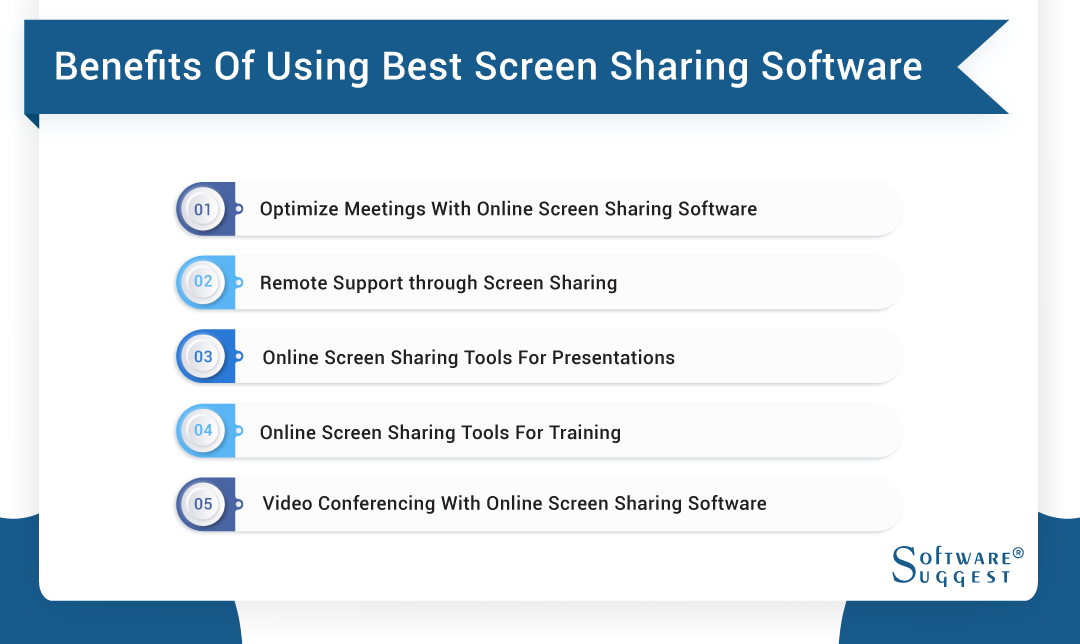
1. Optimize Meetings with Online Screen Sharing Software
A screen-sharing feature enables live office interaction with a large number of peers and team members. Meeting attendees can immediately see many views by sharing the same screen information, such as pictures, charts, or graphs. Rather than requiring guests to download enormous files in the expectation that they will follow along, you can now direct the presentation from your computer and ensure that the entire meeting is much more focused. In addition, you are reducing meeting time since the screen-sharing program eliminates the time spent explaining the whole content.
Meetings are bound to become substantially more efficient when you're able to maintain such high levels of control, assisting teams in achieving faster results and minimizing the time of the session.
2. Remote Support through Screen Sharing
Many screen-sharing apps include a remote mouse or keyboard control, which is very popular among IT departments. Support employees can even ask to see the clients' screen, manage the client's mouse and keyboard, and provide technical support with just a few clicks to start the screen sharing tool. You can also record the complete technical assistance session for future reference and documentation.
Regular online meetings are becoming increasingly popular in motivating workplace cooperation, with video conferencing and virtual workspaces playing a big part in keeping remote employees linked. Screen sharing is a critical element of these platforms, allowing distant team members to collaborate on ideas, provide comments, and stay on task.
You may minimize misunderstandings and unnecessary mistakes by showing other team members exactly what you're talking about (rather than having to go through the frustration of describing it), ensuring that everyone is viewing the right page and the plan is leading in the right path.
3. Online Screen Sharing Tools for Presentations
Online presentations enabled by a screen-sharing system are an excellent way for businesses to interact with their customers and clients. A salesperson, for example, can use a screen-sharing tool to exhibit their products and offer clients to try them. Giving Online presentations is one of the great features of screen-sharing software.
4. Online Screen Sharing Tools for Training
Companies can save money by using screen-sharing tools in online Practice since they don't want to arrange the complete projector set up; instead of wasting time trying to convey the problem over the phone or paying for external talks, they can use screen-sharing technologies.
Instead, a lecturer's content can be transferred from their PC screens to all of their attendance via a screen sharing tool. Lecturers can also employ screen-sharing features like a participant pointer and whiteboard to connect with students and create an engaging learning environment.
5. Video Conferencing With Online Screen Sharing Software
Video conferencing is frequently performed using screen-sharing tools. For instance, a company presenter can use the screen-sharing program to send out invitations and provide guests with all of the information they need to participate in the conference. You are not required to disseminate the documents ahead of time.
Participants can see any documents or files on the presenter's screen and ask the conference holder to send related files and documents via the screen sharing tool's transfer function.
Key Feature of Screen Sharing Tools
8 Key Features to be considered in Screen Sharing Tools are
-
Annotations
-
Desktop/ Browser Sharing
-
Mobile Screen Sharing
-
Presenter Control Management
-
Screen Capture
-
Screen Mirroring
-
Targeted/ Locked Screen Sharing
List of Best Screen Sharing Apps
-
Best screen sharing software - Zoom, Webex meetings
-
Remote screen sharing software - join.me, Teamviewer
-
Desktop screen sharing software - Troop Messenger
-
Secure screen sharing software - Slack, Clearslide
-
Multi-screen sharing software - Google Meet, Ditto
Issue Can Face with Screen Sharing Software and How to fix it?
If your screen share isn't operating and when you're getting errors when sharing a screen, such as multiple screens when sharing a screen, you cannot see users' shared screens, then you'll need to go through some troubleshooting steps to figure out what's wrong.
Issues could be
-
You are unable to view the shared screens
-
You are unable to see the updates of the shared screen
-
You are unable to organize your screen for sharing with others
-
You are unable to see all the apps that need to be shared
-
You are getting a shared screen with an infinitive number of the same screens
-
Your application crashes when you start to Screen Share
-
You are getting a gray Screen share & keeps loading
The Best Possible Screen Sharing Solution
1. Restart Your Computer
Most computer problems, including screen sharing system issues, can be solved by restarting the computer. You can go to the Start menu, select Power, and restart.
2. Close all Browser Windows and Clear the Cache
Closing your browser will not be enough to resolve the screen sharing system issue, as it may continue to run in the background. Use the Control + Delete + Alt shortcut on your PC to halt browser processes. You should also delete the cache in your browser. Because screen sharing is a graphics-intensive procedure, this is the case. If you have an older processor, you may need to free up some RAM to accommodate screen sharing.
3. Activate the Force-Quit Feature
Another screen-sharing solution is to quit all running apps, including the one with which you're attempting to share the screen. Then, try using the screen-sharing option once more.
4. Increase the Size of the Page
Change the page size probably low if you can't see all of the shared screens. However, increasing the size will prevent your application from showing all of the users and shared displays. In Space Properties, you can examine and adjust the Chime view page sizes.
5. Neglect Using the App. Window & Share the Complete Screen
If team members cannot view the changes on the screen you are sharing; it is most likely due to a problem with that application. Unseen Changes are a known issue with some programs; you can share the entire screen, not just the application window, where your App is.
6. Make Sure Your Permissions are Set Correctly
Check your permissions if you can't share the complete screen or if the screen is grey. If you have all of the necessary permissions but still can't share screens, go through the program troubleshooting process to resolve the problem.
7. When Infinitive Windows Appears, Do not Share the Screen
The Infinitive Windows Effect occurs when you select to share the same screen where you are seeing what you are sharing, and it occurs when you select the same screen that you want to share. It is not a bug that the Infinitive Windows Effect exists. It is, nevertheless, expected when sharing screens in this manner.
8. Problems With Applications Troubleshooting
Check to see if the App works rightly in the browser (Incognito or in-private mode to avoid cache issues). If there are no difficulties there, your App is most likely obsolete, or it has some caching or other difficulties, in which case you should troubleshoot it further.
What Should You Consider While Purchasing Screen Sharing Software?
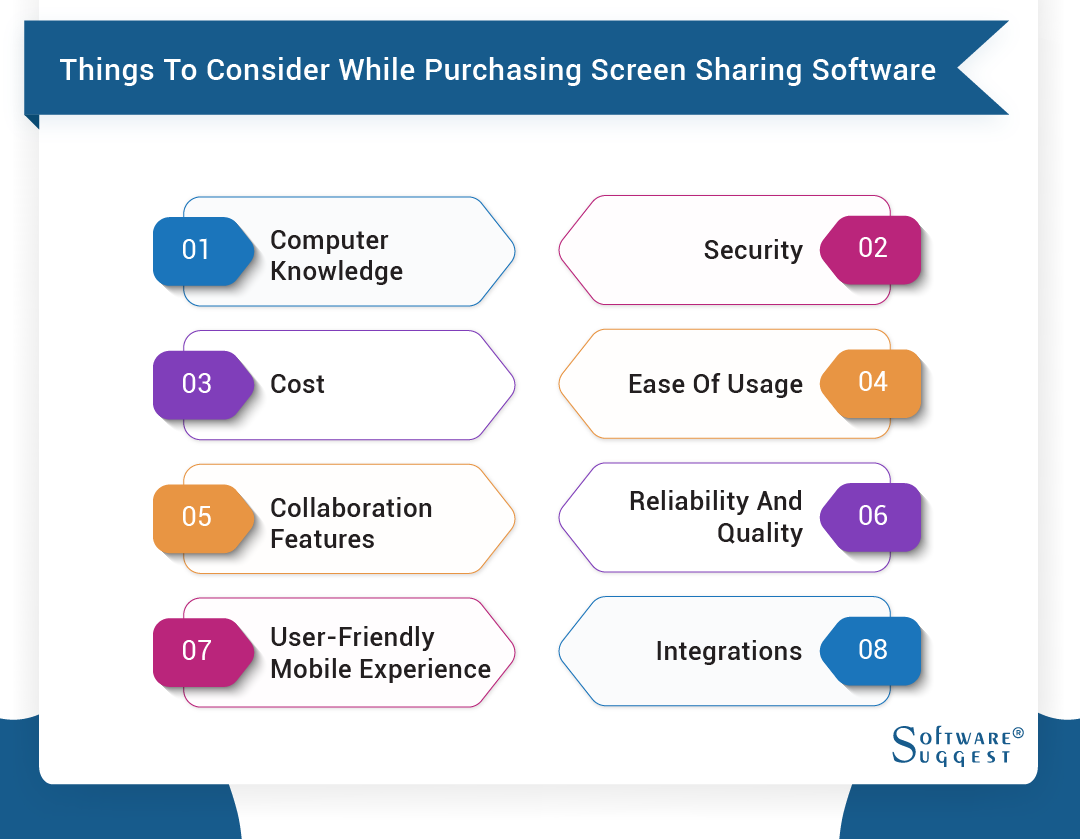
Some features to consider before purchasing Screen Sharing Tools in Screen Sharing Platform include Security, Computer Knowledge, Reliability, and quality.
1. Computer Knowledge
The primary purpose of a screen-sharing app is to aid communication. Only when you know how to employ modern tech does it work. As a result, choose an application that is both accessible and simple to use.
2. Security
Confidentiality of corporate information is critical in the corporate sector. Choose a free screen-sharing software that securely transmits your information. 256-bit encryption is the most secure way of communication.
3. Cost
Check if the App is Free Trial,- Trial License, Monthly or Annual Subscription. For large enterprises with significant expenditures, a screen-sharing application is not a viable solution. Instead, free software is a terrific place to start as you will not be paying for any plans, and it has all of the essential functions for online communication. The best screen-sharing applications should not blow the budget in exchange for realistic time limitations, features, and participants.
4. Ease of Usage
The best screen-sharing platform allows you to access the Internet without installing anything and can be used on multiple devices.
5. Collaboration Features
Collaboration features must be available in screen sharing platforms such as collaborative document editing, Presenter switching, co-browsing, and shared annotation.
6. Reliability and Quality
The reliability of the screen-sharing solution is critical. If it fails to work during your group meeting, it will disrupt the flow of conversation; worse, you will leave an unprofessional impression on your clients. Check the maximum number of users to use the Screen Sharing platform at a time.
7. User-friendly Mobile Experience
Whether in-app or in-browser, the best software provides a mobile experience on par with a desktop. The best screen-sharing software should be user-friendly.
8. Integrations
The best screen-sharing software should have the ability to automate operations such as scheduling sessions, and uploading recordings simplifies the entire process.
Latest Trends of Screen Sharing Tools
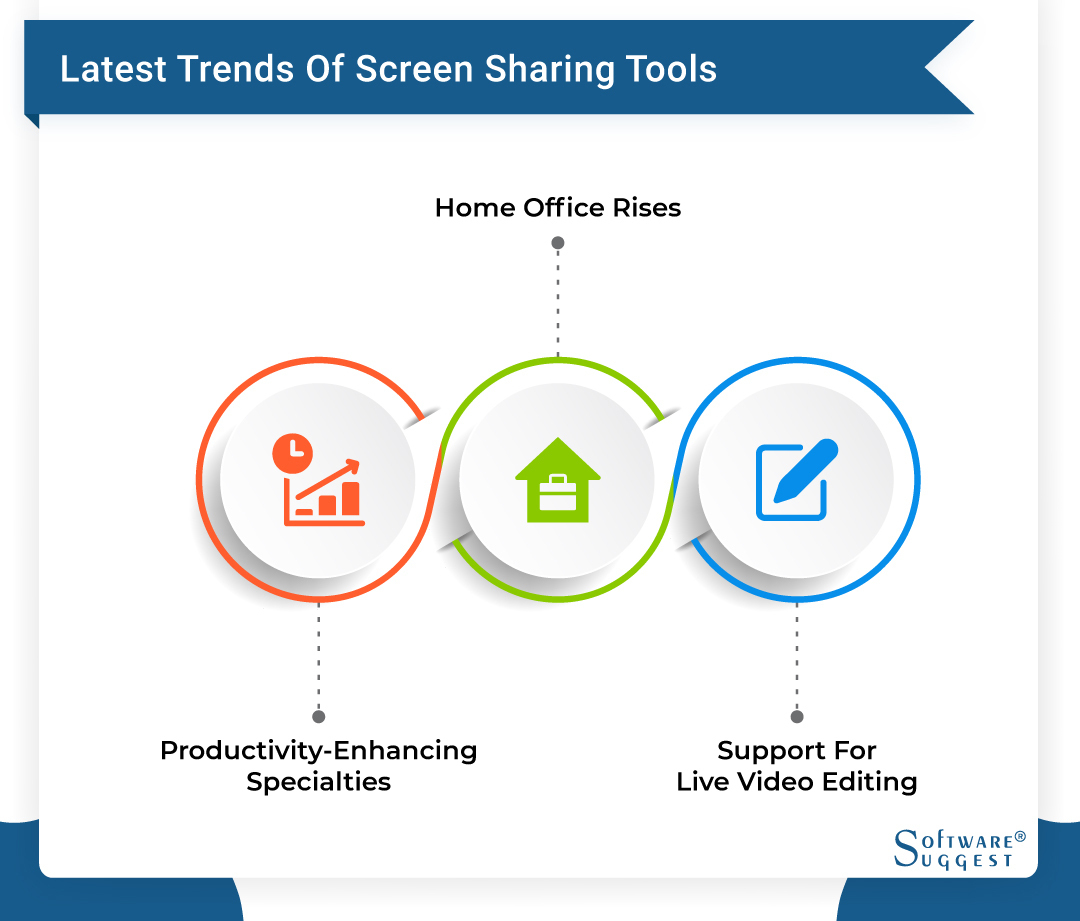
The latest Trends of Screen Sharing Platform are
1. Home Office Rises
Offering kits and bundles for home workers (often a webcam and headset), as well as new options of higher-quality webcams for individuals in client-facing professions who need to create a good impression over the video, is part of the home office upgrade trend.
2. Productivity-Enhancing Specialties
Translation, video clipping, file sharing and Transcription interfaces with productivity programs are the new features. These characteristics drew a lot of attention even before the outbreak.
The number of productivity-enhancing innovations continues to grow with screen Sharing solutions. While this field is still in its infancy, and many of these aspects aren't yet fully developed, it will be a crucial component of video technology in the future.
3. Support for Live Video Editing
New streaming software has been developed during a live video conversation to allow for live video editing and post-production effects. Changing backgrounds to complex camera effects and gimmicks are among the post-production effects available.
Screen sharing solutions such as Zoom already have green screen and virtual background features and are rapidly developing more. In addition, we will rely less on third-party software in the future because all essential business video tools will include live video editing tools.
Another tendency that began before the pandemic and is now accelerating as a result of it is this. Workers seek something more thrilling and lively after a year of viewing themselves in generic video boxes.
FAQs
What is the Cost of Screen Sharing Software?
The essential/ starter plan Cost of any Screen Sharing Software ranges from $5 per month to $9/month.