



SysInfoTools VHD Recovery
What is SysInfoTools VHD Recovery?
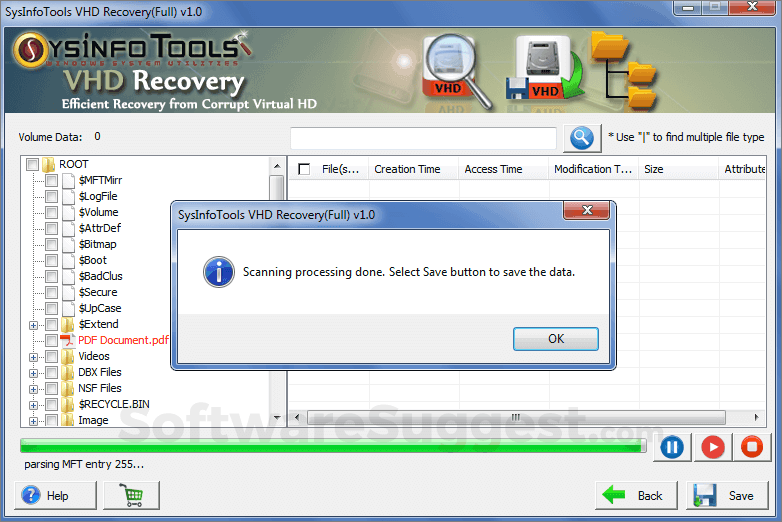
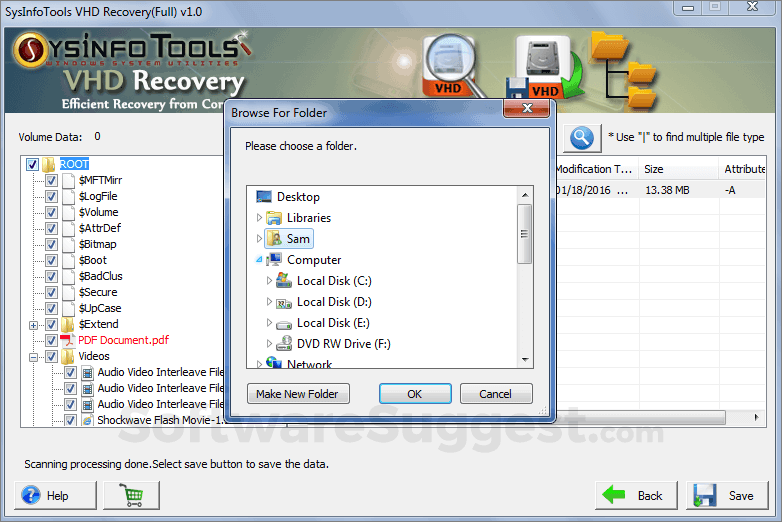
Experiencing a hard time by any sort of corruption in VHD files because of which you are unable to access VHD files, you should take the step forward to the amazing SysInfo recovery solution for corrupt VHD files.
SysInfoTools VHD Recovery Starting Price
$ 99/Per Month

Our Awards and Recognition
Talk with a software expert for free. Get a list of software that's great for you in less than 10 minutes.
SysInfoTools VHD Recovery Screenshots
Key Features of SysInfoTools VHD Recovery
Here are the powerful features that make SysInfoTools VHD Recovery stand out from the competition. Packed with innovative tools and advanced functionalities, this software offers a range of benefits.
- Backup Log
- Backup Scheduling
- Advanced Search
- Arrange Recovered Items
- Backup
- Bring Files & Folders Back from Empty Recycle Bin
- Business Continuity
- Cloud Migration
- Data Protection
- Data Recovery
- Data Replication
- Disaster Recovery
- Disk Cleanup
- Disk Repair
- Disk Utilities
- Drive Recovery
- Event Logs
- Remote Access
- Active Directory management
- Asset Management
- Backup and Recovery
- Change Management
- Cloud management
- Configuration Management
- Data Encryption
- Database management
- Disaster recovery planning
- Endpoint protection
- Firewall management
- Help desk ticketing
- Incident Management
- IT Management
SysInfoTools VHD Recovery Pricing
Here are the pricing plans for SysInfoTools VHD Recovery. Choose the plan that best fits your requirements and budget. Get Detailed SysInfoTools VHD Recovery pricing as per your requirements.
- Smartly programmed software to fix and recover corrupt VHD files.
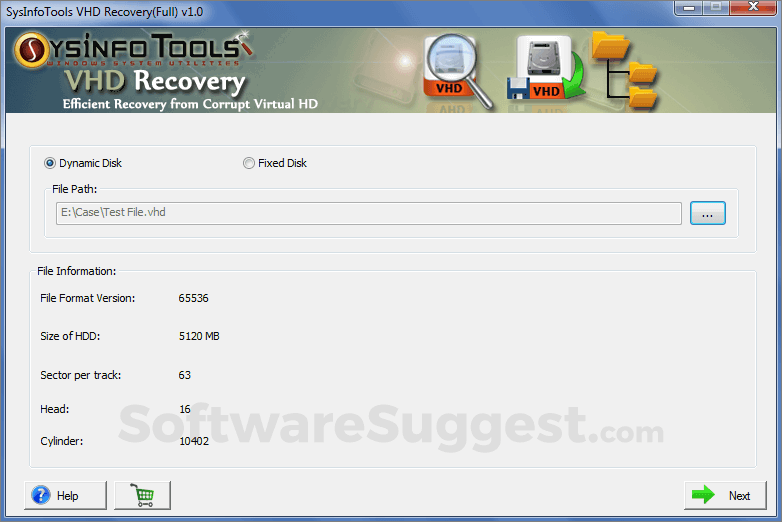
- Supports corrupted VHD files saved in fixed disk and dynamic disk types.
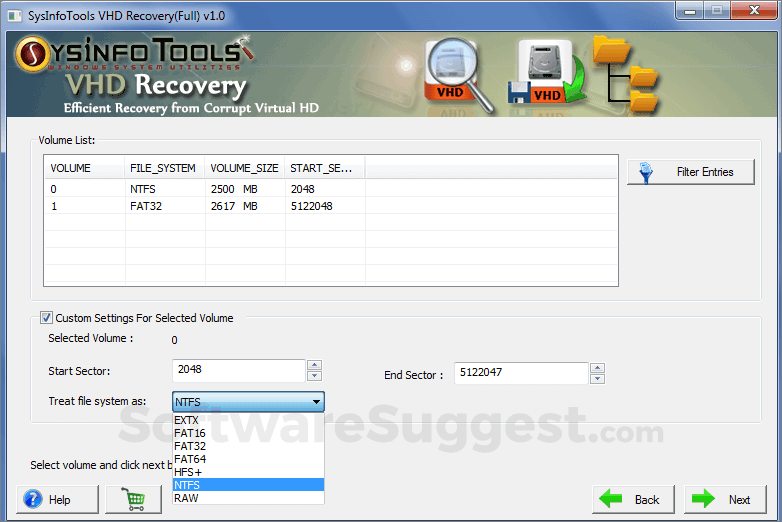
- Customization setting is enabled for the selected volume.
- Create a backup for recovered VHD files by Windows Vista and later by other Versions.
- Option for Raw Recovery.
SysInfoTools VHD Recovery Specifications
Get a closer look at the technical specifications and system requirements for SysInfoTools VHD Recovery. Find out if it's compatible with your operating system and other software.
SysInfoTools VHD Recovery Description
Here's the comprehensive description of SysInfoTools VHD Recovery. Gain a brief understanding of its unique features and exceptional benefits.
In today's world of virtualization, a process in which multiple OS runs on a single physical host system. It helps to lows down the usage of physical servers. The vendors who basically implemented the process was Microsoft, who developed VHD files that run on the Virtual machine for Windows.There are some applications of using Virtualization:
- Provides security in machines
- Maintains the cost
- Makes easy to manage and control OS
- Helps in Disaster Recovery
Coming to the scenarios or the case on how disaster occurs on the Virtual files that corrupt VHD files and if users are unable to repair or fix VHD file by the available for manual VHD recovery. SysInfoTools came up with the powerful VHD Recovery Software. The software is easy to operate by simply installing it in your system. VHD Recovery software is totally virus free to use and helps to fix the corrupted or damaged files VHD files in just one "GO". Can handle bad recovers Whichever the file system your VHD is saved in, i.e. FAT, FAT16, FAT32, FAT64, NTFS, HFS+ and EXTX.
SysInfoTools VHD Recovery Videos
Overall SysInfoTools VHD Recovery Reviews
Thinking about using SysInfoTools VHD Recovery? Check out verified user reviews & ratings based on SysInfoTools VHD Recovery's features, user-friendliness, customer support, and other factors that contribute to its overall appeal.
1 SysInfoTools VHD Recovery Reviews
Hear directly from customers who have used SysInfoTools VHD Recovery. Read their experiences, feedback, and ratings to gain valuable insights into how this software has benefited their businesses.
John
Office Executive
Used the software for : 2+ years
Company Size :51-200 employee
Verified By : 
Excellent Service
I just use your VHD Recovery Software when I found my Virtual Disk File contained NTFS file system corrupt. Your VHD Tool free demo helps me a lot to learn how it works and it is really an excellent software that I use easily. I would like to say thanks to the whole SysInfoTools team.
Alternatives of SysInfoTools VHD Recovery
Explore alternative software options that can fulfill similar requirements as SysInfoTools VHD Recovery. Evaluate their features, pricing, and user feedback to find the perfect fit for your needs.
SysInfoTools VHD Recovery FAQs
How much does SysInfoTools VHD Recovery cost?
The starting price of SysInfoTools VHD Recovery is ₹ 7128/Per Month. It has different pricing plans:
- Enterprise/Personal/Tehnician : ₹ 7128/Per Month
SysInfoTools VHD Recovery also provides a free trial to users.
What type of customer support is available from SysInfoTools VHD Recovery?
The available support which SysInfoTools VHD Recovery provides is:
Where is the headquarters/company of SysInfoTools VHD Recovery located?
The headquarters/company of SysInfoTools VHD Recovery is located at Dehradun.

