What is VM Reports?
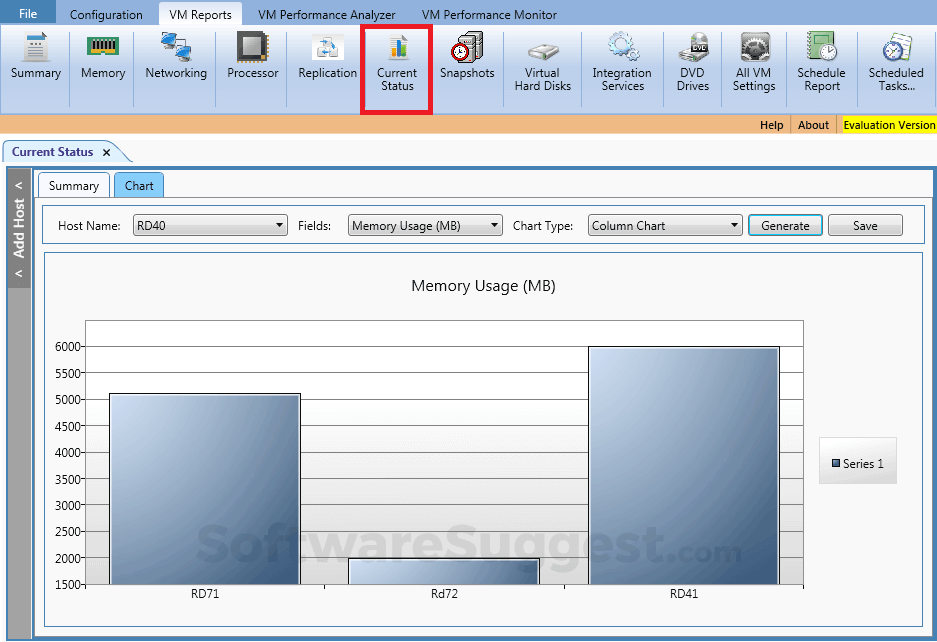
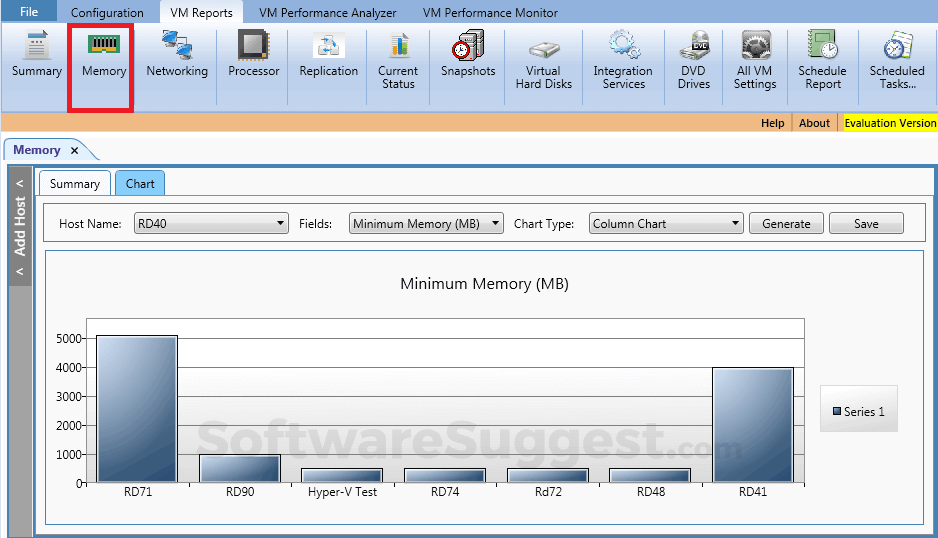
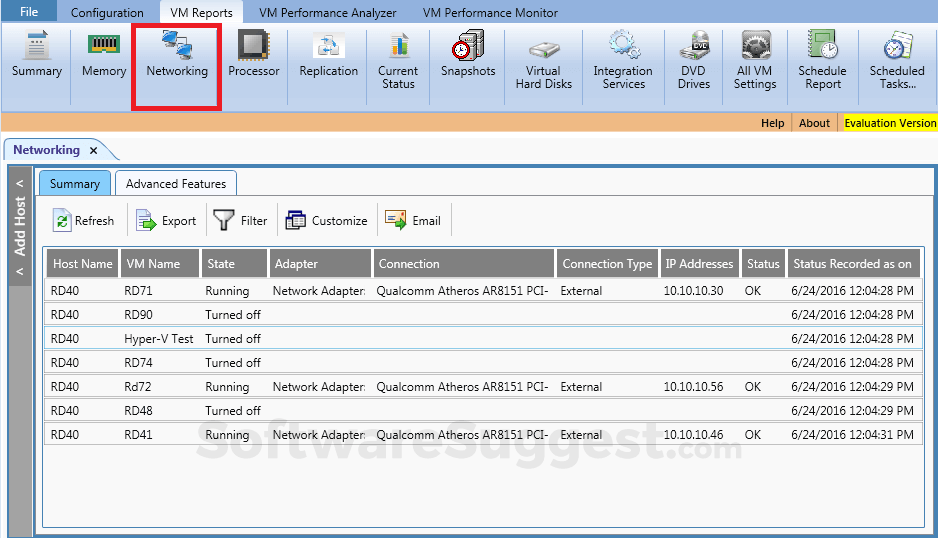
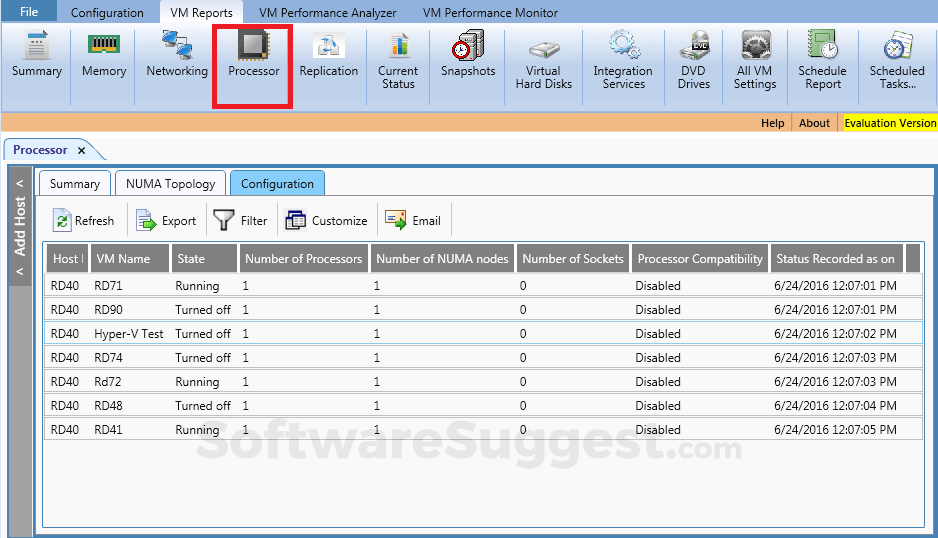
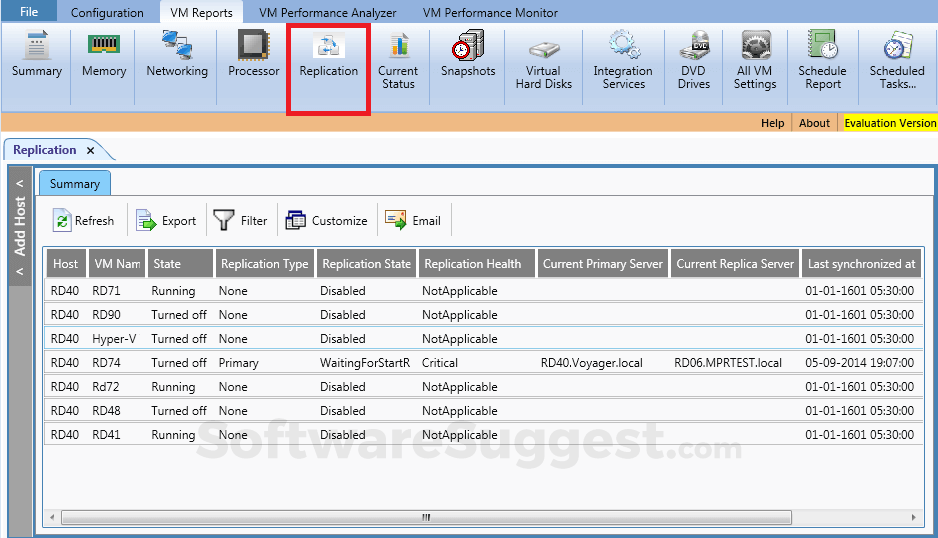
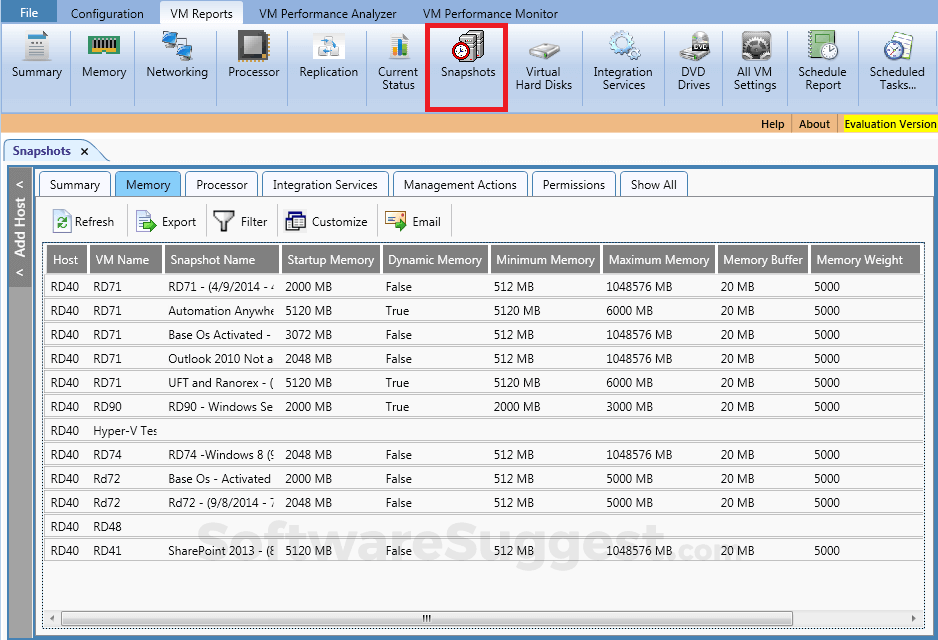
The most advanced auditing and reporting solution for Virtual Machines provide information about Host Name, VM State, Heartbeat, Processors, Guest Operating System, Virtual memory Characteristics, Status, LoadPercentage, network settings, Replication Health etc.
VM Reports Starting Price
Talk with a software expert for free. Get a list of software that's great for you in less than 10 minutes.
VM Reports Screenshots
Key Features of VM Reports
Here are the powerful features that make VM Reports stand out from the competition. Packed with innovative tools and advanced functionalities, this software offers a range of benefits.
- Applications Management
- Real Time Monitoring
- Real Time Comparisons
- Scheduling
- Event Logs
- Virtual Machine Monitoring
VM Reports Specifications
Get a closer look at the technical specifications and system requirements for VM Reports. Find out if it's compatible with your operating system and other software.
VM Reports Description
Here's the comprehensive description of VM Reports. Gain a brief understanding of its unique features and exceptional benefits.
Vyapin Virtualization Management Suite enables you to manage your Hyper-V based virtual machines from a central desktop application. The application allows you to audit and report Virtual machines and Hosts across your network. You can periodically check for VM sprawl (uncontrolled/unplanned growth of VMs) by discovering all the VMs in your network and identifying active, inactive and infrequently used VMs. You can then perform insightful actions to optimize and govern your VM infrastructure better.
VM Reports Reviews (0)
No reviews yet. Rate this app or be the first to review.
Write a ReviewAlternatives of VM Reports
Explore alternative software options that can fulfill similar requirements as VM Reports. Evaluate their features, pricing, and user feedback to find the perfect fit for your needs.
VM Reports FAQs
What are the top 5 features for VM Reports?
The top 5 features for VM Reports are:
- Applications Management
- Real Time Monitoring
- Real Time Comparisons
- Scheduling
- Event Logs
What type of customer support is available from VM Reports?
The available support which VM Reports provides is:
Where is the headquarters/company of VM Reports located?
The headquarters/company of VM Reports is located at Chennai.