As one of the most essential tools in the current market, Whiteboard Animation Software solutions are in high demand. To assist you in selecting the optimal software, we've conducted a side-by-side comparison of Doodly and Moovly. For a better product experience, Doodly offers customer support on Email, Phone, Live Support, Training and Tickets and Moovly offers customer support on Email.
You May Also Like
Featured products that are similar to the ones you selected below.
All Whiteboard Animation Software Products ›››


Compare pricing of Doodly vs Moovly with the following detailed pricing plan info. Doodly comes in 2 packages: Standard, Enterprise. On the other hand, Moovly comes in 3 packages: Free, Pro, Enterprise.
Take a look at the below screenshots and seamlessly compare the user interface of Doodly and Moovly for better insights.


Doodly and Moovly have been awarded by SoftwareSuggest for the selected categories. These awards have been given on the basis of the overall performance of this software in the Whiteboard Animation Software category.


Below is the comparison of the starting price and payment method of Doodly and Moovly. You can purchase Doodly with Per Month payment plans. Whereas, Moovly provides Per Month payment plans. Doodly provides a free trial whereas, Moovly does not provide a free trial.
Free Trial
Monthly
Yearly
Free Trial
Monthly
Monthly
Yearly
Compare between Doodly and Moovly based on their key features and functionalities to pick the right one for your business.
Customer Support
Import/Export DataBase
Image Library
File Management
Video Content
Media Library
Video Sharing
Dashboard
Reporting
Drag & Drop
(Not Provided by Vendor)
Project Management
Task Management
Workflow Management
Collaboration
Idea Management
Issue Management
Requirements Management
Resource Management
Status Tracking
Feedback Collection

Compare how Doodly stacks up against Moovly in terms of ratings and user experience. Select the Whiteboard Animation software that perfectly aligns with your business requirements.
Based on all the user reviews and ratings received by Doodly and Moovly in Whiteboard Animation Software category, we've provided an average user rating for each software below. Doodly has 9 reviews while Moovly has not received any reviews. Be the first one to write Moovly review
Innovative and fun solution to spark creativity
Pros
The most impactful features about Doodly is that it produces fun, engaging content that encourages collaboration. I appreciated that themes of diversity were considered when designing this product, and it feels inclusive where all races and cultures can be appreciated and represented. It supports cool animation, audio and fun video content.
Cons
I didn't like that there was an additional charge to add color to the animated characters.
No reviews yet. Be the first to review
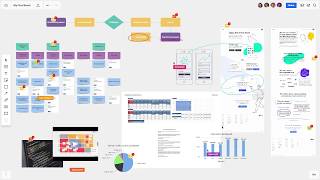
Write a reviewMiro, The Power of Innovation & Collaboration.
Pros
Miro digital canvas is like a blank canvas for our ideas to come to life, it's like a paintbrush for our thoughts, t's a tool that allows us to visually organize, plan and execute projects in a way that other software simply couldn't match, With Miro, our team felt like they had a superpower, the power to collaborate in real-time, to brainstorm with ease, to visualize complex processes and to streamline our workflow, also screen sharing allows for real-time collaboration, sketching and annotation tools allow us to add notes and comments to our designs and facilitating the design review process.
Cons
UI and rich features can be a bit overwhelming and cluttered at times making it difficult to navigate and find the specific features I need.
Deployment is a crucial factor to consider while buying Whiteboard Animation Software. Doodly is available on Web App, Windows, MacOs desktop platforms. Moovly is available on Web App desktop platforms and IOS, Android mobile platforms.
Web App
Windows
MacOs
Web App
IOS
Android
Web App
Windows
MacOs
IOS
Android
The quality and timeliness of support are important parameters when comparing Doodly with Moovly. Doodly offers Email, Phone, Live Support, Training and Tickets to its customers, while Moovly provides Email.
phone
live support
tickets
training
Doodly and Moovly are supported in the following languages.
English
German
Spanish
English
English
The target customer base of Doodly vs Moovly is mentioned below. Check which software fits your business requirements perfectly.
Startups
SMBs
Agencies
Enterprises
Startups
SMBs
Agencies
Enterprises
Startups
SMBs
Agencies
Enterprises
To gain a better understanding of how these Doodly and Moovly work, you can check out the videos below. Browse through the videos and make the right choice.


Get insight into the company details Doodly and Moovly and learn how they operate. Explore the company name, its location, and more!
RealtimeBoard