


In search of the ideal Website Builder Software that caters to your unique needs? As a savvy buyer, you're likely interested in user ratings, pricing, customer support, languages supported, features, and more. We've created a comprehensive comparison of Weebly versus Wix. To get better insight, here’s how users have rated these products. Weebly is rated 4.5 while Wix is rated 4.4.
You May Also Like
Featured products that are similar to the ones you selected below.
All Website Builder Software Products ›››


Compare pricing of Weebly vs Wix with the following detailed pricing plan info. Weebly comes in 3 packages: Connect, Pro, Business. On the other hand, Wix comes in 4 packages: Light, Core, Business, Business Elite.
Take a look at the below screenshots and seamlessly compare the user interface of Weebly and Wix for better insights.


Weebly and Wix have been awarded by SoftwareSuggest for the selected categories. These awards have been given on the basis of the overall performance of this software in the Website Builder Software category.


Below is the comparison of the starting price and payment method of Weebly and Wix. You can purchase Weebly with Per Month payment plans. Whereas, Wix provides Per Month payment plans. Weebly provides a free trial whereas, Wix does not provide a free trial.
Free Trial
Monthly
Yearly
Free Trial
Monthly
Yearly
Onetime(Perpetual license)
Free Trial
Monthly
Yearly
Compare between Weebly and Wix based on their key features and functionalities to pick the right one for your business.
File Sharing
Analytics
SEO Management
Search
Drag & Drop
Analytics & Reporting
Content Management
Pre-built Templates
Real Time Editing
Landing Pages/Web Forms
Customer Support
Email Marketing / SMS Marketing
Inventory Management
Hosting
Social Media Integration
SEO Management
Multilingual Support
Password Protection
Customizable Templates
Custom Domains
Customer Support
Email Marketing / SMS Marketing
Inventory Management
Payment Gateway Integration
POS invoicing
Security
Secure Sockets Layer (SSL)
Orders Management
Discounts & Coupons
Facebook Store

Compare how Weebly stacks up against Wix in terms of ratings and user experience. Select the Website Builder software that perfectly aligns with your business requirements.
Based on all the user reviews and ratings received by Weebly and Wix in Website Builder Software category, we've provided an average user rating for each software below. Weebly has 4 reviews while Wix has 10 reviews
Best Weebly
Pros
A decent aspect concerning Weebly is that it takes special care of clients, everything being equal. Its intuitive manager is essential, however it's planned so anybody can fabricate a Weebly site whenever you have a hold on the fundamental.
Cons
It should be dast and provide unlimited Storage for multiple sites plz
Great for basic sites but lacks the sophistiction of its competitors
Pros
There are hundreds of templates readily available. Compared to some of its competitors, Wix has many more templates that you cn use at no extra cost. And once you pick one, you can edit it very very easily thanks to the drag and drop interface
Cons
I think they need to make the system work faster as it keeps stuttering constantly. Other than that, I think there should be way more plugins, specifically for technical SEO.
A Reliable E commerce platform
Pros
It is quite easy to learn how to use, and it has an easily understandable dashboard. It is available in many different languages, hence it is used worldly. It has a variety of products, online selling made easy by this product. Third-party integrations can be done.
Cons
The price is a little bit higher. They need to add more templates on the application.
Deployment is a crucial factor to consider while buying Website Builder Software. Weebly is available on Windows, MacOs desktop platforms. Wix is available on Windows, MacOs desktop platforms and Android, IOS mobile platforms.
Windows
MacOs
Windows
MacOs
IOS
Android
Windows
MacOs
IOS
Android
The quality and timeliness of support are important parameters when comparing Weebly with Wix. Weebly offers Email, Phone, Live Support, Training and Tickets to its customers, while Wix provides Email, Phone, Live Support, Training and Tickets.
phone
live support
tickets
training
phone
live support
tickets
training
phone
live support
tickets
training
Weebly and Wix are supported in the following languages.
Dutch
English
Polish
Swedish
Turkish
Chinese
Czech
Danish
Dutch
English
French
German
Hindi
Indonesian
Italian
Japanese
Korean
Norwegian
Polish
Portuguese
Russian
Slovenian
Spanish
Swedish
Thai
Turkish
Ukrainian
Vietnamese
English
The target customer base of Weebly vs Wix is mentioned below. Check which software fits your business requirements perfectly.
Freelancer
Startups
SMBs
Enterprises
Startups
SMBs
Freelancer
Startups
Enterprises
SMBs
Find out which tools Weebly and Wix integrate with and make the right choice. Get the Website Builder software that connects with your preferred apps for best results!
(Not Provided by Vendor)
(Not Provided by Vendor)
Aquaapi
Amazon Pay
Cartmojo
Cedcommerce
Codisto
Digital River
Ebay Link
Ebridge Connections
Feedonomics
Gorgias
Keap
Lightspeed
LiveChat
Mercado
Netsuite Erp Connector
Onesaas
Revel Systems
Route
Searchspring
Shipbob
Webgility
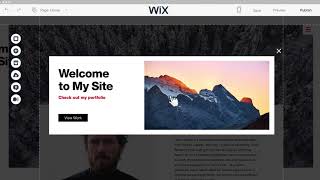
To gain a better understanding of how these Weebly and Wix work, you can check out the videos below. Browse through the videos and make the right choice.


Get insight into the company details Weebly and Wix and learn how they operate. Explore the company name, its location, and more!
.jpg)










.jpg)


.png)

.png)










.png)


.png)


