


Find the Best Webcam Software
Best Webcam software include Debut, Vmaker, ApowerREC, ManyCam, & Logitech Capture. It ensures that the premises or locations are safe and secure from remote access. It records the videos taken at particular intervals, and lets you access the video shots of any specific time or date.



No Cost Personal Advisor
List of 20 Best Webcam Software
Contenders | 2024

Productivity and Collaboration Tools
Shivaami is an authorized Google Cloud Partner, that offers Google Workspace, formerly known as G Suite, a cloud-based productivity and collaboration suite developed by Google. It includes a variety of applications such as Gmail, Google Drive, Docs, Sheets, etc. Read Shivaami Reviews
Explore various Shivaami features, compare the pricing plans, and unlock the potential of seamless operations by selecting the right software for your business.
Features
View all Shivaami Features- Encryption
- Real-time Chat
- Live Chat
- Chat / Messaging
- Email Management
- Backup Management
- Cloud Access
- File Access Control
Pricing
Business Starter
$ 72
User/Year
Business Standard
$ 144
User/Year
Business Plus
$ 216
User/Year
Shivaami Caters to
- StartUps
- SMBs
- Agencies
- Enterprises
Emergents | 2024

Multipurpose Webcam Video Recording Software for Professionals
Debut is the best webcam software for professionals who want a multipurpose tool to streamline their video recording and sharing requirements. This solution allows you to record and save video files in numerous formats, including AVI, WMV, FLV, and more. Read Debut Reviews
Explore various Debut features, compare the pricing plans, and unlock the potential of seamless operations by selecting the right software for your business.
Pricing
Home Edition
$ 35
Per Month
Pro Edition
$ 40
Per Month
Debut Caters to
- StartUps
- SMBs
- Agencies
- Enterprises
Emergents | 2024

Video Maker Software for Remote Teams
Vmaker is the best webcam software for individuals and professionals who want to make their video chats unique, fun, and interesting. It includes various effects and annotations, along with 4K recording and seamless editing for increased productivity. Learn more about Vmaker
Explore various Vmaker features, compare the pricing plans, and unlock the potential of seamless operations by selecting the right software for your business.
Features
View all Vmaker Features- Video Sharing
- Voice-Over
- Drawing
- Split / Merge
- Text Overlay
- Video Capture
- Customizable Branding
- Upload video or audio file
Pricing
Lite
$ 0
Licence/ User/ Month
Starter
$ 7
Licence/ User/ Month
Team
$ 10
Licence/ User/ Month
Vmaker Caters to
- StartUps
- SMBs
- Agencies
- Enterprises
Contenders | 2024
Robust Webcam and Screen Recorder Tool
ApowerREC is a webcam software and screen recorder solution for Windows, Mac, iOS, and Android. It allows you to record screen, record audio, record webcam, edit video, and add annotation, all from one place. It's ideal for companies, teachers, and individuals. Read ApowerREC Reviews
Explore various ApowerREC features, compare the pricing plans, and unlock the potential of seamless operations by selecting the right software for your business.
Features
View all ApowerREC Features- Hotkeys
- Dashboard
- Webcam Recording
- Screenshot Taking
- Screen Record Upto 30 fps
- Area Selection Zoomer
- Video Capture
- Record Webcam
ApowerREC Caters to
- StartUps
- SMBs
- Agencies
- Enterprises
Contenders | 2024

All-In-One Live Streaming and Webcam Software
ManyCam is one of the best webcam software solutions for companies looking for an all-in-one live streaming. It comes with various webcam tools like audience management, event scheduling, multistreaming, session recording, performance monitoring, and more. Read ManyCam Reviews
Explore various ManyCam features, compare the pricing plans, and unlock the potential of seamless operations by selecting the right software for your business.
Features
View all ManyCam Features- Collaboration
- Video Sharing
- Video Chat
- Session Recording
- Screen Sharing
- Multistreaming
Pricing
Standard
$ 29
Per Year
Studio
$ 59
Per Year
Premium
$ 79
Per Year
ManyCam Caters to
- StartUps
- SMBs
- Agencies
- Enterprises
Emergents | 2024

Advanced Webcam System for Professionals
Logitech Capture is advanced webcam software that makes creating content with your webcam easy, quick, fun, and intuitive. It offers webcam tools like multi-source recording, vertical video capture, live text overlays, live broadcasting, camera customization, and studio controls. Learn more about Logitech Capture
Explore various Logitech Capture features, compare the pricing plans, and unlock the potential of seamless operations by selecting the right software for your business.
Logitech Capture Caters to
- StartUps
- SMBs
- Agencies
- Enterprises
Emergents | 2024

Essential Video Tool for Vloggers and YouTubers
YouCam is the best webcam software for YouTubers, vloggers, and other individuals and professionals who stream video online. Key features of the software include animated emojis, video effect filters, AR makeup, and skin lighting & smoothing. Learn more about YouCam
Explore various YouCam features, compare the pricing plans, and unlock the potential of seamless operations by selecting the right software for your business.
Features
View all YouCam Features- Video Capture
- Video Effect
- Speed Adjustment
- Voice-Over
YouCam Caters to
- StartUps
- SMBs
- Agencies
- Enterprises
Emergents | 2024

Feature-Rich Webcam and Video Streaming Software
Yawcam is one of the best webcam software solutions for Windows. The tool works in the browser and comes with a dedicated control panel. Key capabilities of the solution include video streaming, image snapshots, motion detection, password protection, and more. Learn more about Yawcam
Explore various Yawcam features, compare the pricing plans, and unlock the potential of seamless operations by selecting the right software for your business.
Yawcam Caters to
- StartUps
- SMBs
- Agencies
- Enterprises
Emergents | 2024

Advanced Video Monitoring and Surveillance System
WebCam Monitor is a webcam software and video surveillance solution best suited for companies and households that want to strengthen their security. It comes with features like video security, video recording, action configuration, and review & analysis. Learn more about WebCam Monitor
Explore various WebCam Monitor features, compare the pricing plans, and unlock the potential of seamless operations by selecting the right software for your business.
Features
View all WebCam Monitor Features- Profile Management
- Import Export Management
- Survey Templates and Question Library
- Supports Audio / Images / Video
- Video and image management
- Email Support
- Data Collection
- Remote Access
Pricing
OneTime Payment
$ 92
One Time
WebCam Monitor Caters to
- StartUps
- SMBs
- Agencies
- Enterprises
Emergents | 2024

Video Streaming Solution for Streamers and Influencers
SplitCam is one of the finest webcam software for video streamers and YouTubers who want to go live and reach a broader audience. It integrates with numerous social platforms like Facebook, Twitch, YouTube, and other real-time messaging protocols all at once. Learn more about SplitCam
Explore various SplitCam features, compare the pricing plans, and unlock the potential of seamless operations by selecting the right software for your business.
Features
View all SplitCam Features- Video Effect
- Split / Merge
- Speed Adjustment
- Video Capture
SplitCam Caters to
- StartUps
- SMBs
- Agencies
- Enterprises
Emergents | 2024

Webcam Solution with Professional Editing Features
MyCam is a feature-rich webcam software that allows you to record videos and click pictures from your webcam. It comes with various video effects and photo filters that enable you to produce professional-quality videos and images every time. Learn more about MyCam
Explore various MyCam features, compare the pricing plans, and unlock the potential of seamless operations by selecting the right software for your business.
MyCam Caters to
- StartUps
- SMBs
- Agencies
- Enterprises
Emergents | 2024

Video Recording and Editing Solution for macOS
iGlasses is a software solution that provides numerous webcam tools to make video streaming and editing seamless. It comes with a personal fine-tuning that allows you to adjust the brightness, temperature, tint, saturation, contrast, and sharpness of an image or video. Learn more about iGlasses
Explore various iGlasses features, compare the pricing plans, and unlock the potential of seamless operations by selecting the right software for your business.
iGlasses Caters to
- StartUps
- SMBs
- Agencies
- Enterprises
Emergents | 2024

Video Making Software for Professional Streamers
Screencast-O-Matic is the best webcam software for professional video streamers who want to add effects and make their videos stand out. Key features of the solution include drawing tools, screen recording, audio capture, YouTube uploading, and more. Learn more about Screencast-O-Matic
Explore various Screencast-O-Matic features, compare the pricing plans, and unlock the potential of seamless operations by selecting the right software for your business.
Screencast-O-Matic Caters to
- StartUps
- SMBs
- Agencies
- Enterprises
Emergents | 2024

Utility Webcam Software for Windows 10
Windows Camera is a utility software solution that comes with all the latest Windows 10 versions. It comprises various webcam tools that allow you to record video, pause video, use timers, compose pictures, and back up photos to OneDrive. Learn more about Windows Camera
Explore various Windows Camera features, compare the pricing plans, and unlock the potential of seamless operations by selecting the right software for your business.
Features
View all Windows Camera Features- Audio Waveform
- Collaboration
- Video Capture
- Audio Tools
- Media Library
- Video and image management
- Video Sharing
- Supports HD Resolution
Windows Camera Caters to
- StartUps
- SMBs
- Agencies
- Enterprises
Emergents | 2024

Advanced Webcam Software for Personal and Professional Use
Willing Webcam is the best webcam software that helps you capture streaming videos and photos and then save them locally. it comes with advanced features, such as video broadcast, time-lapse, video surveillance, video split, and parental control. Learn more about Willing Webcam
Explore various Willing Webcam features, compare the pricing plans, and unlock the potential of seamless operations by selecting the right software for your business.
Features
View all Willing Webcam Features- Email Support
- Import Export Management
- Upload Contacts
- Visitor Management
- Document Management
- Customer Management
- Data Collection
- Remote Access
Willing Webcam Caters to
- StartUps
- SMBs
- Agencies
- Enterprises
Emergents | 2024

Easy-to-Use WebCam Software With Real-Time Effects
Webcam Toy is a video and image recording software solution that provides a comprehensive range of advanced webcam tools. It allows you to take selfies and capture videos with more than 80 fun effects. It's available as a Chrome extension. Learn more about Webcam Toy
Explore various Webcam Toy features, compare the pricing plans, and unlock the potential of seamless operations by selecting the right software for your business.
Webcam Toy Caters to
- StartUps
- SMBs
- Agencies
- Enterprises
Contenders | 2024

Powerful Webcam and Screen Sharing Solution
Bandicam is a robust webcam software that allows you to record your screen and turn it into AVI and MP4 files. It allows you to record high-quality videos and save them into a smaller file size, thereby making video sharing easy. Read Bandicam Reviews
Explore various Bandicam features, compare the pricing plans, and unlock the potential of seamless operations by selecting the right software for your business.
Features
View all Bandicam Features- Dashboard
- Screen Record Upto 30 fps
- Record Audio
- Area Selection Zoomer
- Record Webcam
- Take and Edit Screenshots
- Video Capture
- Step Tool
Bandicam Caters to
- StartUps
- SMBs
- Agencies
- Enterprises
Emergents | 2024

Software by Loopsie
Loopsie is a fully featured Webcam Software designed to serve Startups, SMEs, Enterprises. Loopsie provides end-to-end solutions designed for Web App. This online Webcam system offers 3D Photo, Camera at one place. Learn more about Loopsie
Explore various Loopsie features, compare the pricing plans, and unlock the potential of seamless operations by selecting the right software for your business.
Features
View all Loopsie Features- 3D Photo
- Camera
Loopsie Caters to
- StartUps
- SMBs
- Agencies
- Enterprises
Emergents | 2024

Software by BEASTGRIP
Beastcam is a fully featured Webcam Software designed to serve Startups, SMEs, Enterprises. Beastcam provides end-to-end solutions designed for Web App. This online Webcam system offers Camera at one place. Learn more about Beastcam
Explore various Beastcam features, compare the pricing plans, and unlock the potential of seamless operations by selecting the right software for your business.
Features
View all Beastcam Features- Camera
Beastcam Caters to
- StartUps
- SMBs
- Agencies
- Enterprises
Emergents | 2024

Software by Cymera
Cymera is a fully featured Webcam Software designed to serve Startups, SMEs, Enterprises. Cymera provides end-to-end solutions designed for Web App. This online Webcam system offers Camera at one place. Learn more about Cymera
Explore various Cymera features, compare the pricing plans, and unlock the potential of seamless operations by selecting the right software for your business.
Features
View all Cymera Features- Camera
Cymera Caters to
- StartUps
- SMBs
- Agencies
- Enterprises
Get Free Expert Advice

Recent Review
What is Webcam Software?
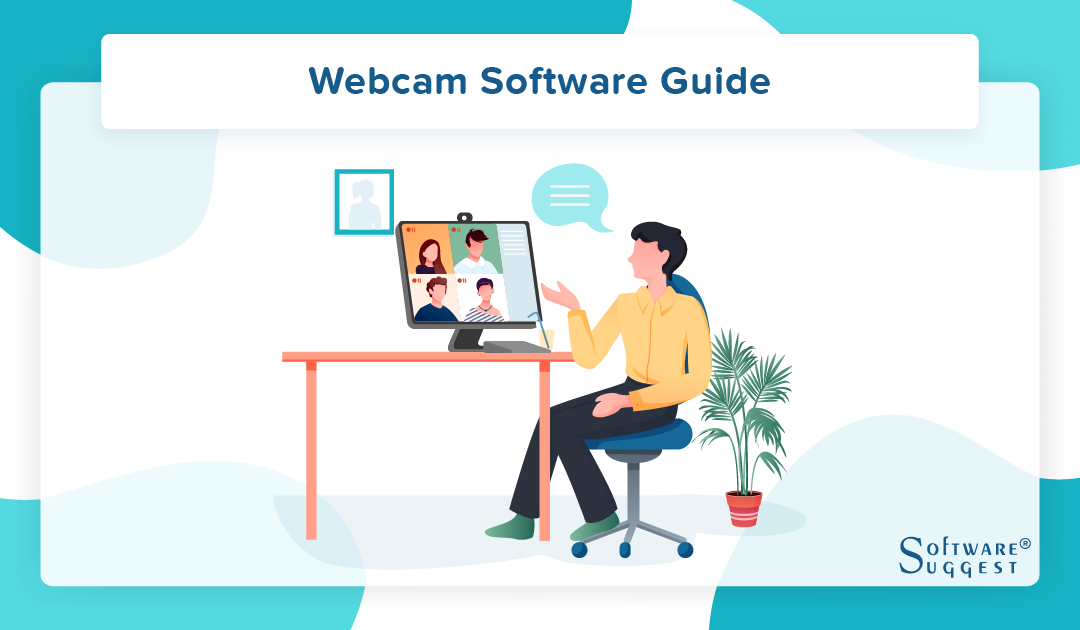
Webcam software is an application that allows you to capture a video feed from the camera of your desktop or laptop. They can also be used to record or stream webcam videos on the internet. Moreover, you can also use them to deliver online classes and create professional videos. Using webcam software, you can record videos in AVI (Audio-Video Interleaved) and WMV (Windows Media Video ) file formats.
First, webcam software captures digital pictures. Then, these images are forwarded to the computer that moves them to the server. Later, these pictures are transmitted to the hosting page from the server. Most webcams are connected to USB, FireWire port, or embedded into the display with laptop computers.
A good webcam can provide advanced features like motion sensing, image archiving, custom coding, and even automation. Moreover, the webcam software can be used for video broadcasting, video recording, security surveillance, and video conferencing.
Common Features of A Webcam Software

1. Still Images
A webcam functions as a digital camera and helps you capture still images. Once it is activated, the image the camera points to appear on your computer screen. After the image is captured, it is saved to the computer’s hard drive.
2. Videos
Webcams also let you record short video messages with the same ease as that of capturing images; you only need to start and stop the camera. The start and stop buttons are usually the same and have a red blinking circle when the camera is recording.
3. Conferencing
Using video conferencing software webcam allows you to present a video image of yourself as you talk to another person. While these are not usually recorded, a live feed is displayed. Moreover, if you have a webcam and the other person doesn't, he/she can only send audio during the call. However, he/she can still see your video.
Benefits of Using A Webcam Software
Webcams are cheaper than standard video cameras and allow face-to-face communication. This makes it easy to illustrate things visually to the person you are talking to. Thus, making webcams a must-have for home and office use. Some webcams also offer movement sensors and night vision capabilities.
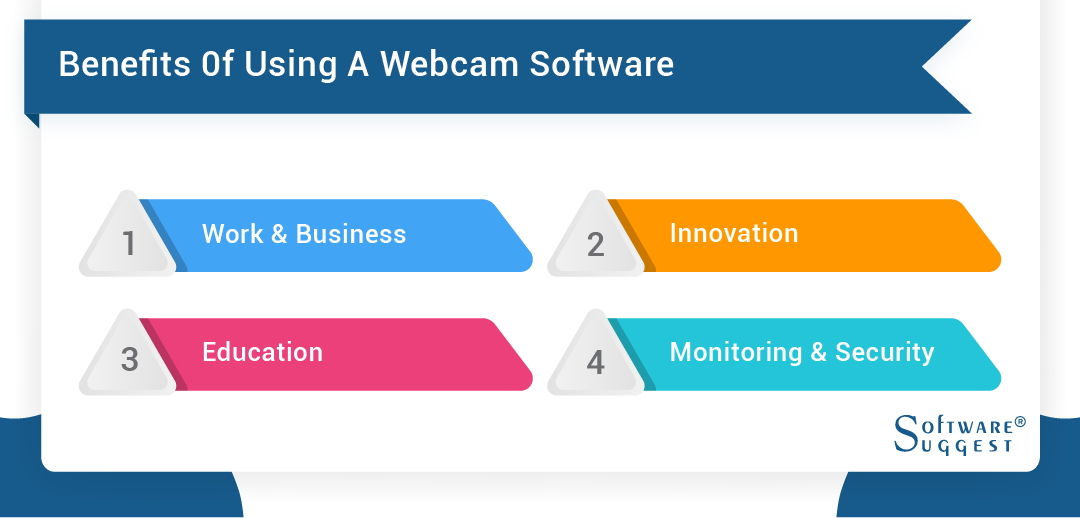
1. Work and Business
Webcams open up new opportunities for attending meetings and telecommuting. With a webcam paired with your laptop, you can talk with your co-workers and reach out to them anytime and anywhere. Moreover, holding meetings online and sharing information in video conferencing can help you cut down on travel expenses.
2. Innovation
Webcam conferencing is now increasingly being used by insurance companies and doctors. The former is using video interactions to protect users against fraud and provide online convenience. At the same time, doctors who use healthcare software are performing telesurgery to deliver medical services in rural areas. Moreover, webcams also enable collaboration between geographically dispersed workers in all industries.
3. Education
With students and young professionals dependent on online learning tools, having a webcam becomes a must. Tutorials and lessons can also be recorded with lecture capture software. Moreover, having webcams can also make group projects much easier. Furthermore, they enable two-way communication and let you interact with your peers and instructor.
4. Monitoring and Security
If you have children, or if you want to monitor your house, webcams can also work as security cameras. You only need to install webcam security programs with survillance software, and you can easily connect multiple cameras and create a home surveillance system. Moreover, you can view live streams of your cameras from anywhere. Also, some software will send you emails and notifications if they detect any unusual activity.
Why Use Webcam Software?
You can’t use a webcam without a webcam software solution. However, built-in webcam systems come with little to no functionality. If you want to use a webcam for professional purposes, using a webcam solution is crucial.
Here’s why you should use webcam software.
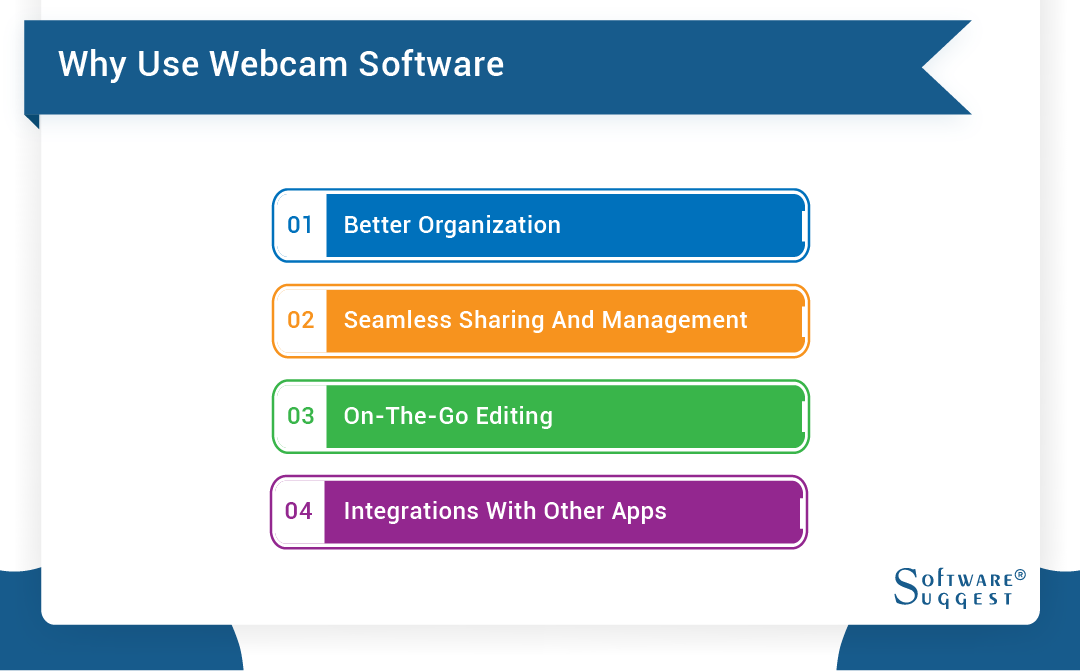
1. Better Organization
You’ll likely use the webcam for video conferencing to communicate with your colleagues, clients, and partners. These conversations can be critical, and hence, you can’t afford to miss out on any important details. Typically, people write down notes to record important details.
You can make your life easier by recording your video sessions. Webcam software allows you to capture the webcam screen with audio. Furthermore, you can save the files into various folders to stay organized and productive.
2. Seamless Sharing and Management
The best webcam software solutions come with email and social sharing capabilities. You don’t have to look for the recorded video files on your system. With webcam software, you can easily find and share recorded webcam files with anyone. This makes video sharing an effortless process.
3. On-the-Go Editing
Sometimes, you might find the need to trim or mute certain parts of the video. To do that, you’ll have to import the video file in a video editor app, edit it, and then save it as a new file. The best webcam software makes this process seamless. You can edit your recorded videos within the webcam software itself without the need to import the video file into other software.
4. Integrations with Other Apps
If you use your webcam for live streaming or conducting webinars, you’ll have to use separate tools, such as Google Meet and Twitch. The best webcam software integrates with various pugins for screen recording, tools and apps, allowing you to get all the work done from one place.
How Does Webcam Software Work?
Even though every webcam software solution is different, most of them follow the same working mechanism. Here’s how a typical webcam software system works.
1. Camera Boot
Even though a webcam is a hardware device, it can be accessed only through the webcam software. Built-in webcam solutions don’t have an on-off toggle, so the webcam immediately starts after you open the software.
Advanced webcam software solutions come with an on-off toggle. Opening the software won’t open the camera, and you can manually turn it on or off.
2. Picture Display
Once the camera boots up, it starts shooting the objects in front of it. The webcam software will display the camera’s view on your screen. Modern-day webcam solutions come with customization options to modify this panel. You can zoom in or zoom out the panel or add drawing and typing tools as per your requirements.
3. Capture, Record, or Live Stream
All webcam solutions come with picture capture and video recording capabilities. You can click the capture and record button to take a picture or record a video. If your software supports live streaming, you’ll find a live stream button through which you can go live on platforms like YouTube and Instagram.
4. Store Files
When you click pictures or record videos, the webcam software automatically saves and organizes those files. Depending on whether your software is on-premise or cloud-based, the files will be stored on your hard drive or cloud storage. You can access these files as per your requirements.
List of Most Popular Webcam Software and Apps
Let us have a look at some of the best webcam software.
1. YouCam
YouCam is webcam software that can easily be integrated with video call services like Skype, Zoom, Facebook, etc. It will also allow you to apply makeup and enhance skin tone.
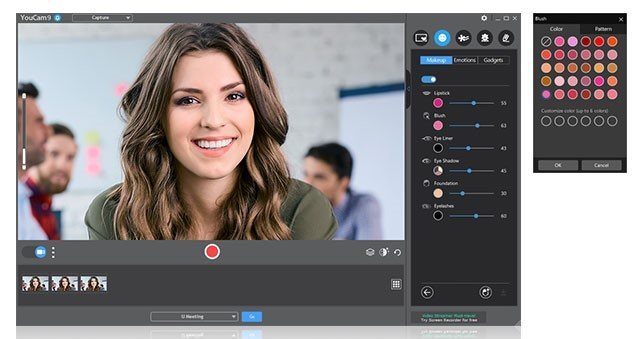
Features:
- It offers more than 200 effects
- Provides customized titles and images
- Face login and face-out facility
- Add frames and scenes to images
- Adjust lighting and sharpness in the video
- Supports Windows 10, 8, 7
Pros:
- It has face beautification tools
- Customizable images and titles for live streaming
- Wide range of animated emojis
Cons:
- Offers limited options in the free version
- Only supports AVI, WMV, and MP4 formats
2. ManyCam
A live streaming software, ManyCam helps you create professional videos and deliver online classes with ease. It also allows you to remove, replace, or blur background during a web conference.
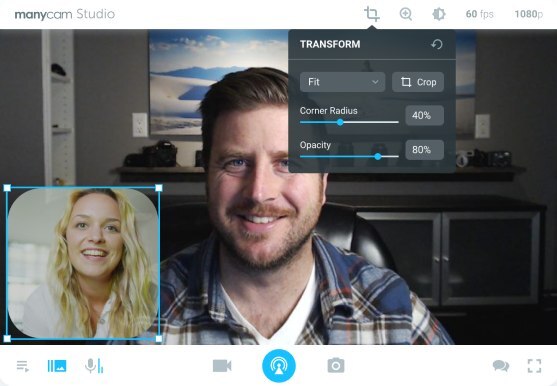
Features:
- Available for Facebook and YouTube Live
- It supports streaming and broadcasting
- Record videos in WMV and AVI
- Can be synced with Skype and Yahoo messenger
- Supports Windows 10, 8, 7 PC
Pros:
- No watermark in the free version
- Allows you to stream up to 4K resolution
- Offers real-time drag and drops effects
Cons:
- No light enhancement feature.
- Most features need manual control
- Only supports H.264 IP, MPEG, AVI, MOV, MP4, and MJPEG
3. Logitech Capture
Logitech is the best webcam app for recording videos from multiple sources and broadcasting them on Facebook, Twitter, or Twitch.
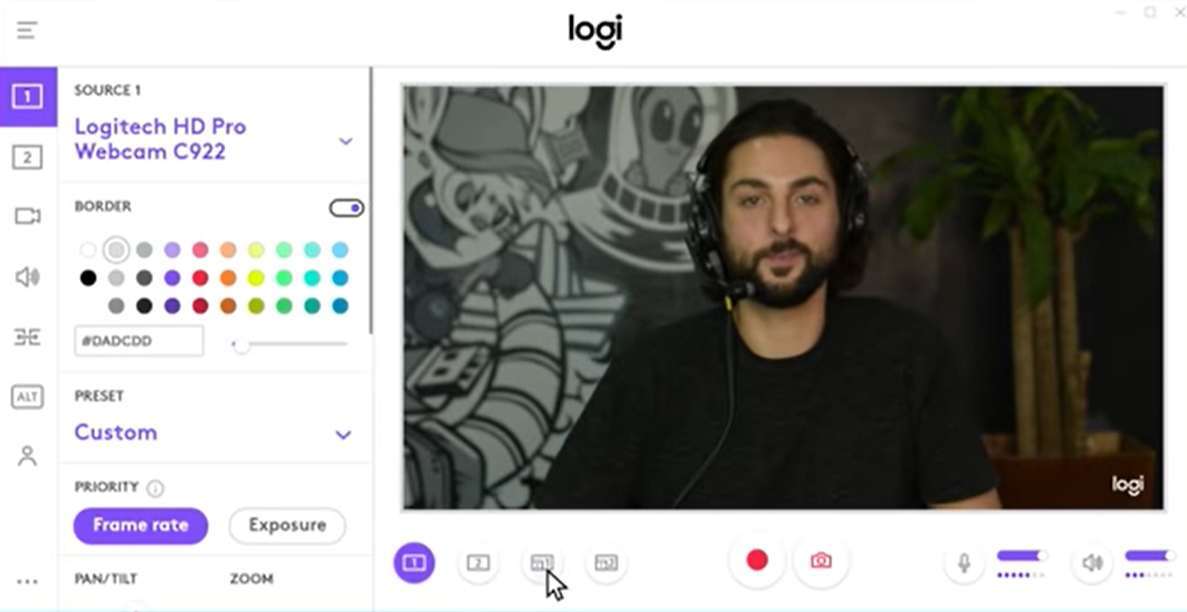
Features:
- Adjust your layouts and apply transitions with ease
- Easily customizable
- Personalize video content with live text overlays
- Helps you capture video in a vertical format
- Supports Windows and macOS
Pros:
- Offers 100+ transitions and effects
- Optimized for mobile devices
- Direct streaming to YouTube
Cons:
- Requires a Logitech Webcam
- Account registration needed for using Logitech Capture
4. Debut Video Capture Software
Debut is an online webcam app to record screens videos, and adjust color settings and add effects. You can also use it to capture videos from network IP cameras.
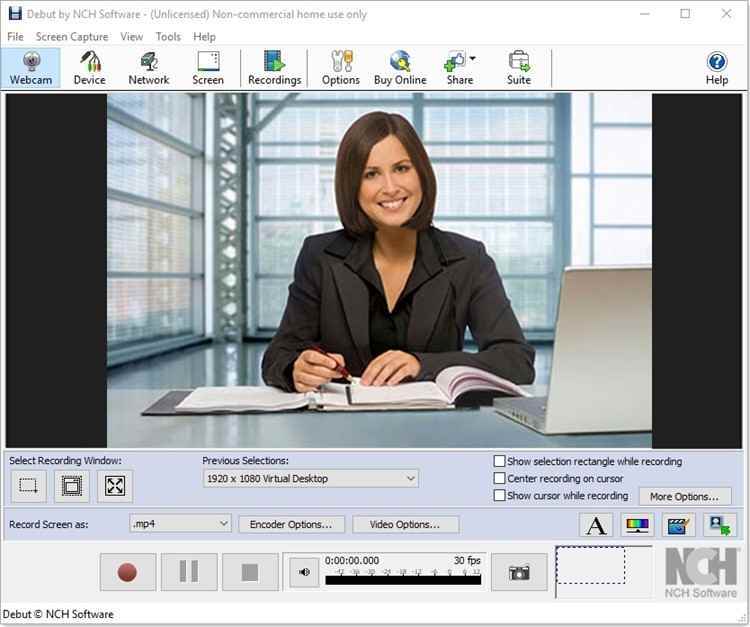
Features:
- Record video in WMV, MOV, AVI, MPG, FLV, and MP4 formats
- Record audio from microphone
- Edit recorded videos
- Capture videos with no sounds
- Supports Windows and Mac OS X
Pros:
- Minimalistic UI
- Share videos through various channels
Cons:
- Contains watermark
- Difficult to record video in full-screen mode
How To Install Webcam Software?
If you’ve never used an external webcam before, setting up a webcam and installing webcam software can be daunting. By following these steps, you can install the best webcam recorder software easily and start using your webcam.
1. Install the Drivers
First things first, you need to install the necessary webcam drivers. In newer operating system versions like Windows 8 and Windows 10, the drivers will be automatically installed once you plug in the webcam. If your system doesn’t automatically install the cables, you can do so manually.
2. Get the Software Installation File
This process will depend on whether the software is on-premise or cloud-based. Let’s talk about on-premise software first.
On-premise systems are installed on your company’s servers, behind your firewall. These solutions generally come in the form of a CD or DVD. Once you put it in the CD/DVD player, the program starts running. You can also download on-premise solutions online from a vendor’s website. Even though they’re downloaded from the internet, they’ll utilize your device’s storage.
Cloud-based software solutions come in two types: web-based solutions and downloadable apps. Web-based solutions run on the browser. You can open the vendor’s website, create an account, and start using them. On the other hand, downloadable solutions are downloaded on your device, but they utilize cloud storage. You can download them from the vendor’s website.
3. Install the Software
The installation process also varies depending on the type of software. If it’s cloud-enabled and web-based, there’s no need for an installation process. You can simply go to the vendor’s website and start using it.
If the software is downloadable, you’ll have to download the setup file. It could be either in the “.exe” format or extractable “.RAR” format. If it’s in the .exe format, you can click on the setup and finish the installation process. If it’s in the. RAR format, you’ll have to extract its contents. There’ll be a setup.exe file in the contents that you need to install.
If you have software in the form of a CD/DVD, you need to put it in the CD player of your computer. Most software titles come with an AutoPlay feature. Once the CD or DVD is inserted, the software will automatically start running. If this doesn’t happen, you can find the inserted DVD drive in My Computer to find the installation files. There, you’ll find a setup.exe file.
4. Check the Software
Once the installation is complete, the software will automatically open. If it doesn’t, you can double-click the software’s icon to open it. Check if the software’s working properly. If not, you might need to contact technical support. Webcam Software is best for virtual communication process for business.
Things to Consider While Looking For A Webcam Software for PC
1. Megapixels
A webcam produces clear, bright images with more megapixels. The megapixels are small dots of colors that make a visual image when they are combined. Most of the webcams today offer 320X240 or 640X480 pixels to provide a better image quality. You must consider buying a webcam that offers 1280X720 pixels. This will help you produce high-definition (HD) quality images and videos.
2. Frame Rate
While megapixels control the image and color brightness, the frame rate deals with the video quality. Frame rate decides how many images are displayed per second.
Most webcams support 30 frames per second. If you need to create a video, you must purchase software that supports 60 fps recording.
3. High Resolution
Many webcams offer 720p and 1080p high-definition capabilities. You can choose to buy 4K webcams, but these come with a higher premium price tag. Moreover, you must invest in an HD-capable monitor to get high definition.
4. Autofocus
Autofocus works by automatically focusing the subject while it moves around. Although it is a must-have feature, it can also slow things up while the camera takes time to focus.
5. Microphone
A webcam must have a built-in microphone. Some software even offers dual microphones and omnidirectional mics that record audio from every direction. This will allow you to do video chats easily and even record videos. If you need to record webisodes or higher-tech films, you would need an external microphone.
6. Video Effects
The latest webcam software allows you to use avatars and special backgrounds. A tool that offers twitch streamers is ideal. It will enable you to add special effects and overlays.
FAQs
Standalone webcams come with software on a disc. You will need to install them on your desktop or laptop before activating and using the webcam. If you don’t have the installation software disc, you can download it from the manufacturer’s website's support section.
There are several free and open-source webcam software available in the market. One such software is ManyCam. It allows you to enhance your video chat experience and create impressive live streams on multiple platforms. You can also create professional broadcasts on your favorite platforms, record screens, and add effects.
For desktops, you can use two USB webcams or even combine a webcam with a video camera. To connect a video camera as your second camera, you would need a small device to connect it to a USB port on your computer.
No. You need to plug in the webcam into the USB port in your CPU.
No. The best webcam software solutions come with advanced privacy and security features to ensure that your webcam footage and files remain secure.
Since video conferences have replaced in-person meetings, having a webcam software solution is essential for every working professional. This solution allows you to attend live video conferences, stream live videos, and record, save and share webcam videos. It’s ideal for work, business, education, and personal use.